New to Telerik UI for WinUI? Start a free 30-day trial
DateTime Column
Updated on Mar 26, 2026
The DataGridDateTimeColumn represents DateTime objects.
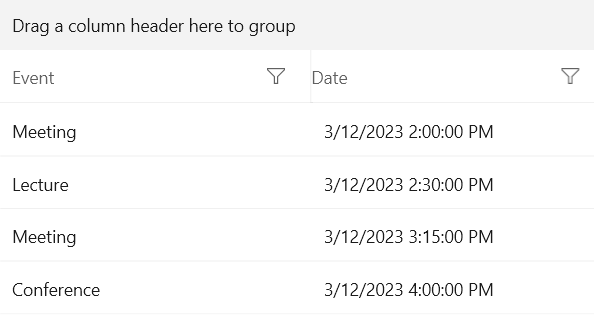
The following example shows how to define a DataGridDateColumn manually.
- First, create the business object.
Create the Data Model
C#
public class Data
{
	public string Event { get; set; }
	public DateTime Date { get; set; }
}- The next step is to create some sample data.
Create Sample Data
C#
public class MyViewModel
{
	public MyViewModel()
	{
		this.Data = new ObservableCollection<Data>()
		{
			new Data { Event = "Meeting", Date = new DateTime(2023, 3, 12, 14, 00, 0)},
			new Data { Event = "Lecture", Date = new DateTime(2023, 3, 12, 14, 30, 0)},
			new Data { Event = "Meeting", Date = new DateTime(2023, 3, 12, 15, 15, 0)},
			new Data { Event = "Conference", Date = new DateTime(2023, 3, 12, 16, 00, 0)}
		};
	}

	public ObservableCollection<Data> Data { get; set; }
}- To associate each column with the relevant property from the model, the example also uses the
PropertyNameproperty.
Define the DataGrid in XAML
XAML
<Grid>
	<Grid.DataContext>
		<local:MyViewModel/>
	</Grid.DataContext>
	<telerikGrid:RadDataGrid UserEditMode="Inline" ItemsSource="{Binding Data}"     AutoGenerateColumns="False">
		<telerikGrid:RadDataGrid.Columns>
			<telerikGrid:DataGridTextColumn PropertyName="Event" Header="Event"/>
			<telerikGrid:DataGridDateColumn PropertyName="Date" Header="Date"/>
		</telerikGrid:RadDataGrid.Columns>
	</telerikGrid:RadDataGrid>
</Grid>
DateTimeColumn
Formatting the Cell Value
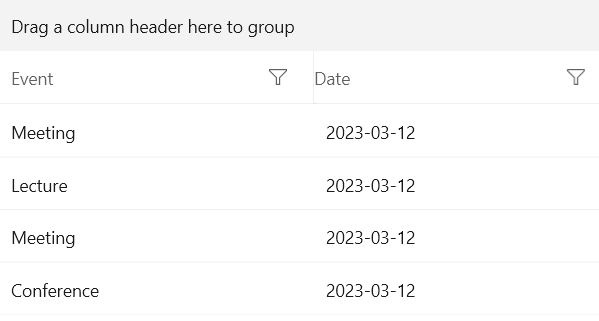
You can use the CellContentFormat property to format the Date and utilize any of the .NET Standard Date and Time Format Strings.
Define the Format in XAML
XAML
<telerik:RadDataGrid ItemsSource="{Binding Data}" UserEditMode="Inline" AutoGenerateColumns="False">
	<telerik:RadDataGrid.Columns>
		<telerik:DataGridDateTimeColumn PropertyName="Event" Header="Event"/>
		<telerik:DataGridDateTimeColumn PropertyName="Date" Header="Date" CellContentFormat="{}{0:yyyy-MM-dd}"/>
	</telerik:RadDataGrid.Columns>
</telerik:RadDataGrid>
DateTimeColumn Format