New to Telerik UI for WinUI? Start a free 30-day trial
Header
Updated on Mar 26, 2026
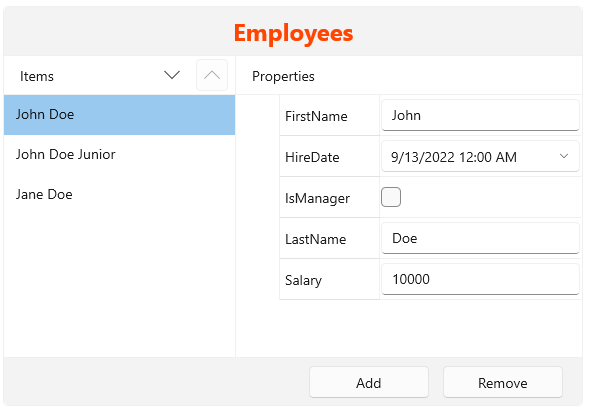
The CollectionEditor allows you to define a title content that is displayed on top of the control.
To show the title, set the Header property of RadCollectionEditor.
Setting Header to a string
XAML
<telerikControls:RadCollectionEditor Header="Employees"/>
The header also can be assigned a visual element, thus allowing more customization options.
Setting Header to a visual element
XAML
<telerikControls:RadCollectionEditor>
	<telerikControls:RadCollectionEditor.Header>
		<Border Padding="8">
			<TextBlock Text="Employees" FontWeight="Bold" FontSize="24" Foreground="OrangeRed" />
		</Border>
	</telerikControls:RadCollectionEditor.Header>
</telerikControls:RadCollectionEditor>