New to Telerik UI for WinUI? Start a free 30-day trial
Typing Indicator
Updated on Mar 26, 2026
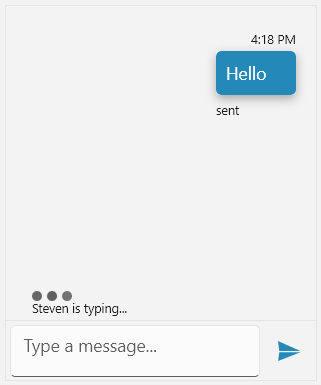
The TypingIndicator functionality of the Conversational UI can be used to indicate that an Author is typing. This is done through the following properties.
TypingIndicatorVisibility: It is of typeVisibility. By default its value is set toCollapsed. In order for the typing indicator to be displayed it can be set toVisible.TypingIndicatorText: A string property that specifies what text to be displayed when anAuthoris typing.TypingIndicatorIcon: AnImageSourceproperty through which a custom icon for theTypingIndicatorcan be applied.
Setting the TypingIndicator
C#
var textMessage = new TextMessage(this.currentAuthor, "Hello", "sent");
textMessage.InlineViewModel.StatusVisibility = Microsoft.UI.Xaml.Visibility.Visible;

this.chat.AddMessage(textMessage);

this.chat.TypingIndicatorText = this.otherAuthor.Name + " is typing...";
this.chat.TypingIndicatorVisibility = Microsoft.UI.Xaml.Visibility.Visible;
RadChat with set TypingIndicator