New to Telerik UI for WinUI? Start a free 30-day trial
Image Card
Updated on Mar 26, 2026
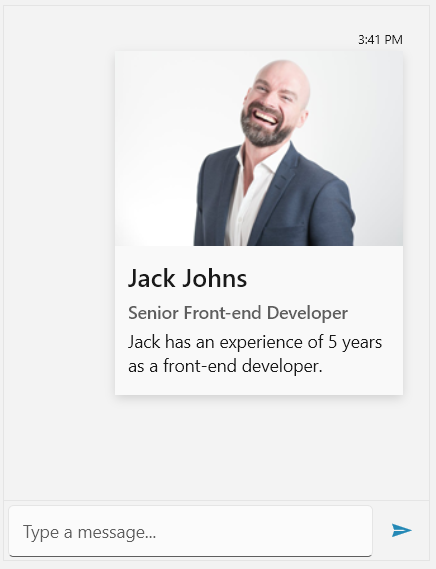
The ImageCard extends the CardMessage by adding the option for displaying an image.
Defining an ImageCardMessage
C#
ImageCardMessage cardMessage = new ImageCardMessage(this.currentAuthor);

cardMessage.ActionResultsOrientation = Orientation.Vertical;
cardMessage.Title = "Jack Johns";
cardMessage.SubTitle = "Senior Front-end Developer ";
cardMessage.Text = "Jack has an experience of 5 years as a front-end developer.";
cardMessage.ImageSource = new BitmapImage(new Uri("ms-appx:///JackJohns.png", UriKind.Absolute));

this.chat.AddMessage(cardMessage);
RadChat with an ImageCardMessage
Card Orientation
RadChat exposes the CardOrientation property for controlling its orientation. It is an enumeration that has the following two values:
PortraitLandscape
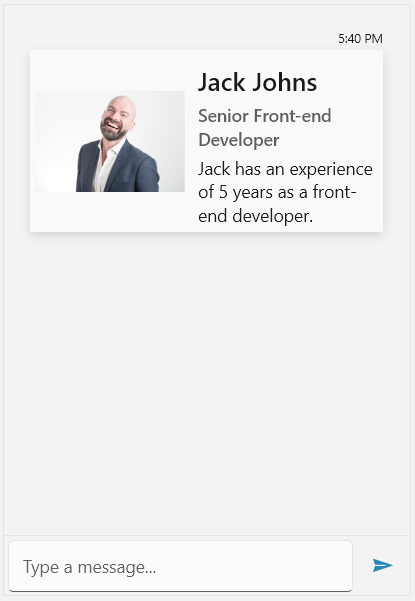
The default value is Portrait. When set to Landscape the previously defined ImageCardMessage will be visualized as shown below.
RadChat with a landscape-oriented ImageCardMessage
Display Mode
The display mode of the image of ImageCardMessage can be manipulated through the ImageDisplayMode enumeration. It has two value which are listed below.
StretchThumbnail
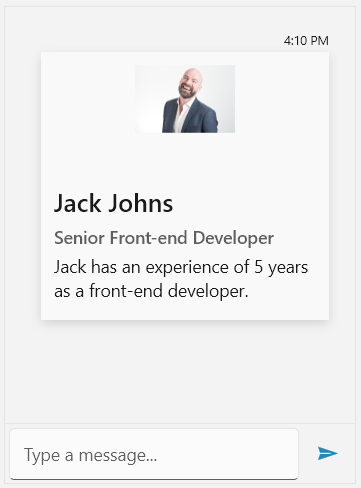
By default, the property will be set to Stretch. Setting it to Thumbnail will have the following output.
RadChat with a ImageCardMessage in thumbnail display-mode