New to Telerik UI for WinUI? Start a free 30-day trial
Doughnut Series
Updated on Mar 26, 2026
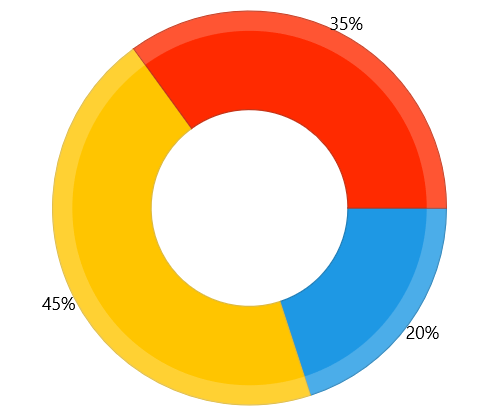
The DoughnutSeries visualizes its data points in doughnut segments.
Properties
The DoughnutSeries class inherits from the PieSeries class - See the inherited properties.
- InnerRadiusFactor (double): Gets or sets the inner radius factor of the series (that is the space that remains empty). The value is in logical units, in the range of [0, 1].
Example
Examples 1 and 2 demonstrates how to setup a DoughnutSeries using a RadPieChart.
Example 1: Defining the model and populating with data
C#
public sealed partial class MainPage : Page
{
	public MainPage()
	{
		this.InitializeComponent();

		this.mychart.Series[0].ItemsSource = CreateData();
	}

	public List<Data> CreateData()
	{
		List<Data> data = new List<Data>();
		data.Add(new Data() { Value = 20 });
		data.Add(new Data() { Value = 45 });
		data.Add(new Data() { Value = 35 });

		return data;
	}
}

public class Data
{
	public double Value { get; set; }
}
Example 2: Defining the DoughnutSeries
XAML
<Grid xmlns:telerikChart="using:Telerik.UI.Xaml.Controls.Chart"V>
	<telerikChart:RadPieChart x:Name="mychart" PaletteName="DefaultLight" >
		<telerikChart:DoughnutSeries ShowLabels="True">
			<telerikChart:DoughnutSeries.ValueBinding>
				<telerikChart:PropertyNameDataPointBinding PropertyName="Value"/>
			</telerikChart:DoughnutSeries.ValueBinding>
		</telerikChart:DoughnutSeries>
	</telerikChart:RadPieChart>
</Grid>
Figure 1: DoughnutSeries