New to Telerik Test Studio Dev Edition? Start a free 30-day trial
Add a Quick Verification
Updated on May 20, 2026
The easiest and fastest way to add a verification to your test is through the Quick Steps section in the element's context menu.
-
Create a Web Test and click Record.
-
Navigate to www.bing.com
-
Enter Telerik in the search box and click the Search button.
-
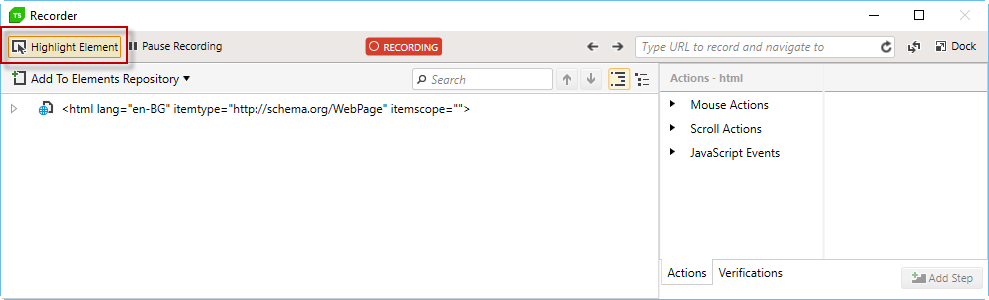
Enable hover over highlighting by clicking Highlight Element in the Test Studio Dev Recorder.
-
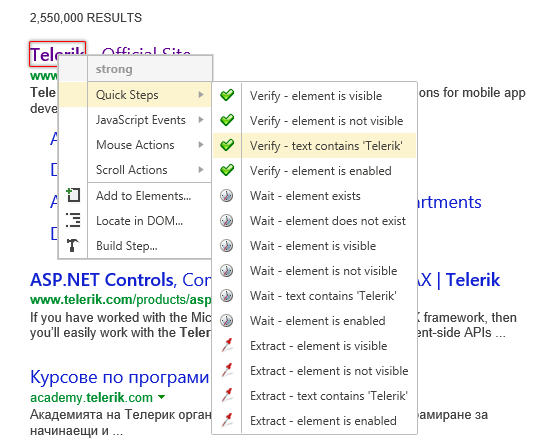
In the recording browser window, hover over the element against which to verify. Choose Quick Steps > Verify - text contains entry.
-
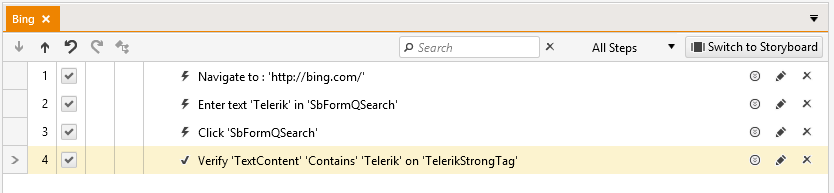
The Verify step is added to the test.
Note! Each Verification/Wait/Extract step could have it role changed between Verification, Wait, and Extraction (if based on text). Right click the step and select from the context menu Change Role > Set As...
See Also: