New to Telerik UI for WinForms? Start a free 30-day trial
Server Side Paging in Virtual Grid
Updated on Aug 27, 2026
Environment
| Product Version | 2018.1 220 |
| Product | RadVirtualGrid for WinForms |
Description
RadVirtualGrid is a control providing a convenient UI to display only the visible part of a large set of data. By definition not all of that data needs to be available locally. The example in this article will handle a scenario of implementing a server side paging.
Solution
The data will be selected according to the current page index. The PageIndexChanging event is used to perform the new query. The example also mocks a repository in the RadVirtualGridRepository class working with OrderDataModel entities.
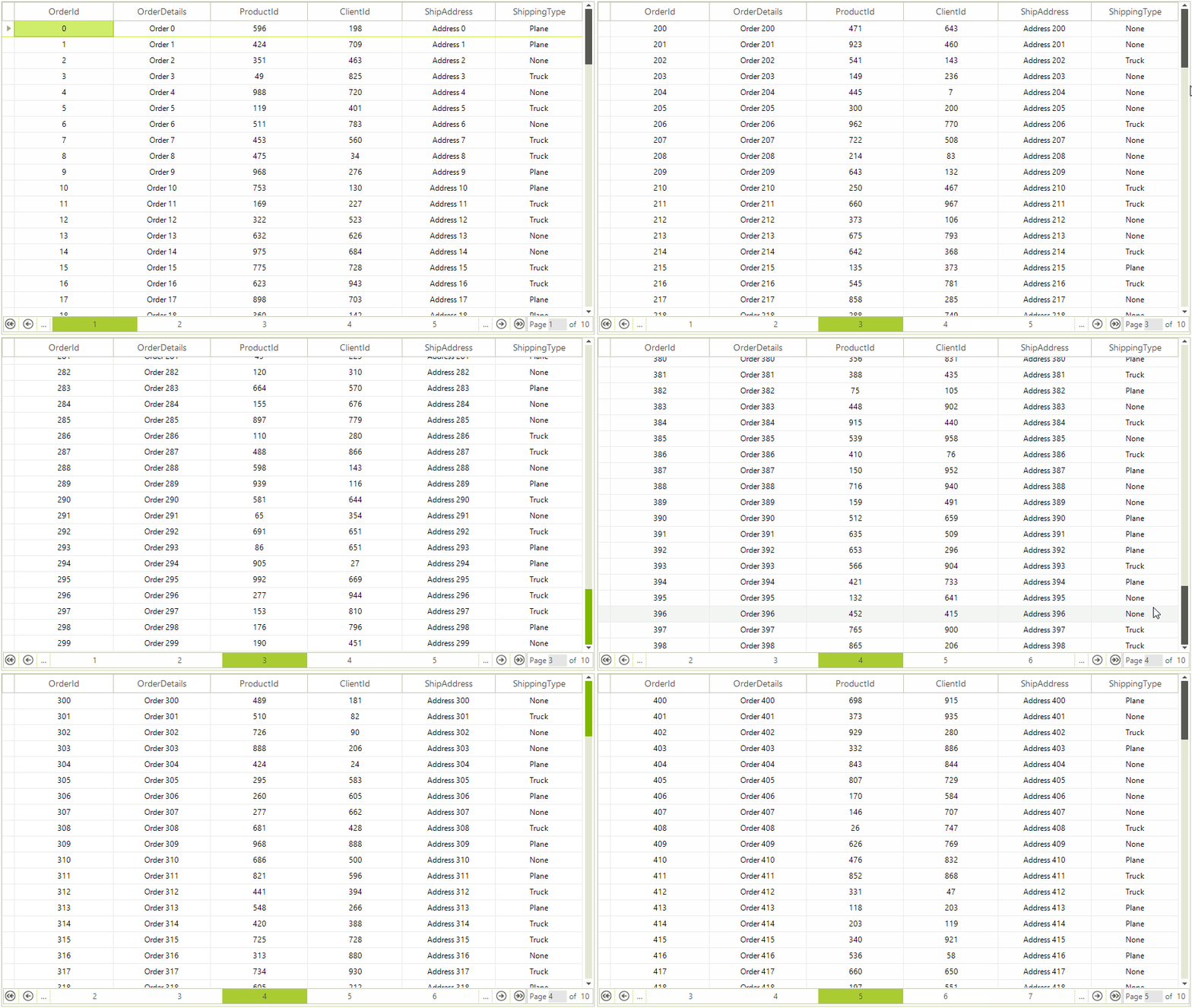
The animation below demonstrates the end result in RadVirtualGrid.
Figure 1: Server Side Paging
Form`s Setup and PageIndexChanging Event
C#
public partial class ServerSidePagingVirtualGrid : Telerik.WinControls.UI.RadForm
{
    private VirtualGridRepository repository;
    private IList<OrderDataModel> data;
    public ServerSidePagingVirtualGrid()
    {
        InitializeComponent();
        this.repository = new VirtualGridRepository();
        this.radVirtualGrid1.RowCount = this.repository.Orders.Count();
        this.radVirtualGrid1.ColumnCount = this.repository.ColumnNames.Length;
        this.radVirtualGrid1.EnablePaging = true;
        this.radVirtualGrid1.AutoSizeColumnsMode = Telerik.WinControls.UI.VirtualGridAutoSizeColumnsMode.Fill;
        this.SelectData(this.radVirtualGrid1.PageIndex);
        this.radVirtualGrid1.CellValueNeeded += RadVirtualGrid1_CellValueNeeded;
        this.radVirtualGrid1.PageChanging += RadVirtualGrid1_PageChanging;
    }
    private void RadVirtualGrid1_PageChanging(object sender, VirtualGridPageChangingEventArgs e)
    {
        this.SelectData(e.NewIndex);
    }
    private void RadVirtualGrid1_CellValueNeeded(object sender, Telerik.WinControls.UI.VirtualGridCellValueNeededEventArgs e)
    {
        if (e.ColumnIndex < 0)
        {
            return;
        }
        if (e.RowIndex == RadVirtualGrid.HeaderRowIndex)
        {
            e.Value = this.repository.ColumnNames[e.ColumnIndex];
        }
        if (e.RowIndex >= 0 && e.RowIndex < this.data.Count * (this.radVirtualGrid1.PageIndex + 1))
        {
            int index = e.RowIndex - this.radVirtualGrid1.PageSize * this.radVirtualGrid1.PageIndex;
            e.Value = this.data[index][e.ColumnIndex];
        }
    }
    private void SelectData(int pageIndex)
    {
        this.data = this.repository.Orders.Skip(pageIndex * this.radVirtualGrid1.PageSize).Take(this.radVirtualGrid1.PageSize).ToList();
    }
}
Mock Repository
C#
public class VirtualGridRepository
{
    private Random rand = new Random();
    private IQueryable<OrderDataModel> orders;
    private string[] columnNames = new string[]
    {
        "OrderId",
        "OrderDetails",
        "ProductId",
        "ClientId",
        "ShipAddress",
        "ShippingType"
    };
    public IQueryable<OrderDataModel> Orders
    {
        get
        {
            if (this.orders == null)
            {
                GenerateData();
            }
            return this.orders;
        }
    }
    public string[] ColumnNames
    {
        get
        {
            return this.columnNames;
        }
    }
    private IQueryable<OrderDataModel> GenerateData()
    {
        IList<OrderDataModel> data = new List<OrderDataModel>();
        for (int i = 0; i < 1000; i++)
        {
            data.Add(
                new OrderDataModel
                {
                    OrderId = i,
                    OrderDetails = "Order " + i,
                    ProductId = this.rand.Next(1000),
                    ClientId = this.rand.Next(1000),
                    ShipAddress = "Address " + i,
                    ShippingType = (ShippingType)rand.Next(3)
                });
        }
        this.orders = data.AsQueryable();
        return orders;
    }
}
Data Model
C#
public class OrderDataModel
{
    public int OrderId { get; set; }
    public string OrderDetails { get; set; }
    public int ProductId { get; set; }
    public int ClientId { get; set; }
    public string ShipAddress { get; set; }
    public ShippingType ShippingType { get; set; }
    public object this[int i]
    {
        get
        {
            switch (i)
            {
                case 0:
                    return OrderId;
                case 1:
                    return OrderDetails;
                case 2:
                    return ProductId;
                case 3:
                    return ClientId;
                case 4:
                    return ShipAddress;
                case 5:
                    return ShippingType;
                default:
                    return string.Empty;
            }
        }
    }
}
public enum ShippingType
{
    None,
    Plane,
    Truck
}
A complete solution providing a C# and VB.NET project is available here.