New to Telerik UI for WinForms? Start a free 30-day trial
How to Search and Highlight Text in RichTextEditor
Updated on Aug 27, 2026
Environment
| Product Version | Product | Author |
|---|---|---|
| 2022.1.222 | RadRichTextEditor for WinForms | Desislava Yordanova |
Description
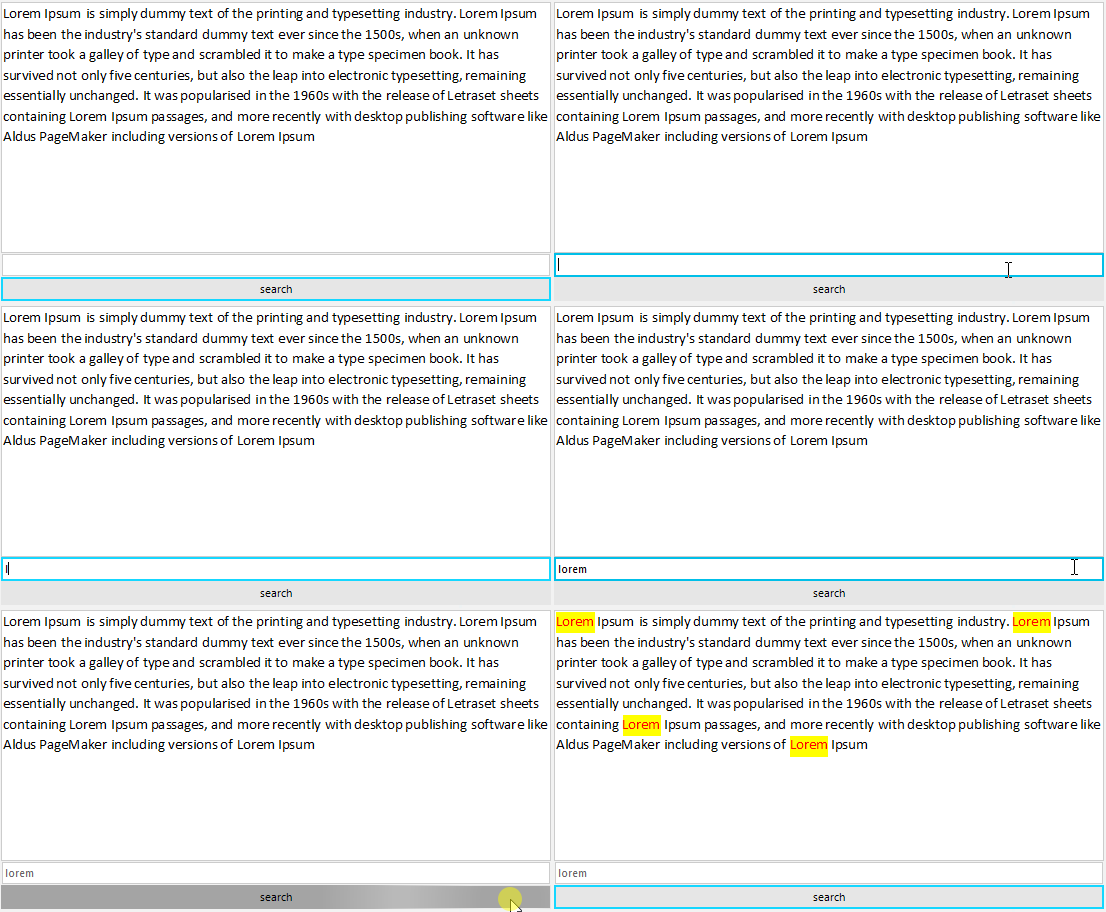
This article demonstrates a sample approach how to search for a certain text in the rich-text document and highlight the found matches:
Solution
The example contains a RadRichTextEditor for displaying the rich-text content, a RadTextBox for the search pattern and a RadButton to trigger the highlight action.
We will use DocumentTextSearch for finding all the TextRanges that match the search pattern. For each found range we will make a selection and highlight the selection with red forecolor and yellow background:
C#
public Form1()
{
    InitializeComponent();
    IDocumentFormatProvider provider = new DocxFormatProvider();
    using (FileStream stream = new FileStream(@"..\..\..\sample.docx", FileMode.Open))
    {
        this.radRichTextEditor1.Document = provider.Import(stream);
    }

    this.radRichTextEditor1.LayoutMode = DocumentLayoutMode.Flow;
}

private void radButton1_Click(object sender, EventArgs e)
{
    string textToReplace= this.radTextBox1.Text;

    DocumentTextSearch search = new DocumentTextSearch(this.radRichTextEditor1.Document);
    IEnumerable<TextRange> foundRanges = search.FindAll(this.radTextBox1.Text);
    if (textToReplace != string.Empty)
    {
        foreach (var textRange in foundRanges)
        {
            this.radRichTextEditor1.Document.Selection.Clear();
            this.radRichTextEditor1.Document.Selection.AddSelectionStart(textRange.StartPosition);
            this.radRichTextEditor1.Document.Selection.AddSelectionEnd(textRange.EndPosition);
            string selectedText = this.radRichTextEditor1.Document.Selection.GetSelectedText();
            this.radRichTextEditor1.ChangeTextHighlightColor(Color.Yellow);
            this.radRichTextEditor1.ChangeTextForeColor(Color.Red);
        }
        this.radRichTextEditor1.Document.Selection.Clear();
    }
}