Extract the Words Added to the Dictionary in RadSpellChecker
Environment
| Product Version | Product | Author |
|---|---|---|
| 2020.3.1020 | RadSpellChecker for WinForms | Desislava Yordanova |
Description
The spell-checking functionality has a default dictionary that stores the words in the local IsolatedStorage (stores information per user). Additional information how to access it securely is available in the following help article: IsolatedStorage
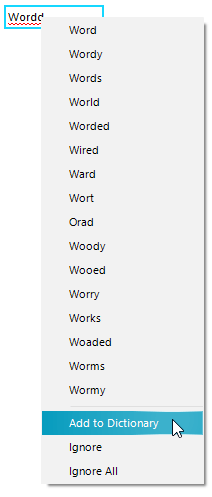
This article demonstrates how you can extract the words added to the dictionary by the current user.
Solution
Since the new words are added to a custom separated dictionary stored in the application isolated storage file system, you can access it by using the following code snippet which demonstrates a sample approach with using a RadTextBox and a RadRichTextEditor control:
Extract words from the local dictionary
Telerik.WinControls.UI.TextBoxSpellChecker textboxSpellChecker = this.radSpellChecker1.GetControlSpellChecker(typeof(RadTextBox))
    as Telerik.WinControls.UI.TextBoxSpellChecker;
Telerik.WinControls.SpellChecker.Proofing.DocumentSpellChecker spellChecker = textboxSpellChecker.SpellChecker
    as Telerik.WinControls.SpellChecker.Proofing.DocumentSpellChecker;
spellChecker.SpellCheckingCulture = System.Threading.Thread.CurrentThread.CurrentCulture;
Telerik.WinControls.SpellChecker.Proofing.RadIsolatedStorageCustomDictionary dictionary =
    spellChecker.GetCustomDictionary(spellChecker.SpellCheckingCulture) as
    Telerik.WinControls.SpellChecker.Proofing.RadIsolatedStorageCustomDictionary;
if (dictionary != null)
{
    foreach (string word in dictionary.Words)
    {
        //TODO add to the server
    }
}

Telerik.WinForms.Documents.Proofing.DocumentSpellChecker richTextSpellChecker = this.radRichTextEditor1.SpellChecker as
Telerik.WinForms.Documents.Proofing.DocumentSpellChecker;
richTextSpellChecker.SpellCheckingCulture = System.Threading.Thread.CurrentThread.CurrentCulture;
Telerik.WinForms.Documents.Proofing.RadIsolatedStorageCustomDictionary richTextDictionary =
    richTextSpellChecker.GetCustomDictionary(richTextSpellChecker.SpellCheckingCulture) as
    Telerik.WinForms.Documents.Proofing.RadIsolatedStorageCustomDictionary;

if (richTextDictionary != null)
{
    foreach (string word in richTextDictionary.Words)
    {
        //TODO add to the server
    }
}
Once you have all the words that are added to the dictionary, you can perform any custom logic for storing these words to the server (e.g. store a file with these words to the server) or any appropriate storage for your precise case and read these words at a later moment. You can also define your custom RadIsolatedStorageCustomDictionary loaded from a file that contains the previously stored words and assign it to RadRichTextEditor. Please refer to the Custom Dictionaries section in this article: SpellCheck
This article shows how to load a custom dictionary to a RadSpellChecker: Dictionaries