New to Telerik UI for WinForms? Start a free 30-day trial
Customize the header checkbox behavior in GridViewCheckBoxColumn
Updated on Jul 16, 2026
Environment
| Product Version | Product | Author |
|---|---|---|
| 2019.1.219 | RadGridView for WinForms | Dimitar Karamfilov |
Description
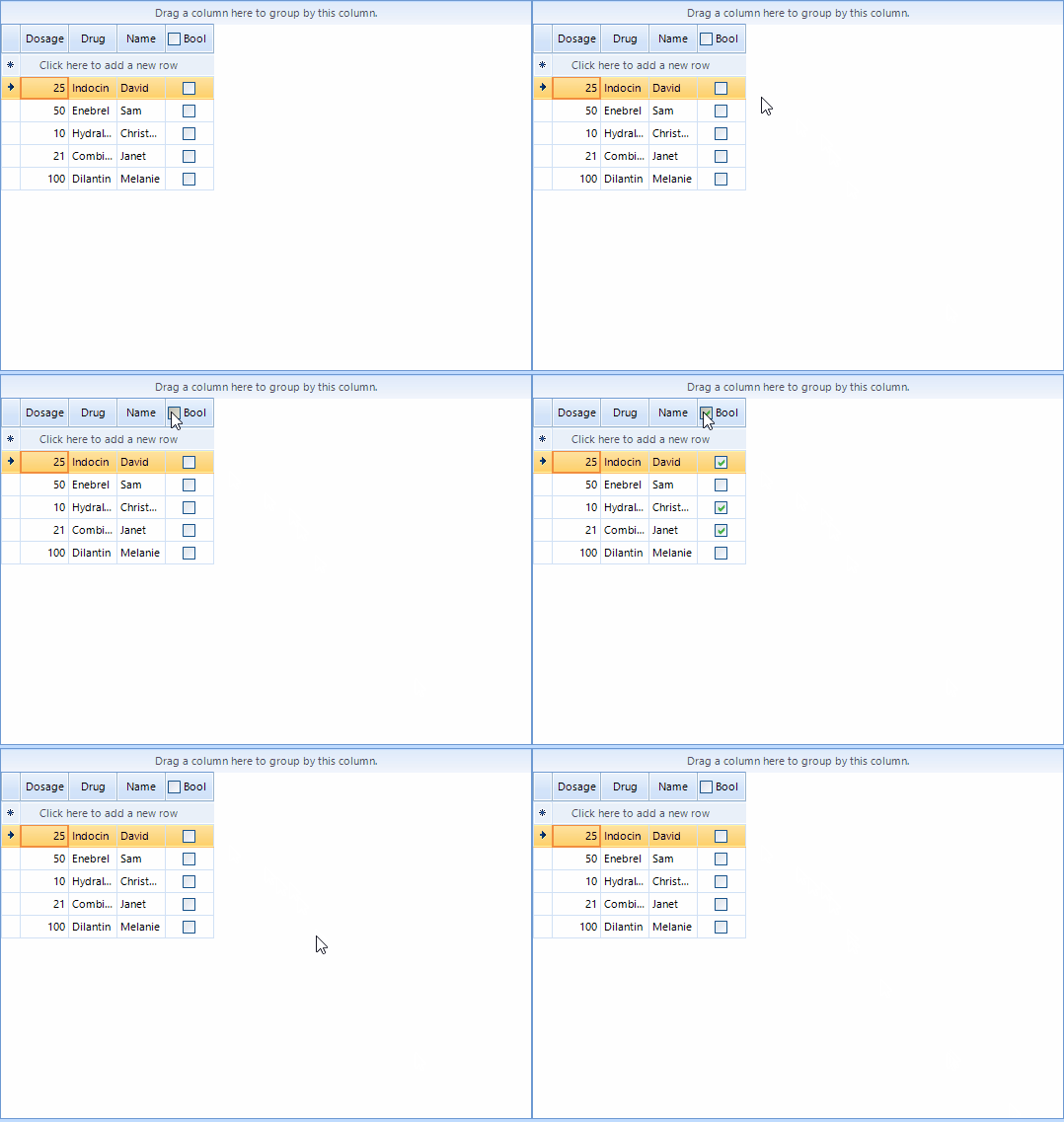
This article describes how you can change the behavior of the header checkbox in the GridViewCheckBoxColumn. This allows to specify which cell should be checked or perform a completely different action when the checkbox state is changed.
Solution
In this example I am using the value in another cell in order to determine which cells should be changed. I am using the ShouldCheckDataRows property to disable the default behavior. In the HeaderCellToggleStateChanged event handler I am changing the value of the cells that meet specific criteria.
Customize the header checkbox behavior
C#
private void RadForm1_Load(object sender, EventArgs e)
{
    var checkBoxColumn = radGridView1.Columns[3] as GridViewCheckBoxColumn;
    checkBoxColumn.EnableHeaderCheckBox = true;
    checkBoxColumn.ShouldCheckDataRows = false;
    checkBoxColumn.ReadOnly = true;
    radGridView1.HeaderCellToggleStateChanged += RadGridView1_HeaderCellToggleStateChanged;
}

private void RadGridView1_HeaderCellToggleStateChanged(object sender, GridViewHeaderCellEventArgs e)
{
    foreach (GridViewDataRowInfo row in radGridView1.Rows)
    {
        var value = (int)row.Cells[0].Value;
        if (value < 50)
        {
            row.Cells[3].Value = !(bool)row.Cells[3].Value;
        }
    }
}