Hierarchy Support
RadNavigationView allows you to define sub-items in order to achieve hierarchical menu visualization.
Each RadPageViewPage element has a SubPages collection that can be populated with RadPageViewPage items, thus allowing multiple levels of items to be defined in the hierarchy.
The SubPages collection is considered only when using Navigation view. For the rest of the views, it doesn't take effect.
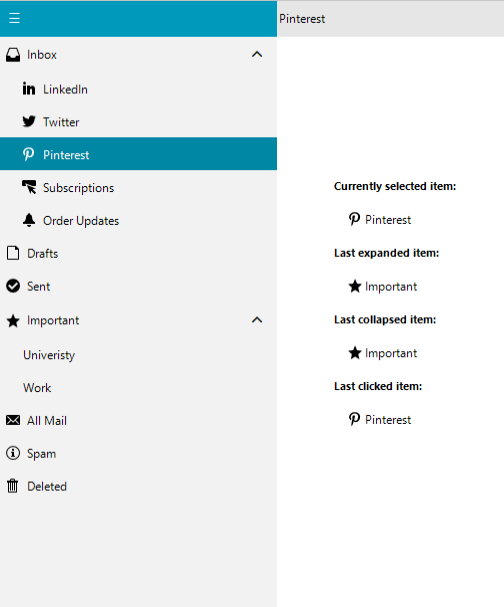
Building Hierarchy with Nested Pages Programmatically
RadPageViewPage inboxPage = new RadPageViewPage("Inbox");
RadPageViewPage radPageViewPage2 = new RadPageViewPage("LinkedIn");
RadPageViewPage radPageViewPage3 = new RadPageViewPage("Twitter");
RadPageViewPage radPageViewPage4 = new RadPageViewPage("Pinterest");
RadPageViewPage radPageViewPage5 = new RadPageViewPage("Subscriptions");
RadPageViewPage radPageViewPage6 = new RadPageViewPage("Order Updates");
RadPageViewPage draftsPage = new RadPageViewPage("Drafts");
RadPageViewPage sentPage = new RadPageViewPage("Sent");
RadPageViewPage importantPage = new RadPageViewPage("Important");
RadPageViewPage radPageViewPage10 = new RadPageViewPage("University");
RadPageViewPage radPageViewPage11 = new RadPageViewPage("Work");
RadPageViewPage allMailPage = new RadPageViewPage("All Mail");
RadPageViewPage spamPage = new RadPageViewPage("Spam");
RadPageViewPage deletedPage = new RadPageViewPage("Deleted");

inboxPage.SubPages.Add(radPageViewPage2);
inboxPage.SubPages.Add(radPageViewPage3);
inboxPage.SubPages.Add(radPageViewPage4);
inboxPage.SubPages.Add(radPageViewPage5);
inboxPage.SubPages.Add(radPageViewPage6);

importantPage.SubPages.Add(radPageViewPage10);
importantPage.SubPages.Add(radPageViewPage11);

this.radNavigationView1.Pages.Add(inboxPage);
this.radNavigationView1.Pages.Add(draftsPage);
this.radNavigationView1.Pages.Add(sentPage);
this.radNavigationView1.Pages.Add(importantPage);
this.radNavigationView1.Pages.Add(allMailPage);
this.radNavigationView1.Pages.Add(spamPage);
this.radNavigationView1.Pages.Add(deletedPage);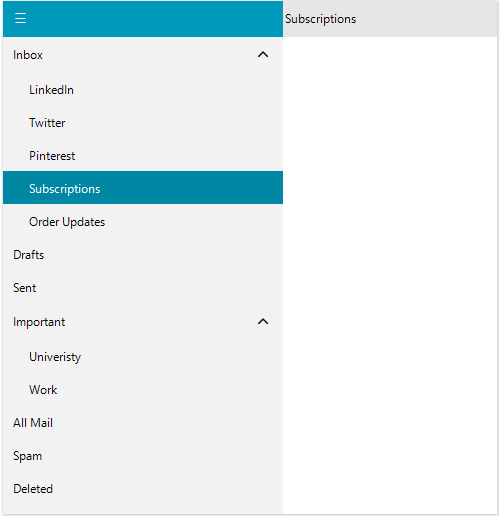
Setup Hierarchy at Design Time
At design time, the hierarchy can be built by using the Property Builder which can be started from the Smart Tag:
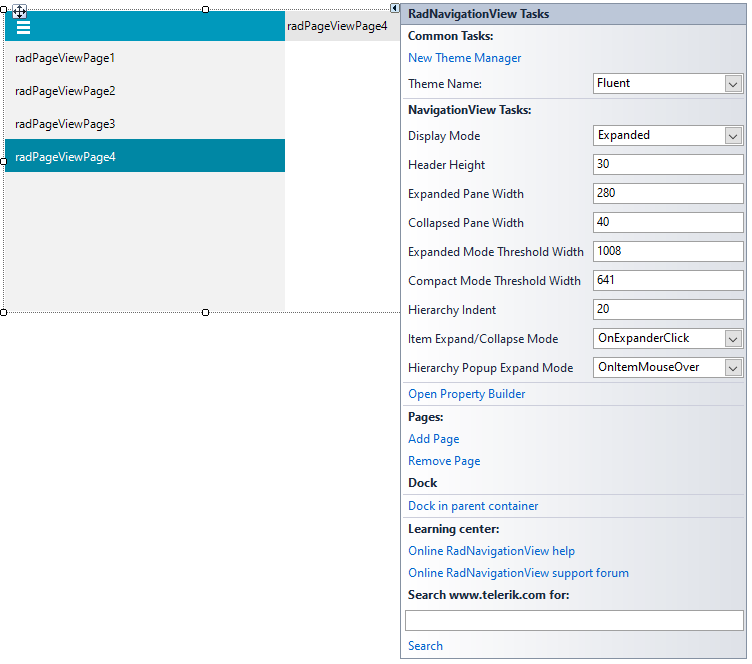
It allows adding new pages or dragging the existing pages to a new location and thus build nested menus:
NavigationView Property Builder
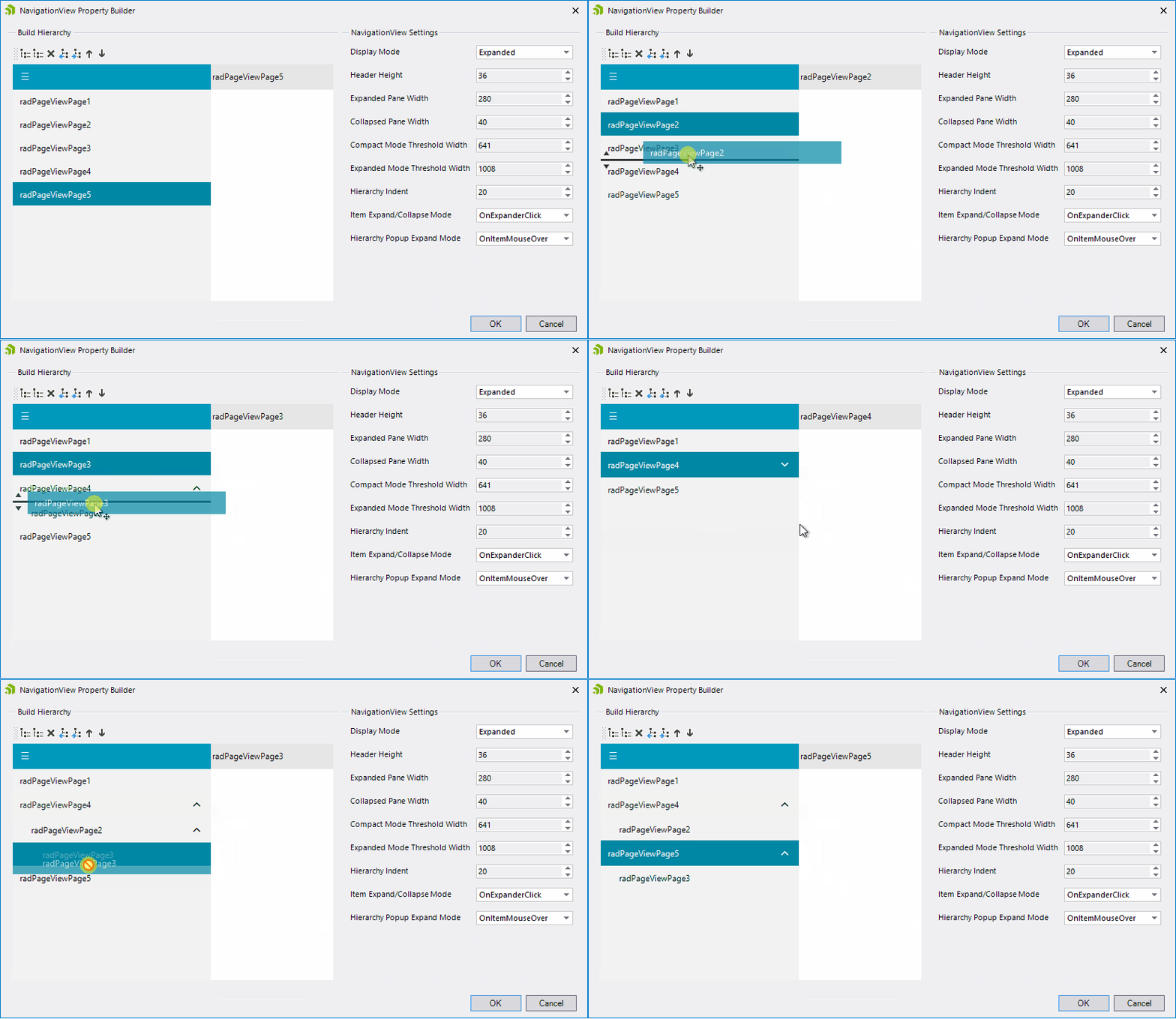
NavigationView Hierarchy Settings
-
HierarchyIndent: Gets or sets the hierarchical indentation of the child items. Default value = 20.
-
ExpandedGlyph: Gets or sets the glyph used for the items's expander element, when the item IsExpanded property is true.
-
CollapsedGlyph: Gets or sets the glyph used for the items's expander element, when the item IsExpanded property is false.
-
ItemExpandCollapseMode: Gets or sets the expand/collapse mode of navigation items when they have hierarchical children. The available values are: OnItemClick and OnExpanderClick.
-
HierarchyPopupExpandMode: Gets or sets the expand/collapse mode of navigation items when they have hierarchical children.