Transparency Tiles
All RadMap tile providers support transparency configuration for map tiles through the EnableTransparency property in the MapTileProviderSettings class.
EnableTransparency Property
The EnableTransparency property is a boolean setting that controls whether transparent tile rendering is enabled for the map provider. This property is part of the MapTileProviderSettings class and affects how tiles are rendered on the map.
The default value of the Settings.EnableTransparency property is set to false.
AzureMapProvider azureProvider = new AzureMapProvider();
azureProvider.Settings.EnableTransparency = true;

BingRestMapProvider bingProvider = new BingRestMapProvider();
bingProvider.Settings.EnableTransparency = true;

OpenStreetMapProvider osmProvider = new OpenStreetMapProvider();
osmProvider.Settings.EnableTransparency = true;
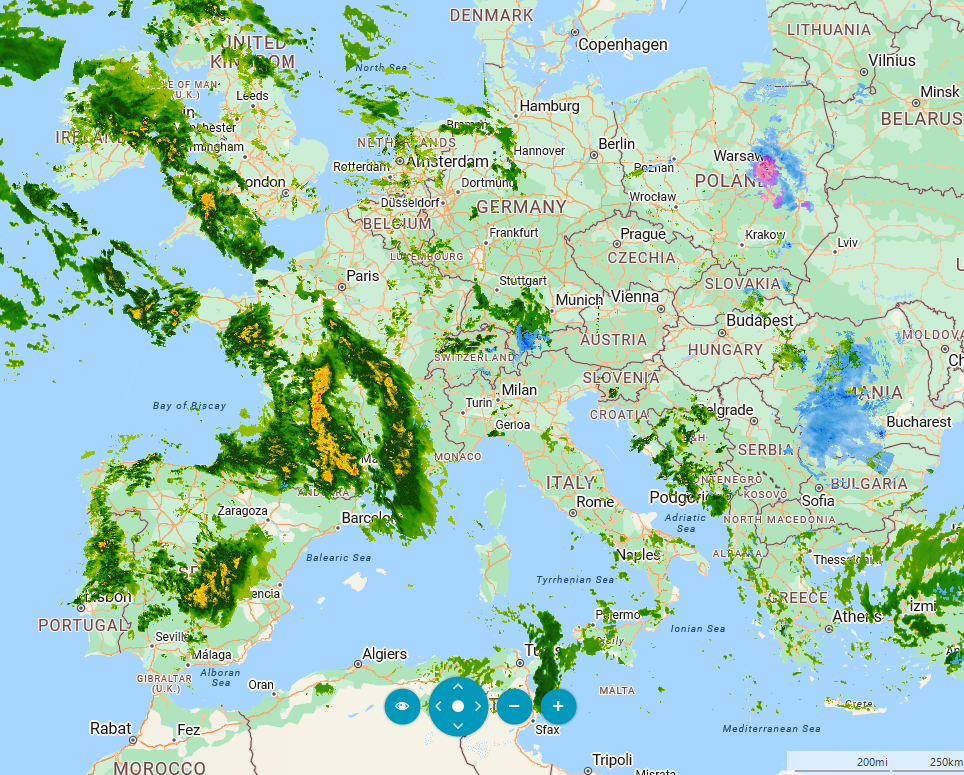
When EnableTransparency is set to true, it enables transparent rendering of map tiles. This allows tiles to be rendered with transparency support, which can be useful when overlaying multiple map layers. In the following example, we will combine two AzureMapProviders. The first one will show the map, and the second one will show the weather.
private void SetupProviders()
{
    AzureMapProvider azureProvider = new AzureMapProvider();
    azureProvider.TileSetID = AzureTileSet.Road;
    azureProvider.AzureAPIKey = Properties.Resources.AzureKey;

    AzureMapProvider azureProviderWeather = new AzureMapProvider();
    azureProviderWeather.TileSetID = AzureTileSet.WeatherRadarMain;
    azureProviderWeather.AzureAPIKey = Properties.Resources.AzureKey;
    azureProviderWeather.Settings.EnableTransparency = true;

    this.radMap1.MapElement.Providers.Add(azureProvider);
    this.radMap1.MapElement.Providers.Add(azureProviderWeather);
}