Clusterization
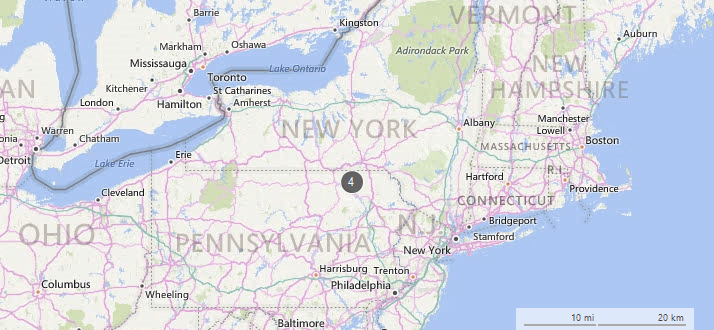
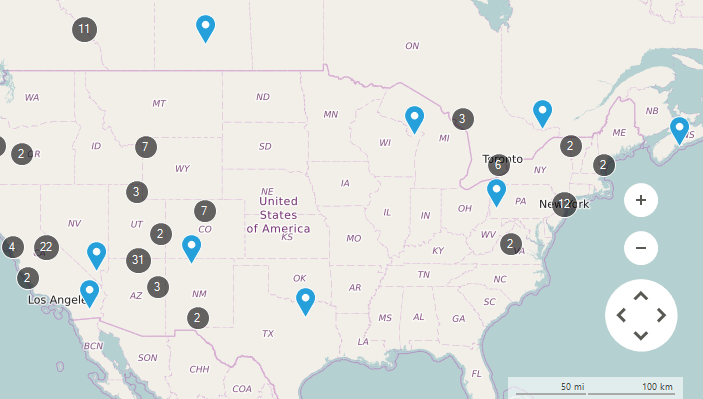
RadMap supports clusterization of its layers allowing grouping of their items. This feature is extremely useful when dealing with large collections having items located close to each other.
Figure 1: Clustering
Clusterization Modes
The ClusterDistance property of a certain layer is responsible for setting a distance according to which each of the layer items will be evaluated to form a group. There are two types of clusters which can be assigned to the ClusterStrategy property of the layer:
-
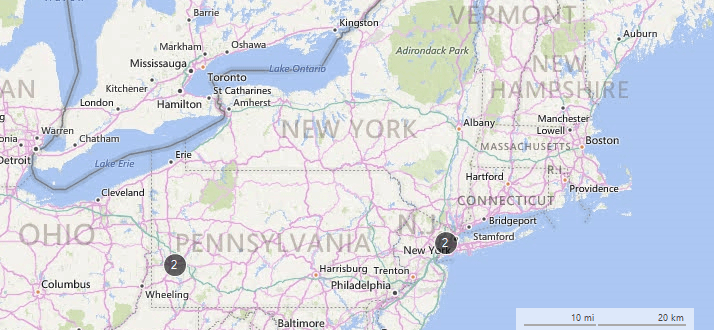
ElementClusterStrategy: All of the layer items are evaluated and a cluster is being created on the exact coordinates of an item within the cluster.
-
DistanceClusterStrategy: All of the layer items are evaluated and a cluster is being created on the geographic center of the items part of the cluster.
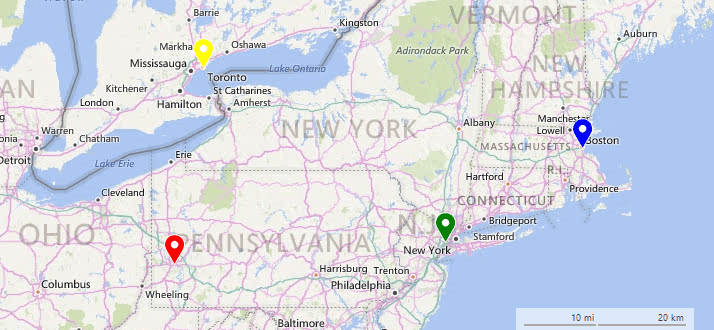
The example below creates a layer with four MapPin elements and defines clusters using ElementClusterStrategy and DistanceClusterStrategy having the same ClusterDistance.
Add Layer and Data
private void SetupLayers()
{
    MapLayer easternLayer = new MapLayer("CitiesLayer");
    this.radMap1.Layers.Add(easternLayer);
}

private void SetupData()
{
    MapPin element = new MapPin(new PointG(40.4467648, -80.01576030));
    element.Text = "Pittsburgh";
    element.BackColor = Color.Red;
    this.radMap1.Layers["CitiesLayer"].Add(element);

    element = new MapPin(new PointG(40.8130697, -74.07439790));
    element.Text = "New York";
    element.BackColor = Color.Green;
    this.radMap1.Layers["CitiesLayer"].Add(element);

    element = new MapPin(new PointG(42.3665137, -71.06160420));
    element.Text = "Boston";
    element.BackColor = Color.Blue;
    this.radMap1.Layers["CitiesLayer"].Add(element);

    element = new MapPin(new PointG(43.6434661, -79.37909890));
    element.Text = "Toronto";
    element.BackColor = Color.Yellow;
    this.radMap1.Layers["CitiesLayer"].Add(element);
}Figure 2: Initial Result
ElementClusterStrategy
private void SetElementCluster()
{
    this.radMap1.Layers[0].ClusterStrategy = new ElementClusterStrategy();
    this.radMap1.Layers["CitiesLayer"].ClusterDistance = 200;
}Figure 3: ElementClusterStrategy
DistanceClusterStrategy
private void DistanceElementCluster()
{
    this.radMap1.Layers[0].ClusterStrategy = new DistanceClusterStrategy();
    this.radMap1.Layers["CitiesLayer"].ClusterDistance = 200;
}Figure 4: DistanceClusterStrategy