Import or Export Matching Rules
Updated on Aug 3, 2026
Import a matching ruleset
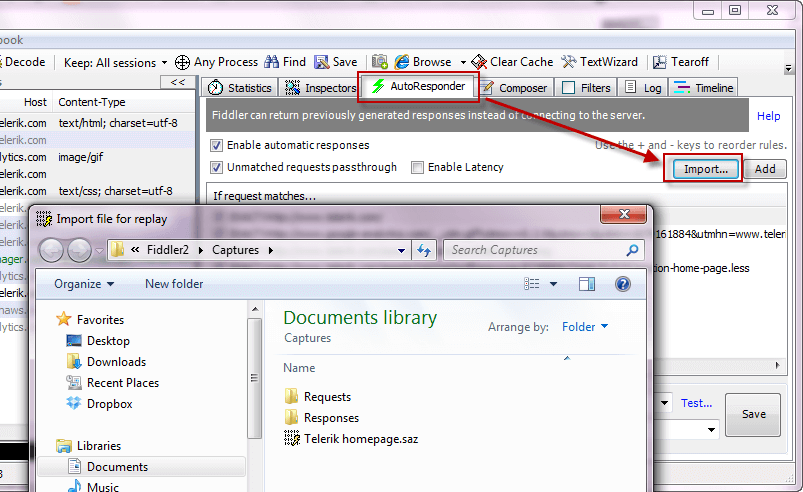
From the Autoresponder tab:
-
Click the Import button.
-
Select a .saz or .farx file.
From Windows Explorer:
- Select a .saz or .farx file.
- Drag and drop the selected file from Windows Explorer to the Autoresponder tab.
The Autoresponder ruleset will now populate with rules that will replay the sessions from the archive.
Export a matching ruleset
-
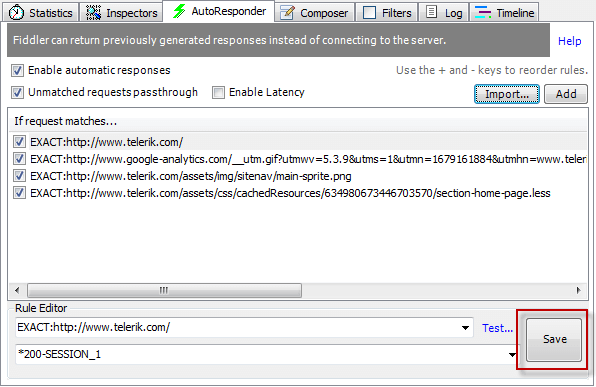
From the Autoresponder tab, click the Save button.
-
Right-click the ruleset and select Export all..