Create traffic with custom matching rules
Updated on Oct 5, 2026
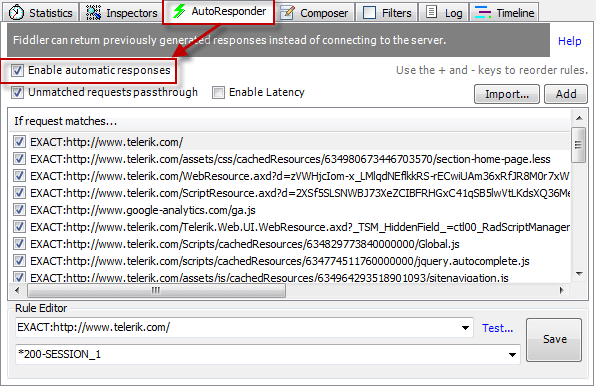
Enable Autoresponder
In the Autoresponder tab, check Enable automatic responses.
Compose Autoresponder Rules
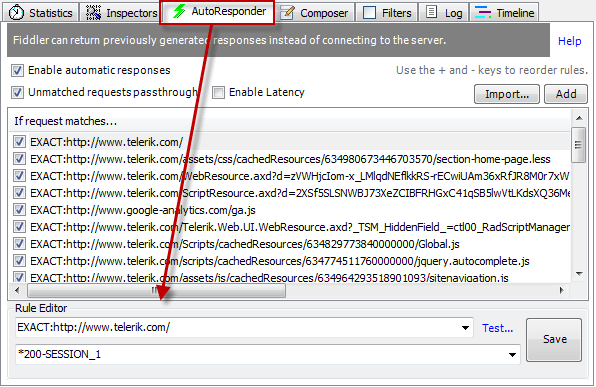
At the bottom of the Autoresponder tab, under the Rule Editor:
- Type a match rule in the top field.
- Type an action string in the bottom field.
When Enable automatic responses is checked, Fiddler Classic will undertake the action if a captured request URI matches the match rule.