Saving DOCX to PDF Removes Table Borders
Environment
| Version | Product | Author |
|---|---|---|
| 2024.1.124 | RadWordsProcessing | Desislava Yordanova |
Description
Table borders disappear when you save a DOCX file to PDF with the PdfFormatProvider in RadWordsProcessing.
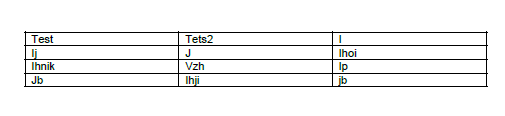
The table in the DOCX file has standard Word border styles applied to all borders, including dotted lines. When you use the PdfFormatProvider to save the document as PDF, the borders become invisible and do not appear in the resulting PDF file. The borders still do not appear even if you set the table border width to 3pt.
| Table Borders in DOCX | Missing Table Borders in exported PDF |
|---|---|
 |  |
Cause
The PdfFormatProvider in RadWordsProcessing does not support all Word border styles. Dotted and other non-standard border types are not rendered during the PDF export.
Solution
Currently, RadWordsProcessing has a limitation where the PdfFormatProvider does not support all border styles. You can apply a single border to the table elements in the RadFlowDocument before exporting to PDF as a workaround.
The following C# example shows the workaround:
FileInfo templateItem = new FileInfo(@"test_table_with_dottedborders.docx");
DocxFormatProvider docxFormatProvider = new DocxFormatProvider();
PdfFormatProvider pdfFormatProvider = new PdfFormatProvider();

RadFlowDocument wordDocument;

using (FileStream fileStream = templateItem.OpenRead())
{
    wordDocument = docxFormatProvider.Import(fileStream);
}

foreach (Section s in wordDocument.Sections)
{
    foreach (var b in s.Blocks)
    {
        Table t = b as Table;
        if (t != null)
        {
            t.Borders = new TableBorders(new Border(1, BorderStyle.Single, new ThemableColor(Colors.Black)));
        }
    }
}

string pdfSavePath = @"test_savedbyPdfFormatProvider.pdf";
File.Delete(pdfSavePath);

using (FileStream outputStreamPdf = new FileStream(pdfSavePath, FileMode.OpenOrCreate))
{
    pdfFormatProvider.Export(wordDocument, outputStreamPdf);
}
This workaround applies a single border with a width of 1pt and a black color to all table elements in the RadFlowDocument. You can modify the border properties as needed.