New to Telerik Test Studio Dev Edition? Start a free 30-day trial
Visual Studio 2022 Installation to Be Compatible with Test Studio Dev Edition
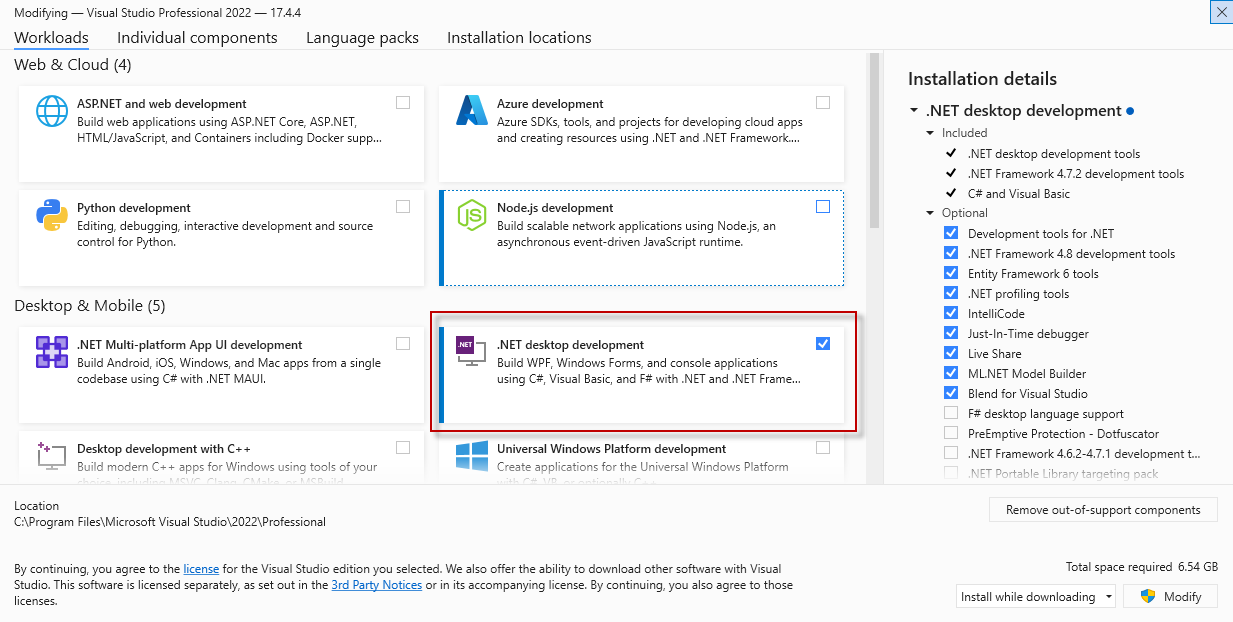
Visual Studio 2022 requires minimum Workload added in its installation to be compatible with the Test Studio Dev Edition.
Before installing Test Studio, you need to modify the Visual Studio 2022 installation and add the .Net desktop development workload's components. Once this is added, complete the Visual Studio 2022 standard installation process. Then perform the standard Test Studio installation.