How to use a different proxy for some sites and fiddler Classic for others
Updated on Oct 5, 2026
Environment
| Product Version | 5.0.20194.41348 |
| Product | Progress® Telerik® Fiddler Classic |
Description
In some cases, when using Fiddler Classic it may be necessary to allow traffic through to an upstream proxy. If this is needed, follow the below solution.
Solution
-
Configure the OS Auto Proxy settings with a PAC file and with Fiddler's Proxy configuration.
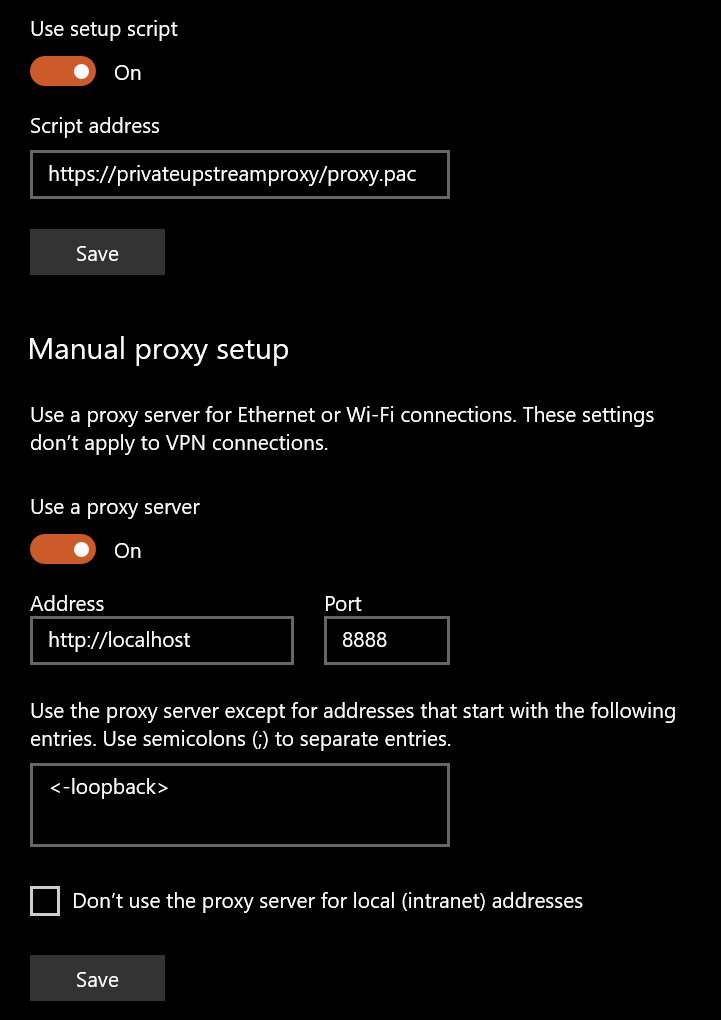
-
Use a catch in the PAC file.
JavaScript
function FindProxyForURL(url,host){

    // Catch specific URL
    if (shExpMatch(url,"xxxxxxxxxxxxxxxxxxxxxxxxxxxxxxxx")){
        return "PROXY xxxxxxxxxxxxxx";
    }

    // Let other URLs use fiddler
    return "PROXY localhost:8888";
}- Start Fiddler Classic with -noattach flag.
bash
fiddler.exe -noattach-
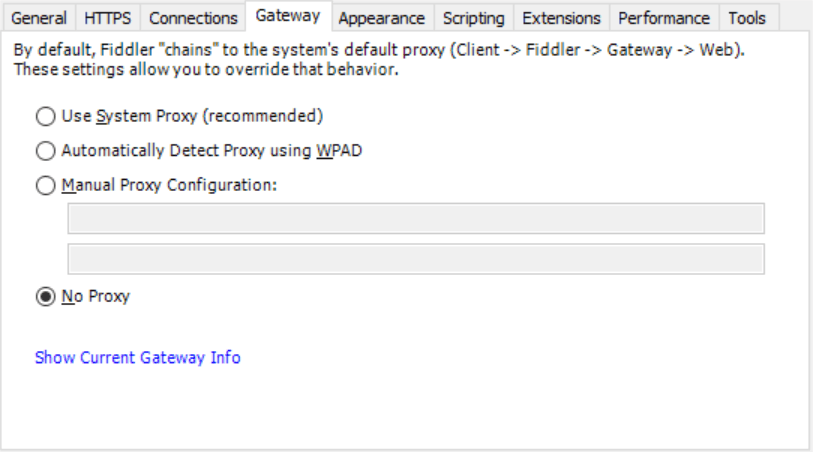
Set Fiddler Classic Gateway Options to No Proxy to prevent infinite loop.