New to Telerik Document Processing? Start a free 30-day trial
Merging Headers, Footers, and Content in DOCX Documents
Updated on Jun 5, 2026
Environment
| Version | Product | Author |
|---|---|---|
| 2023.3.1106 | RadWordsProcessing | Desislava Yordanova |
Description
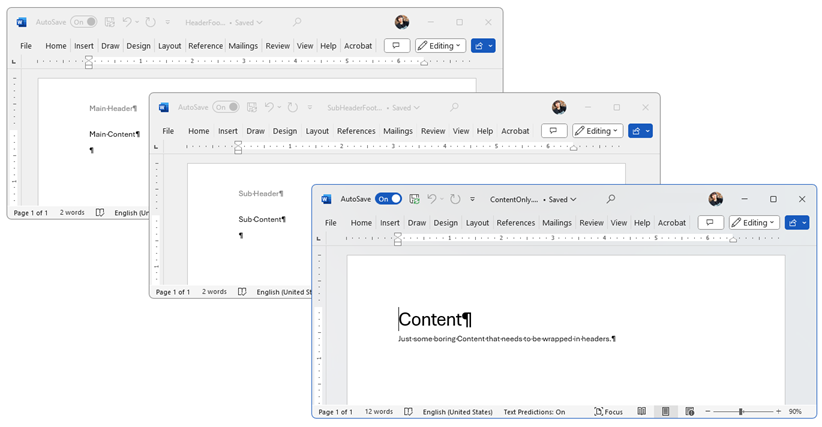
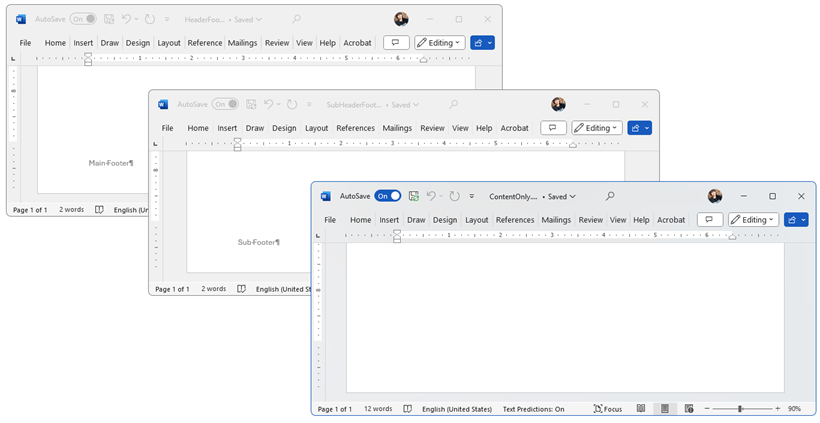
This article shows how to merge headers, footers, and content from multiple DOCX documents. Specifically, it demonstrates how to append headers and merge the content inside a final document.
Headers
Footers
Solution
To merge the headers, footers, and content in DOCX documents, follow these steps:
- Use the DocumentElementImporter to prepare a document element from the source document for import into the target document.
- Merge the headers of the source document with the target document.
- Merge the footers of the source document with the target document.
- Use the
RadFlowDocumentEditorto insert the content of the documents into the final document.
Final Document

The following code snippet shows how to accomplish this:
csharp
DocxFormatProvider _DocXProvider = new DocxFormatProvider();
string outputFile = @"..\..\MergedResult.docx";
File.Delete(outputFile);

RadFlowDocument target = _DocXProvider.Import(File.ReadAllBytes(@"..\..\HeaderFooter.docx"));
RadFlowDocument source = _DocXProvider.Import(File.ReadAllBytes(@"..\..\SubHeaderFooter.docx"));
RadFlowDocument contentSource = _DocXProvider.Import(File.ReadAllBytes(@"..\..\ContentOnly.docx"));

MergeHeaders(target, source);
MergeFooters(target, source);

// Merge content
RadFlowDocumentEditor editor = new RadFlowDocumentEditor(target);
BlockBase lastBlock = target.Sections.Last().Blocks.Last();
Telerik.Windows.Documents.Flow.Model.Paragraph p = lastBlock as Telerik.Windows.Documents.Flow.Model.Paragraph;
if (p != null)
{
    editor.MoveToParagraphEnd(p);
}
else
{
    editor.MoveToTableEnd((Telerik.Windows.Documents.Flow.Model.Table)lastBlock);
}

InsertDocumentOptions options = new InsertDocumentOptions();
options.ConflictingStylesResolutionMode = ConflictingStylesResolutionMode.UseTargetStyle;
options.InsertLastParagraphMarker = false;
editor.InsertDocument(source, options);
editor.InsertDocument(contentSource, options);

byte[] resultBytes = _DocXProvider.Export(target);
System.IO.File.WriteAllBytes(outputFile, resultBytes);
Process.Start(outputFile);

private static void MergeHeaders(RadFlowDocument target, RadFlowDocument source)
{
    Header targetHeader = target.Sections.First().Headers.Default;
    Header sourceHeader = source.Sections.First().Headers.Default;

    DocumentElementImporter importer = new DocumentElementImporter(target, source, ConflictingStylesResolutionMode.UseTargetStyle);
    foreach (BlockBase block in sourceHeader.Blocks)
    {
        BlockBase importedBlock = importer.Import(block);
        targetHeader.Blocks.Add(importedBlock);
    }
}

private static void MergeFooters(RadFlowDocument target, RadFlowDocument source)
{
    Footer targetFooter = target.Sections.First().Footers.Default;
    Footer sourceFooter = source.Sections.First().Footers.Default;

    DocumentElementImporter importer = new DocumentElementImporter(target, source, ConflictingStylesResolutionMode.UseTargetStyle);
    int i = 0;
    foreach (BlockBase block in sourceFooter.Blocks)
    {
        BlockBase importedBlock = importer.Import(block);
        targetFooter.Blocks.Insert(i++, importedBlock);
    }
}
Notes
- This solution assumes you have the necessary references and dependencies set up in your project.
- Adjust the file paths in the code snippet to match the location of your files.
- This code snippet uses the
RadFlowDocumentclass from the RadWordsProcessing library.