Top 5 Components for Building AI-Powered Blazor Applications

Summarize with AI:
These five components can help you leverage the power of AI inside your Blazor app.
Nowadays, the rise of AI-based applications has skyrocketed, and even greater growth is expected in the coming years. Whether you’re creating a ChatGPT clone or looking to integrate AI into your applications to help users with their tasks, it’s always good to have components that allow you to build such applications quickly, easily and robustly.
That’s why today I’ll show you the best components for creating AI-based applications using Blazor.
The Chat Component
When we talk about AI-powered applications, we often think of interfaces similar to ChatGPT, which allow us to have chat conversations with LLMs.
To create such applications, a reliable solution is to use the Blazor Chat component from Progress Telerik UI, which is tremendously useful as it comes with essential features for any chat application.
For example, the component has a set of default chat message parameters that can be configured such as AuthorId, AuthorImageUrlField, AuthorNameField, TextField, among others. These configurable parameters allow you to identify chat messages in a conversation, enabling real-time conversations between people or involving an AI model to respond to user queries.
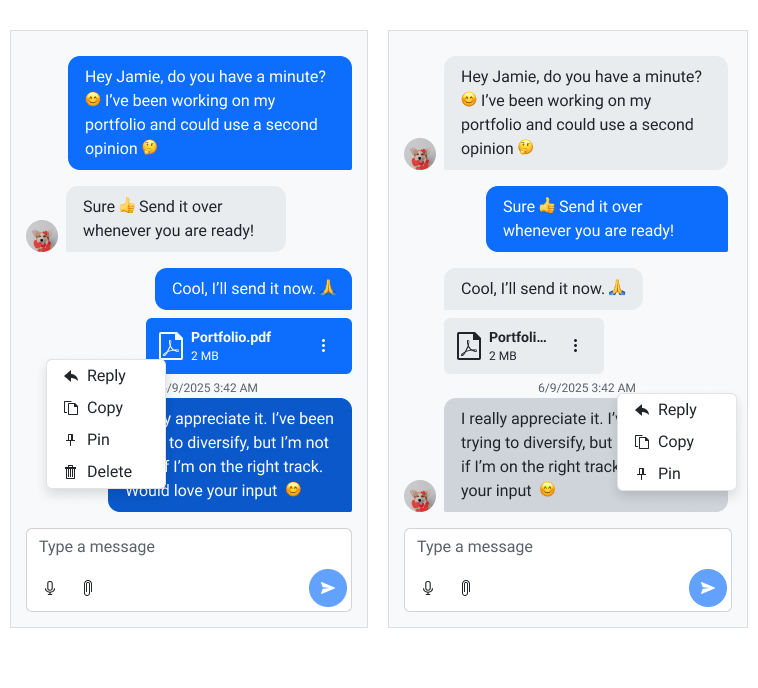
Speaking of chat messages, they can be configurable through multiple configuration templates, allowing you to customize messages to match your own theme.
Additionally, it is possible to configure a set of Quick Actions, which are suggested messages that users can press to quickly send queries to the AI model. These actions are useful when introducing the user to system functionalities or when knowing there are repetitive actions that can be performed, such as document analysis, scheduling dates or requesting additional information.
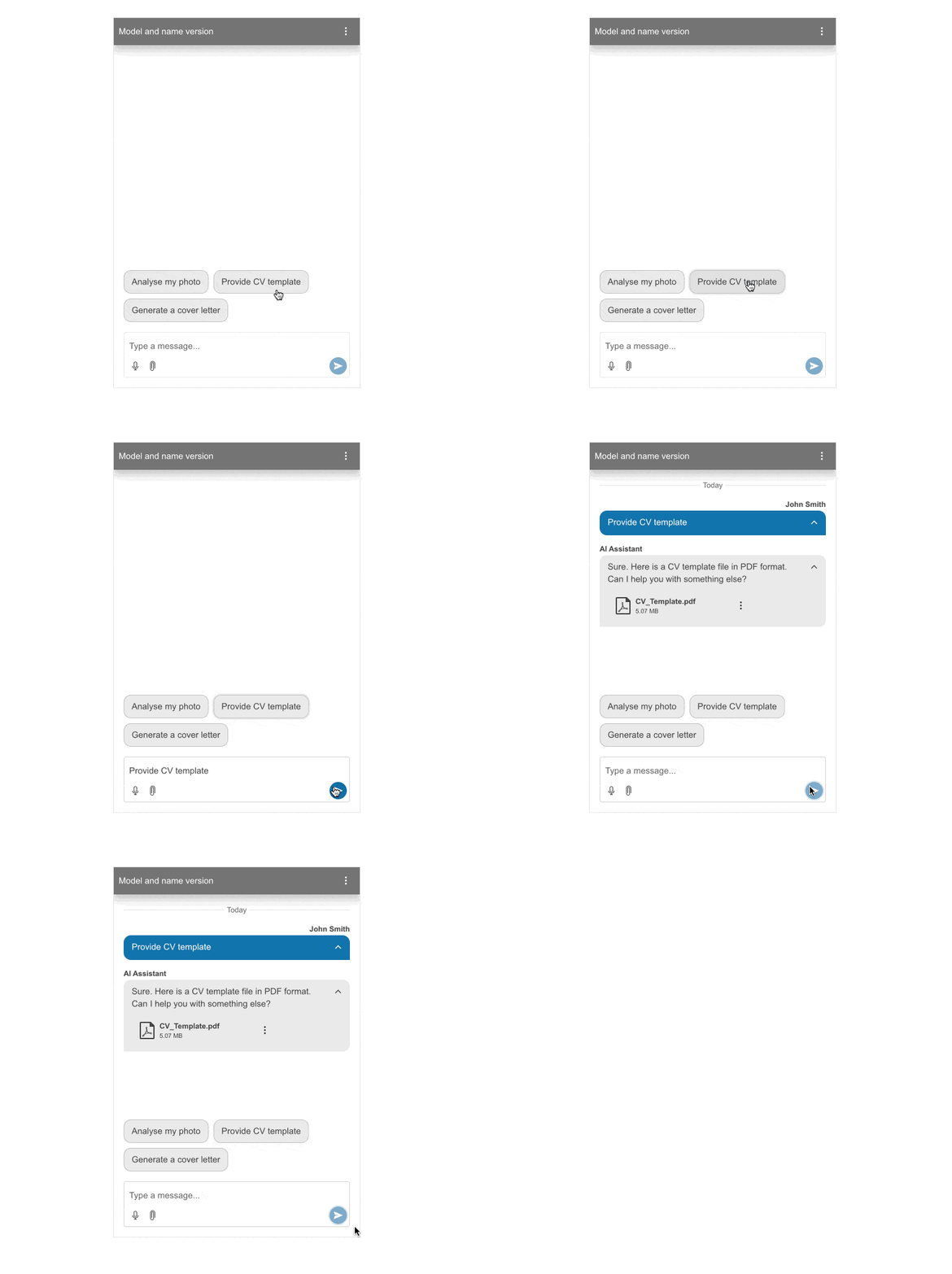
Another notable feature of the component is the ability to handle file uploads and validation. Additionally, you can also enable the speech-to-text feature to expedite message dictation.
Some useful scenarios for using this component include:
- Support applications based on company documentation
- Using agent patterns for selecting specialized agents to resolve user issues
- Service selling applications like ChatGPT using third-party APIs
Without a doubt, this is a component you should have in your arsenal when thinking about chat-type applications.
The AI Prompt Component
If you need to integrate user interaction with an AI model without maintaining a conversation thread or the need to attach files, one of the best options is the Telerik UI for Blazor AI Prompt component.
This fabulous component allows the user to enter their own prompts to get responses based on the initial configuration of the component, and then interact with it through predefined commands. It is also possible to set up a series of prompt suggestions so that the user can perform quick actions.
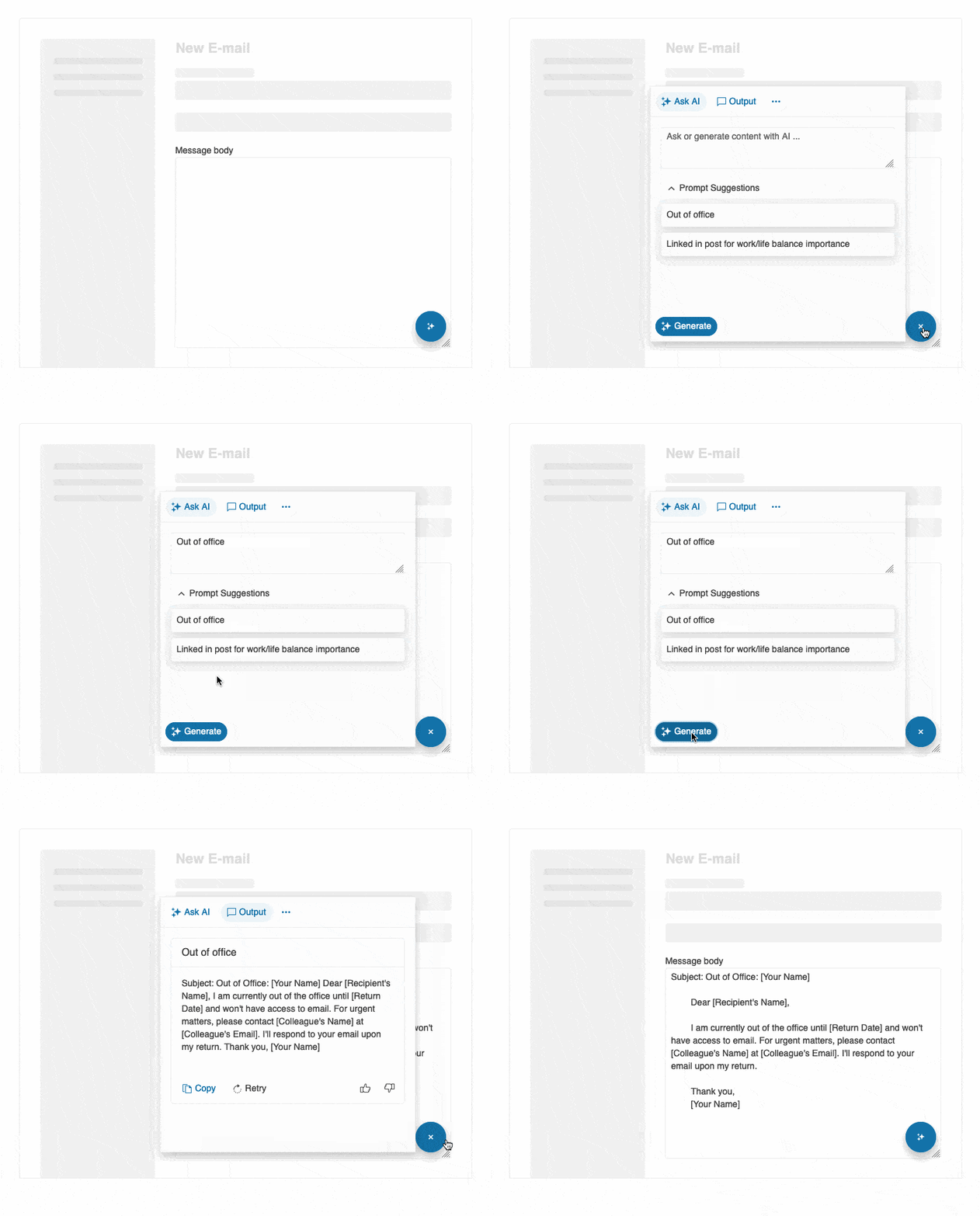
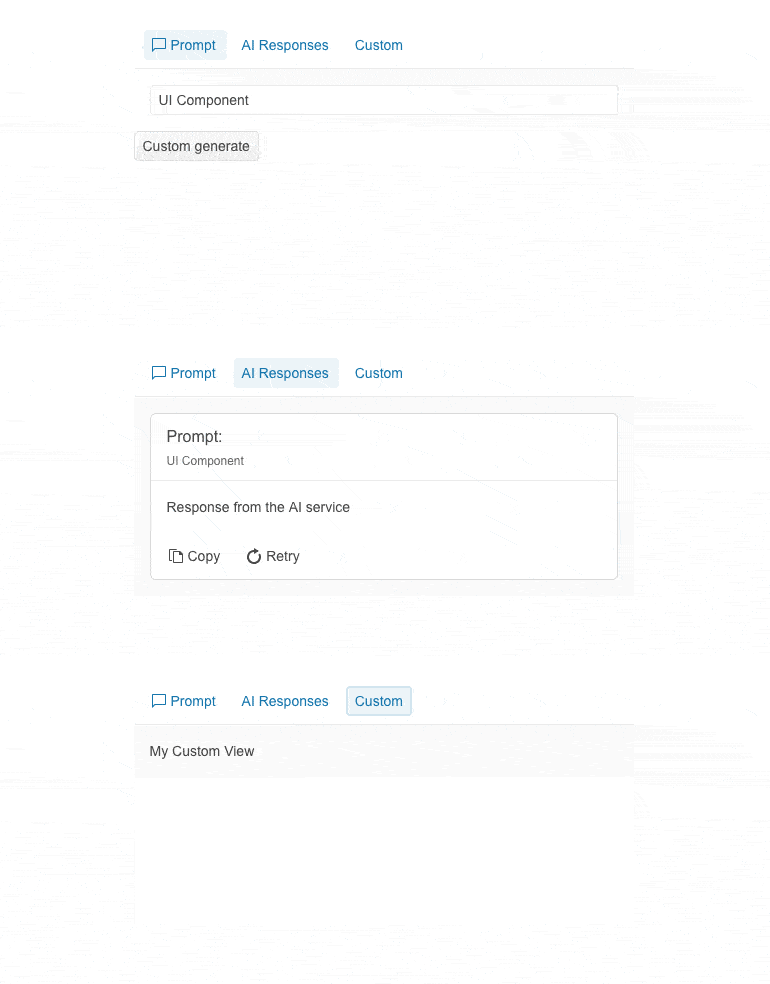
The component features three main configurable views:
- Prompt View: Allows the user to enter prompts to interact with a previously configured AI model.
- Output View: Window displaying a list of previous responses generated by the AI model in card format.
- Commands View: Section where predefined commands exist that the user can execute based on the model’s generations.
Its use is ideal in cases where a response is needed that can undergo some form of processing, such as:
- Content writer applications that can be improved after the first generation
- Information processing applications, for example, where a video URL is pasted, the script is extracted, and a summary, posts for social media, etc. are generated
- Information explaining applications that help users understand complicated concepts or technical jargon in, for instance, framework documentation or legal documents
The AI Prompt component is an excellent option for providing users with tools to make the most out of the systems.
The Inline AI Prompt Component
If you are looking for a simplified version of the AI Prompt component, you also have the Blazor Inline AI Prompt component available. This component allows you to display an inline chat window in the graphical interface, with the advantage of positioning it wherever you desire.
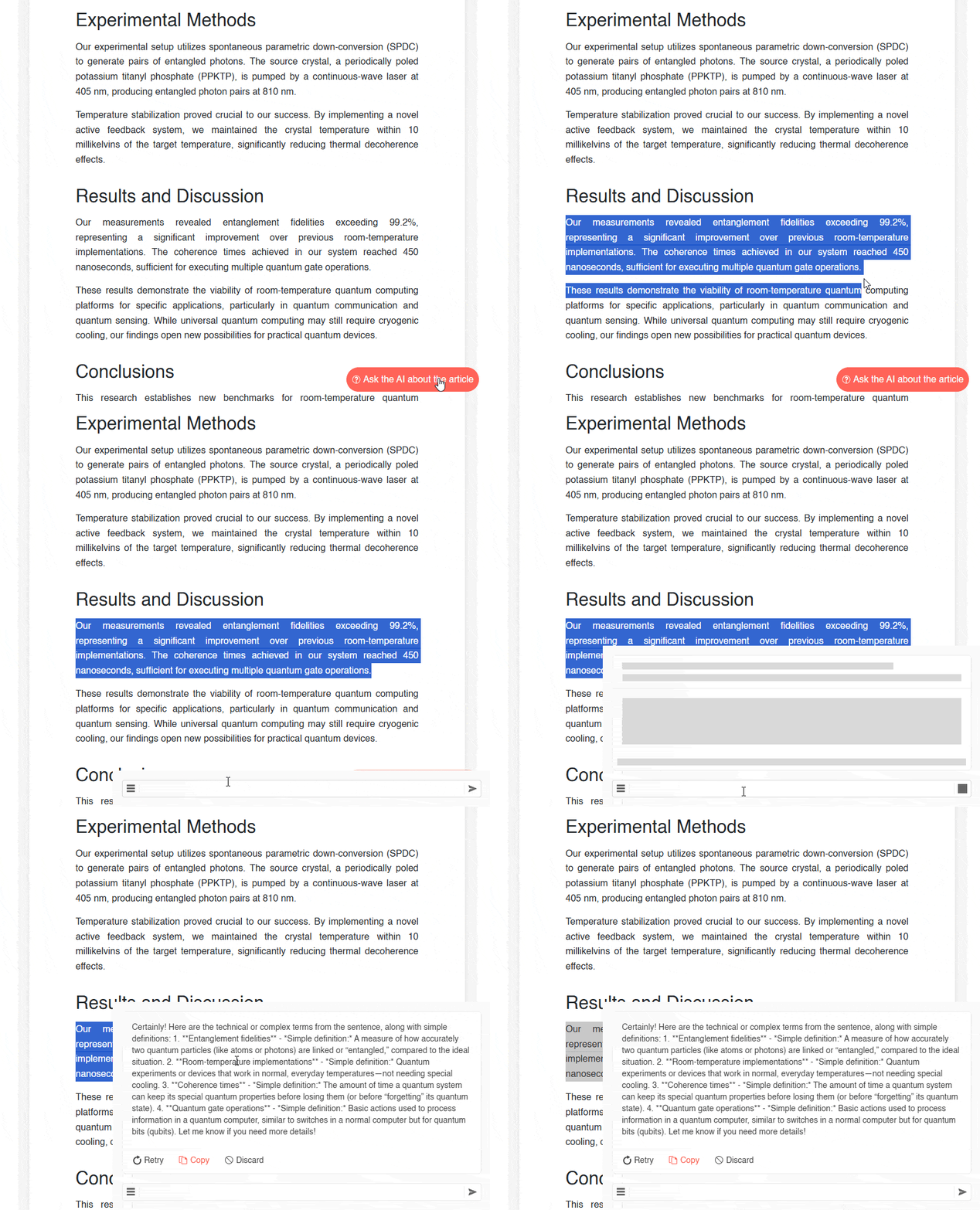
This means you can offer your users experiences where they don’t even have to interrupt the task they are performing. Additionally, it is also possible to add predefined commands that the user can select to easily perform an action.
Some use cases for this component include:
- Text editors that allow selecting a part of the text to carry out an action on it
- Data applications where tabular information can be retrieved for inquiries
- Educational applications, where students can ask more questions about a specific topic
Certainly, this is a useful component for experiencing AI integration in your applications, making user interaction easier.
The Speech-to-Text Button Component
One thing users want when interacting with AI models is the ability to make queries as quickly as possible. One way to make this possible is through voice dictation. While it would be possible to use an AI model for this purpose, the truth is that there are solutions that allow for speech-to-text processing without consuming much processing power or credits from using AI APIs.
One of these methods can be found in the Web Speech API, which allows the browser itself to recognize text through speech recognition. The Speech-to-Text Button component for Blazor enables us to leverage this API to convert voice to text very easily by adding the component TelerikSpeechToTextButton in the application.
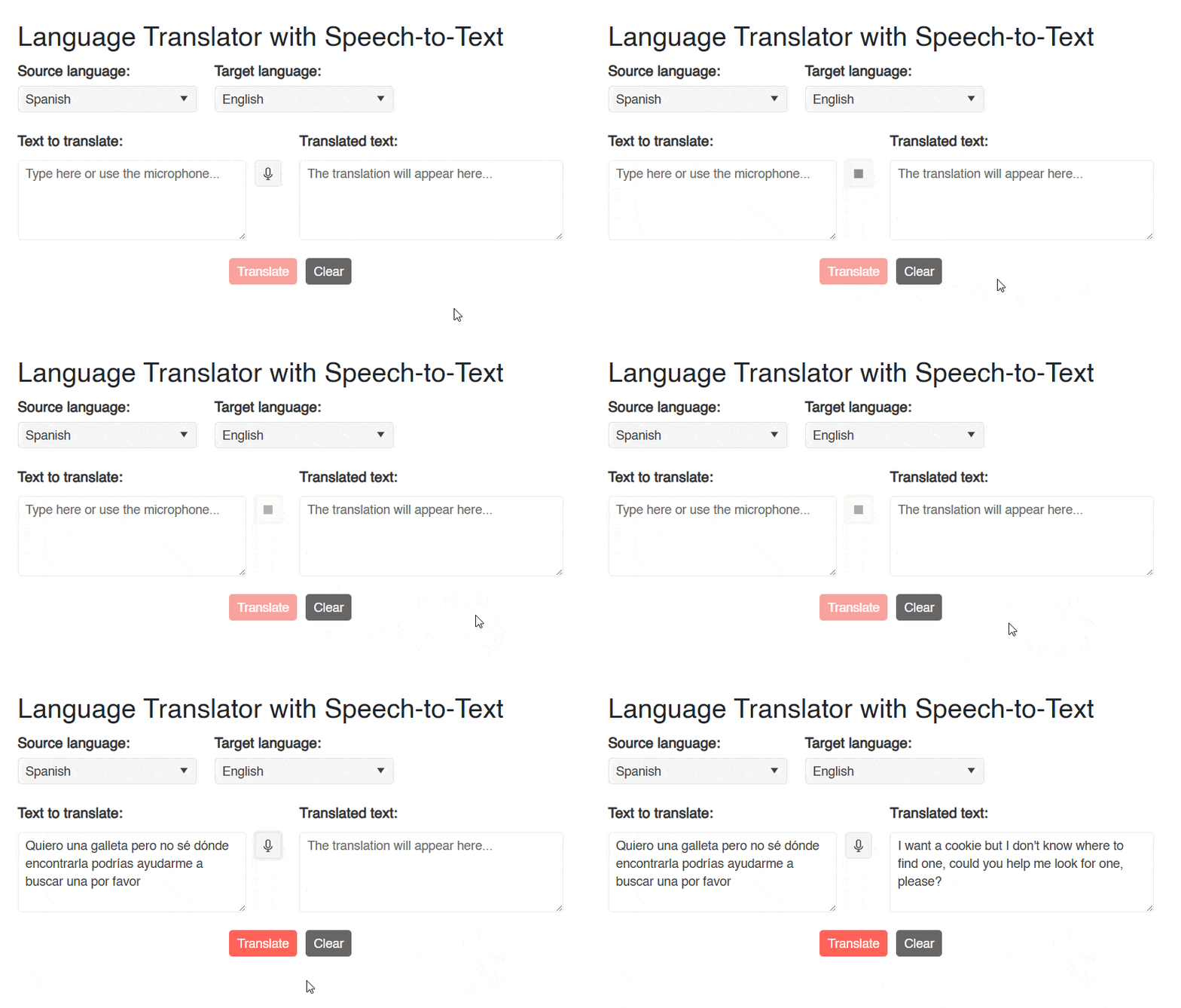
In addition to this, it also includes many predefined customization options that allow you to configure size, background type, color, rounding, icon assignment and you can even apply a custom CSS class.
Some use cases for this component could be:
- Chat applications: You can add this component to chat applications, where you would allow converting speech input into text quickly.
- Text editors: You could add this component to perform dictation in some type of document, facilitating text drafting or executing similar tasks.
- Note-taking applications: Taking notes can be complicated if you are doing other tasks. By using this component, you can make it easier for users to create spoken notes to be immediately transcribed.
So if you’re looking for a solution that enables speech-to-text recognition in Blazor, this component is a wonderful option.
The Data Grid Component
The last component we will discuss is the Blazor Data Grid. This component is one of the most powerful in the Blazor component market, offering endless configurations to build your grids in the best way you see fit. Among these, we find functionalities such as paging, different editing modes, sorting, filtering, grouping, drag and drop, virtual scrolling and a bunch of other features.
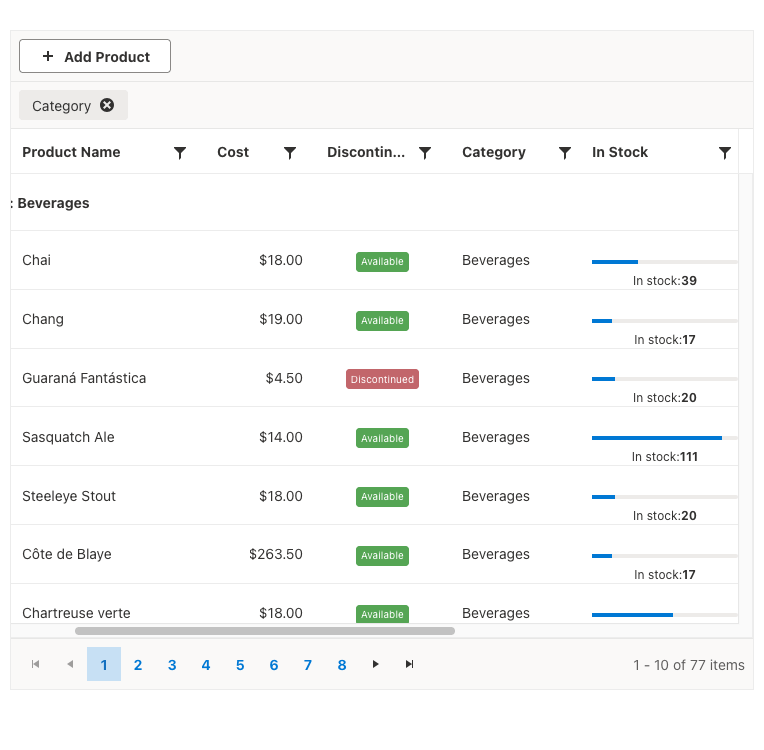
In addition to the aforementioned configuration options, it is worth mentioning that the Telerik Data Grid component for Blazor is a pioneer in AI integration in the use of information tables, featuring the so-called Smart AI Features, which allow users to write plain text prompts for the grid to display data according to the requested information, all with an AI model behind the scenes.
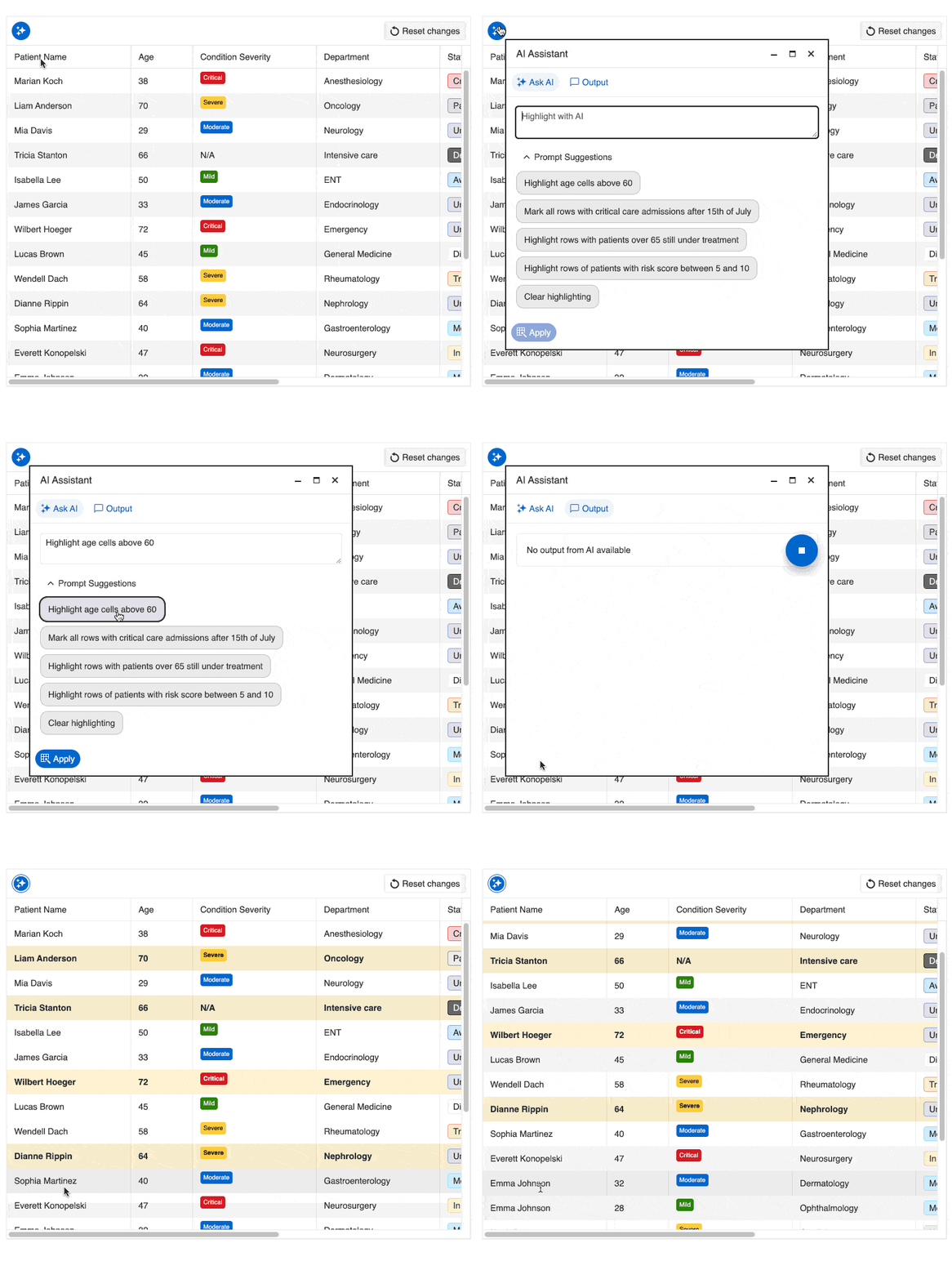
The operations that can be performed today include filtering, sorting, grouping, highlighting, column operations, pagination, selection and exporting.
The use of this component can be applied in any scenario where information exists, so it is undoubtedly extremely useful for providing users with a new way to interact with information quickly.
Conclusion
Throughout this article, I have shown you a set of five super powerful components that you can use in your own AI-based applications. From the Chat component that allows interaction with AI models through chat conversations, through the AI Prompt and Inline AI Prompt components that allow you to quickly execute prompts for text generation, to the Data Grid that offers a unique experience by allowing data queries using natural language to work with tabular data.
I invite you to try them and bring the capabilities of AI models closer to your users in your own applications.

Héctor Pérez
Héctor Pérez is a Microsoft MVP with more than 10 years of experience in software development. He is an independent consultant, working with business and government clients to achieve their goals. Additionally, he is an author of books and an instructor at El Camino Dev and Devs School.
Related Posts
Comments
All articles
Topics
Web MobileMobile
Desktop
Design
Productivity
People