Telerik Reporting Trainer Tutorials

Self-Paced Interactive Training Sessions

NOTE: These sessions work with Telerik Reporting Q3 2008 or older.

Experience the Telerik Trainer - state of the art training application that combines video training with hands on coding. Sit down, watch, load the code snippets in Visual Studio as you go and become a Telerik Reporting expert. It's fun and it's free.

Download Trainer (37.2 MB) | More Information

  • Reporting — Getting Started (ZIP 30.4 MB)

    Best practices to produce simple reports with and without data access. The session also covers how to display a report in a ReportViewer running in a Windows Forms application.Jun 26, 2008

  • Reporting — Design Environment (ZIP 20.8 MB)

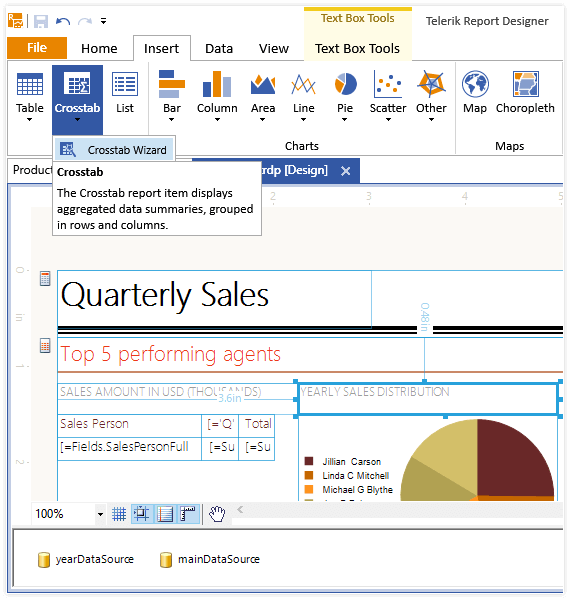
    Tour of the Telerik Reporting design environment, the report sections, report items and the tools used to arrange the items within the report. Jun 26, 2008

  • Reporting — Connecting to Data (ZIP 31.0 MB)

    How to use Telerik Reporting tool in conjunction with three types of data connections. Jun 26, 2008

  • Reporting — Item Binding Expressions (ZIP 30.0 MB)

    Several different ways to derive and bind data to the TextBox report item. Jun 26, 2008

  • Reporting — Grouping (ZIP 42.0 MB)

    How to use the grouping feature in Telerik Reporting: group headers and footers, creating groups design time and programmatically.Jun 26, 2008

  • Reporting — Parameters (ZIP 39.0 MB)

    How to use static-, single- and multi-value and hierarchical parameters in report generation. Jun 26, 2008

  • Reporting — Filtering (ZIP 16.7 MB)

    How to filter data at the group and report levels both declaratively and programmatically. Jun 26, 2008

  • Reporting — Subreports (ZIP 42.0 MB)

    How to use subreports to display aggregate data as well as master-detail reports. Jun 26, 2008

Telerik TV Visit Telerik TV for more training videos