UI for ASP.NET AJAX
ASP.NET AJAX Scheduler
- Enable users to create and manage appointments in a familiar Outlook-like UI with the ASP.NET AJAX Scheduler component.
- Part of the Telerik UI for ASP.NET AJAX library along with 120+ professionally designed UI components.
- Includes support, documentation, demos, virtual classrooms and more!
-
Data Binding
Codelessly bind the Telerik ASP.NET Scheduler to the data source that best matches your project needs. The control supports everything from lists, any ASP.NET data source component, Web service, WCF service, and OData, to your own custom providers.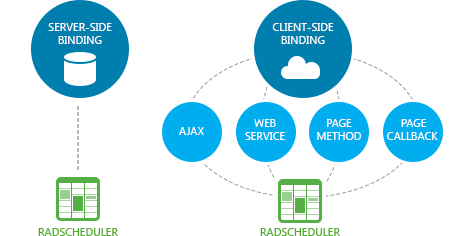
-
Customizable Appointment Edit Capabilities
Give your users the freedom to insert or edit tasks either inline or via the advanced editor which allows them to add descriptions, set recurrence, associate resources and much more. Both editing options are easily customizable.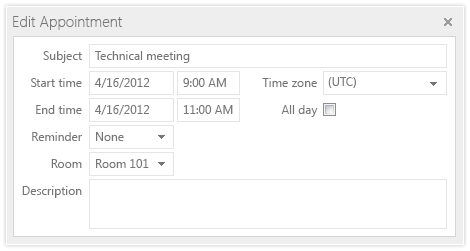
-
Recurring Appointments
The rich Recurrence Editor in RadScheduler lets users define the appointment recurring rules, such as end date, recurrence period (daily, weekly, monthly, etc.) and more. Our ASP.NET appointment scheduler provides a RecurrenceRule object with an intuitive API, which can be used to programmatically configure even the most complicated recurrence scenarios.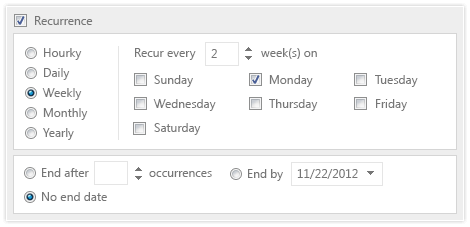
-
Multiple Resources and Resource Grouping
With Telerik ASP.NET Scheduling control, users can easily book resources associated with their appointments, such as rooms and equipment. They can also group appointments by these resources, or group the resources themselves by date to quickly check their availability.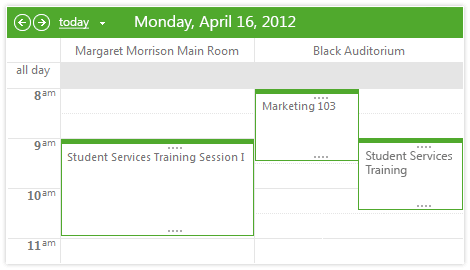
-
Time Zones
No matter the time zone, users will always see tasks in their local time. No discrepancies will arise even if they work in different time zones and share appointments. -
Reminders
To get reminders for upcoming appointments in advance, users can set alerts while inserting or editing appointments. The RadScheduler reminder window mimics Outlook and lists all upcoming and overdue appointments with the familiar options to open or dismiss a single alert, dismiss all alerts, or postpone the alert for a specific amount of time.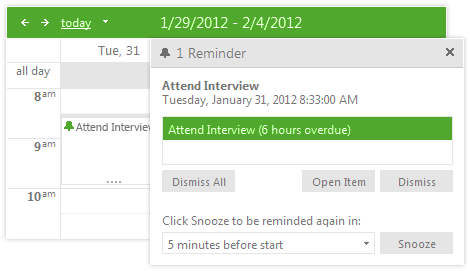
-
Mobile Support & Adaptive Behavior
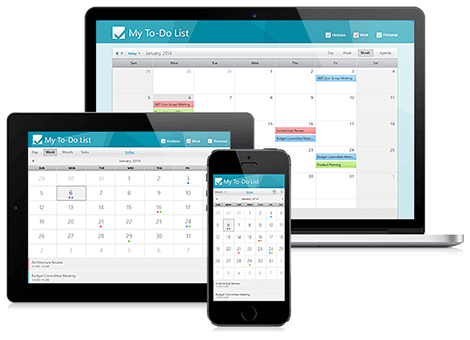
Why should you build a mobile version of your application when the same app can work equally well on mobile and desktop devices? Telerik Scheduler for ASP.NET makes this possible by:
- handling touch events in the same manner as those triggered by a keyboard or a mouse
- changing its UI on mobile devices to deliver the optimal UX for the screen size
- featuring two mobile skins especially designed for a better user experience on touch devices
-
High Performance With Lazy Loading
RadScheduler loads only the data visible to the user, which helps for its high responsiveness. -
Cross-Browser Support
When using the control in your apps, rest assured it behaves as expected and has a consistent look and feel in all browsers your users may be utilizing.
Read the full list of supported browsers
-
Tasks Drag, Drop and Resize
Once users have created a task, they can easily change its time by resizing it to extend or shorten its time period or dragging and dropping it to the desired time. This functionality is supported in all RadScheduler views.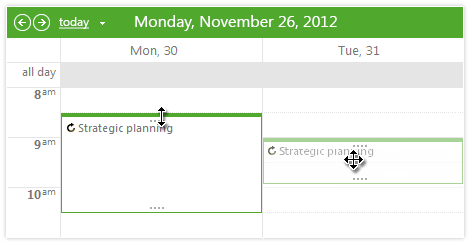
-
Context Menus for Appointments
Use the out-of-the-box context menus, or create your own so users can perform additional operations available for their tasks. -
Templates for Appointments, Inline and Detailed Editing Forms
RadScheduler is a highly customizable control that perfectly fits any scenario. You can easily tailor the look of the appointments, the timeslots, as well as the inline and advanced editing options.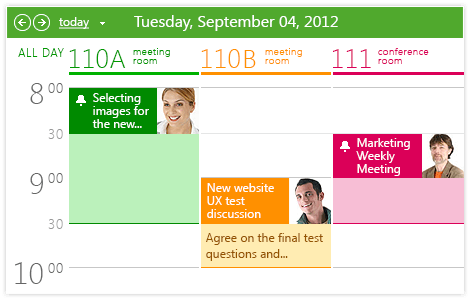
-
Rich Client-Side and Server-Side API for Maximum Flexibility
-
iCalendar and PDF Export Capabilities
RadScheduler is compliant with the standard iCalendar specification, allowing users to export and import tasks to and from any other iCalendar compliant calendar (Outlook, iCal, Google Calendar). The control’s data can also be exported to the PDF file format. -
Keyboard Support
Telerik ASP.NET AJAX Scheduler enables users to use a keyboard for almost any action they can trigger with a mouse, including navigating to a different view, traversing the visible appointments, creating a new item, opening an existing item and more.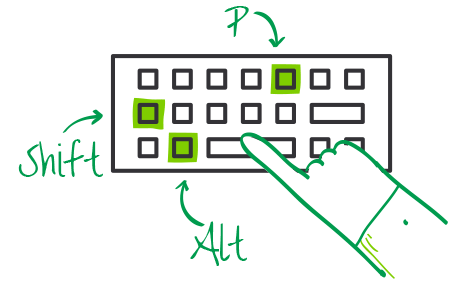
-
Accessibility and Internationalization
RadScheduler was built for compliance with major accessibility standards, such as W3C Web Content Accessibility Guidelines 1.0/2.0 and Section 508 of the Rehabilitation Act. For international applications, use global or local resources to completely localize the control. -
Visual Studio Integration and Design-Time Support
Install Telerik UI for ASP.NET AJAX, the suite containing Telerik ASP.NET Scheduler, to get the control available in your Visual Studio Toolbox. Drag and drop it onto the design surface and use the SmartTag, the Properties Window or the rich Design-Time wizards to codelessly configure the scheduler and make it fully functional. -
Built-In Skins
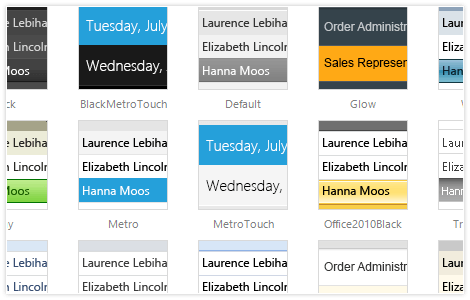
Use a single property to apply any of the 20 ready-to-use built-in themes, including an innovative mobile skin. Create a consistent look for your apps, while saving design and front-end development time. You can easily customize our existing skins or create your own with our Visual Style Builder.
-
Support for Variety of Appointment Views
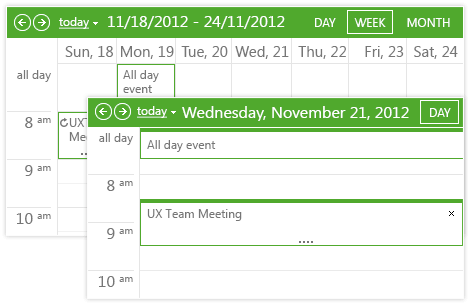
Enable users to view tasks in the most convenient way for them. Day, Multi-day, Week, Work Week, Month, Timeline and Agenda views are available straight out of the box with RadScheduler. You can easily customize the appearance of each view in our ASP.NET Task Scheduler and match it to your scenario.