Telerik
Rad

Splitter for ASP.NET AJAX

Skip Navigation LinksHome / Products / ASP.NET AJAX Controls / Splitter

Overview

Splitter
The Telerik Splitter control for ASP.NET AJAX provides a clean and elegant way to separate content within your Web application. Control the layout of your UIs with multiple resizable areas and sliding, expand/collapse capabilities, dockable panels just like in Visual Studio .Net. Each layout can be indefinitely nested with splitters, whose state is automatically persisted on the server and can be saved/loaded through the extensive API.

Features

  • Resizing Panes

    One of the two main applications of the Telerik ASP.NET Splitter control is for implementing resizable panels, similar to frames. When the user drags the splitter bar, the panels on the left and/or right of the splitter are resized using one of the following 3 algorithms:

    • AdjacentPane (default) - only the adjacent panes of the dragged split bar will be affected.
    • EndPane - only the left (top) adjacent pane and the right (bottom) most pane will be affected.
    • Proportional – the width (height) of the affected panels will be adjusted proportionally.

    Telerik ASP.NET Splitter can be configured to show the panel content during resizing. Although user experience is improved in this mode, there is more CPU load associated with the real-time redrawing of the content.

    See demo


    Top

  • Sliding Panes

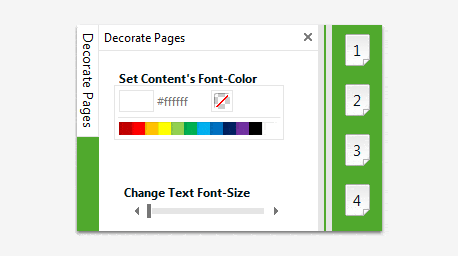
    Another interface implementation possible with the Telerik ASP.NET AJAX Splitter control are sliding panels that appear over the content, just like in Visual Studio .Net. By defining sliding panes in the sliding zone container, you can initially hide content that your users do not need to see all the time.
    By clicking on the pane tab, users can display the content of a sliding pane. Then the user can dock the content in the page layout if it should be visible all the time.

    See demo

    Top

  • Unlimited Nesting

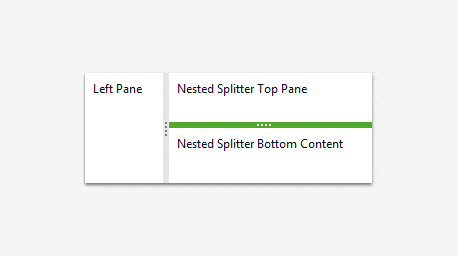
    The Telerik ASP.NET AJAX Splitter allows for unlimited nesting of panels, which is appropriate for more complex interfaces. By default the nested splitters will be resized when the pane is resized. You can, of course, change this behavior by simply setting the ResizeWithParentPane property to false.

    See demo

    Top

  • Horizontal/Vertical splitter orientation

    The Orientation property of the Telerik ASP.NET Splitter control defines the orientation of its split bars:

    • The Horizontal orientation renders horizontal split bars, which can be moved up and down to resize the height of the splitter's panes. The panes themselves are stacked vertically:
    • The Vertical orientation renders vertical split bars, which can be moved left and right to resize the width of the splitter's panes. The panes themselves are laid out side by side.

    See demo


    Top

  • Specifying Size

    When configuring the size of splitters and the panes that they contain, you can use one of the three possible value types:
    • Absolute Size - When you set the Width or Height property to an integer value or a string that ends in "px", the size of the splitter or initial size of the pane is set absolutely:
    • Percent Size - When you set the Width or Height property to a string that ends in "%", the size of the splitter or pane is set to a percentage of the size of its container:
    • Free size - When you do not set the Width or Height property, the size of the splitter or pane is calculated automatically. Use this option when you don't need absolute size control or you want a pane to allocate all of the free size when the splitter is resized.

    Top

  • Save/Load layout state

    The RadSplitter server-side API allows you to save/load the current layout state. As a result you can easily implement interface customization features in your applications. = Persisting layout state
    All changes to the layout (resizing, collapsing, pinning, etc.), performed by the user are automatically persisted on the server. As a result you don't have to reconfigure it every time to maintain the same appearance after each postback.

    See demo

    Top

  • Loading External Content

    Individual RadSplitter panels can accommodate content from different sources, similarly to the way frames work.

    See demo

    Top

  • Printing Individual Panels

    The Telerik ASP.NET Splitter control provides an interface for printing individual panel content. Due to the security mechanism of browsers, if you are using external content its URL must be from the same domain as the parent page in order to be printable. If the panel is not displaying external content then you can specify a stylesheet, which will be used to format the printed content.

    See demo

    Top

  • XHTML Standards Compliancy

    RadSplitter is compliant with the XHTML 1.1 requirement.

    Top

  • Appearance

    Telerik ASP.NET Splitter is shipped with a rich set of skins that allow you to easily build slick interfaces with the look-and-feel of Windows Vista, Office 2007, Outlook, etc. The skins can be easily switched using a single property.

    See demo

    Top

Part of RadControls for ASP.NET AJAX 

License:
Developer License with Subscription and Priority Support
Full List of Controls

Product Resources

Powered by Sitefinity ASP.NET CMS

Contact Us | Site Feedback | Terms of Use | Privacy Policy
Copyright © 2002-2009 Telerik. All rights reserved.