Contact Sales: +1-888-365-2779
Rad

ListBox for ASP.NET AJAX

Overview

ListBox
RadListBox is a powerful ASP.NET AJAX control to display a list of items. It allows for multiple selection of items, reorder and transfer between two listboxes. Drag and drop is fully supported as well. You can easily control the appearance by arranging the buttons in different layouts or changing their text. Icons and checkboxes are also supported within the listbox items.

Features

  • Semantic Rendering for Minimal HTML

    The Telerik ListBox control implements a highly efficient semantic rendering, which uses list items and CSS instead of tables. As a result the HTML output is significantly reduced, which dramatically improves performance.

    Top

  • Flexible Databinding

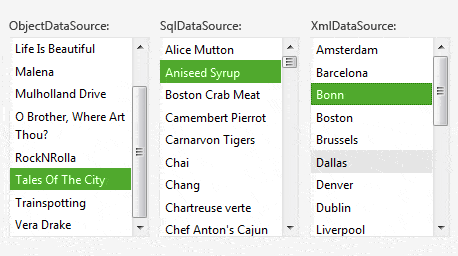
    RadListBox can be bound to all ASP.NET 2.0 declarative datasources (ObjectDataSource, XmlDataSource, SqlDataSource, etc) as well as to ASP.NET 3.5 (LinqDataSource and EntityFramework. Binding to XML strings as well as automatic database updates are fully supported.

    See demos

    Top

  • Rich Client-side API

    The ListBox control has a rich client-side API and comprehensive set of events guaranteeing full control over various functions performed on the client. You can easily add/delete/update items at the client side and all the changes will be persisted on the server as well. The rich client-side API provides unbeatable performance and desktop-like experience.

    See demos

    Top

  • Drag & Drop Behavior

    With the Telerik ListBox control you can expand your web-application capabilities through the rich drag & drop functionality. You can easily perform the following drag and drop operations: 
     
    • Drag and drop to reorder items within the same listbox
    • Drag and drop to transfer items from one listbox to another
    • Drag and drop items on any HTML element, textboxes, buttons and even Datagrids
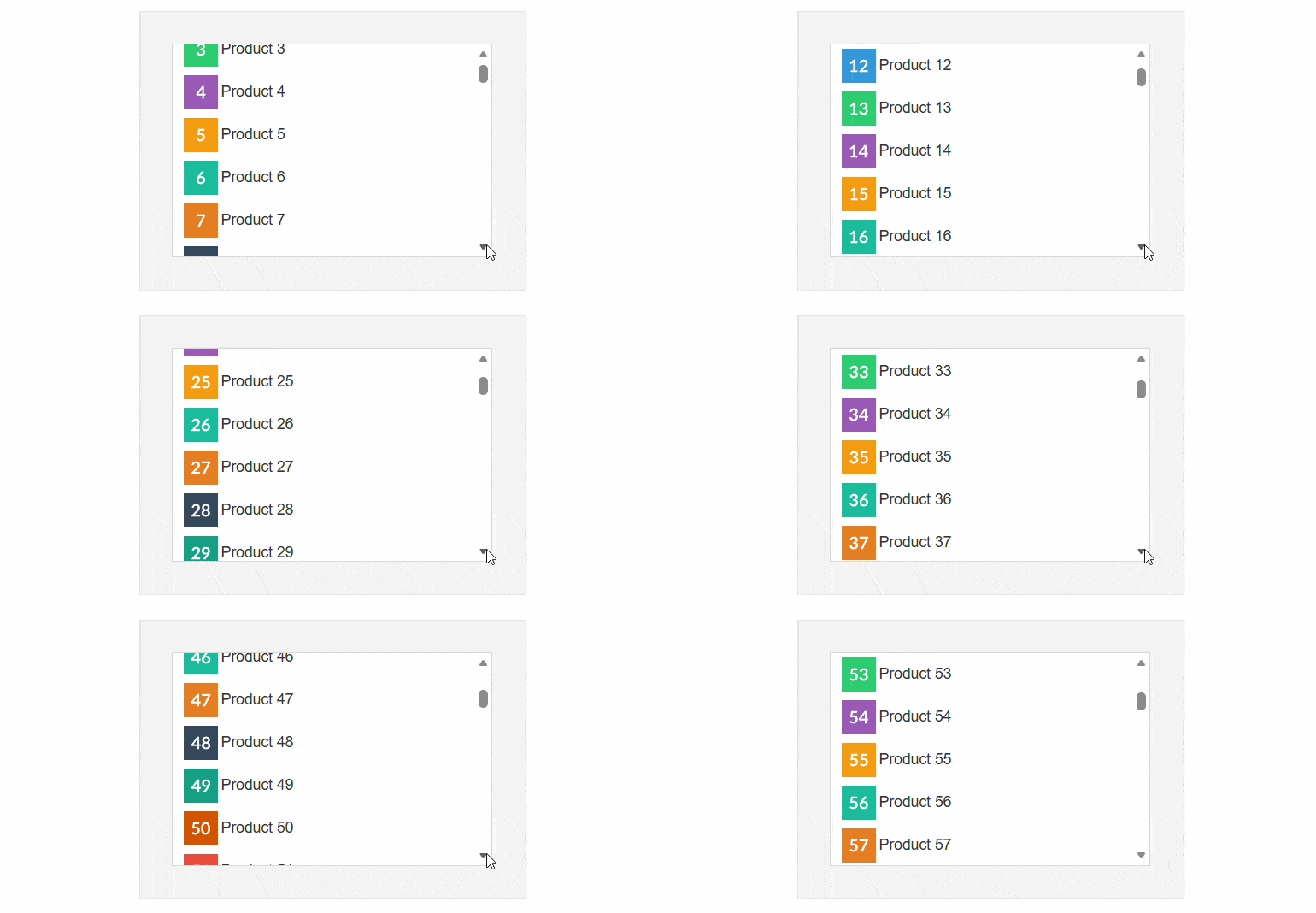
    • Auto-Scroll on Drag - When dragging an item to a part of the ListBox which is hidden, the control will scroll up/down to that part automatically.

    See demo


    Top

  • Items Reordering

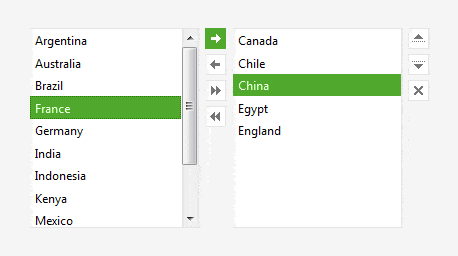
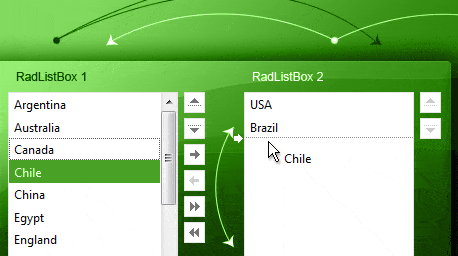
    RadListBox allows you reorder items both through drag and drop or using the up and down buttons. The reorder buttons can be added to either side of the ListBox and are fully stylable. Moving/Reordering are done on the client and changes are persisted on the server.

    See demo


    Top

  • Items Transfer

    RadListBox supports items transferring via the transfer buttons, mouse double click and drag and drop. It allows you to transfer single, multiple or all items between listboxes or other controls. When you move an item from a list box to another, it is done on the client-side or server-side depending on your configuration.

    See demo


    Top

  • Multiple/Single Selections

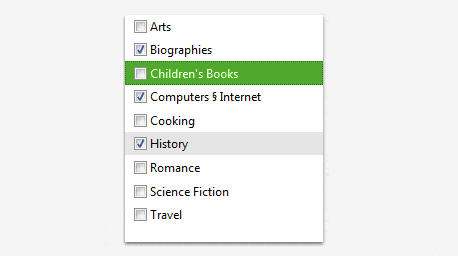
    The Telerik AJAX ListBox allows you to select from a list of items, with the option to select a single or multiple items from the list. The control fully supports checkboxes, which are displayed next to the Items.

    See demo


    Top

  • Flexible Layouts

    RadListBox allows for various layout customizations. You can specify the size of the box, the position of the buttons, the text and background color style of each item, or add an icon to the item’s text - you have the freedom to place the listbox elements anywhere you want, according to your scenario.

    See demo


    Top

  • Validation

    You can easily validate the selection of RadListBox through a RequiredFieldValidator control. If the user does not select an item the validators will fail and show their error message.

    See demo


    Top

  • Extensive VS.NET Design-time Support

    The ASP.NET ListBox control provides rich design time support functionality making customizations and configurations very easy. Some of the key capabilities are:

    • Applying skins in design time and easily switching between them - the Choose Skin command in  the RadListBox Smart tag automatically detects the preset skins 
    • Item Builder dialog for easy inline creation 
    • Design-time support for declarative data sources


    Top

  • Template Support

    You can embed any content inside a RadListBox template, including HTML markup and ASP.NET server controls, as well as other third-party controls (and any control from the Telerik RadControls for ASP.NETAJAX suite as well). Controls can be nested both in Visual Studio .NET Design mode and manually with the code. 

    See demo


    Top

  • Keyboard Support

    RadListBox fully supports keyboard navigation with Shortcuts, Access Keys and Arrow-key navigation for selecting items, checking items and deleting items.

    See demo

    Top

  • Appearance

    RadListBox is shipped with a rich set of skins that allow you to easily build slick interfaces with the look-and-feel of Windows Vista, Office 2007, Outlook, etc. The skins can be easily switched using a single property.

    Top

  • VS Plug-in for Testing RadControls

    Telerik's automated software testing tool Test Studio employs a rich set of features to help you automate AJAX-intense web content. You can test complex UI actions like drag-and-drop, invoke JavaScript functions from your test code, and perform logging actions. Additionally, the test recorder makes it easy to wait on AJAX operations before executing a specific verification. What’s more, Test Studio is the best way to test RadControls for ASP.NET AJAX. The powerful test recorder automatically detects the controls and exposes commonly used verifications. Learn more

    Top

$999

This and 70+ other controls are part of RadControls for ASP.NET AJAX


Buy NoworDownload
Free Trial

$1299

Get this product + 8 more as part of Premium Collection Bundle

  • All Telerik UI for web / desktop / mobile
  • Code Analysis and Refactoring tools
  • Data Access Tools & Reporting Engine

Buy Nowor Download
Free Trial

Full List of Controls
Integration capabilities

Product Resources