RadPanelBar for ASP.NET AJAX implements a highly efficient semantic rendering, which uses list items and CSS instead of tables. As a result the HTML output is significantly reduced, which dramatically improves performance.
RadPanelBar for ASP.NET AJAX supports binding to all ASP.NET 2.0 declarative datasources (AccessDataSource, ObjectDataSource, SqlDataSource, SiteMapDataSource, XmlDataSource) as well as the new LinqDataSource.
RadPanelBar has a rich client-side API and comprehensive set of events guaranteeing full control over various functions performed on the client. You can easily add/delete/update items at the client side and all the changes will be persisted on the server as well. The rich client-side API provides unbeatable performance and desktop-like experience.
RadPanelBar is compliant with the XHTML 1.1 requirement. The control satisfies the requirements of "Section 508" for software accessibility, as well as those of "Level AAA" (in accordance with the W3C Web Accessibility Guidelines). RadPanelBar also has full support for keyboard navigation with Shortcuts, Access Keys and Arrow-key navigation.
RadPanelBar completely follows the principles of Search Engine Optimization. The control's innovative rendering generates semantic lists and standard <a> tags, which are properly recognized and highly valued by search engines. As a result, all content accessible through this control will be automatically indexed and ranked with no extra effort required from the developer.
RadPanelbar for ASP.NET AJAX provides rich design-time support functionality making customizations and configurations very easy. Some of the key capabilities are:
- Applying skins in design time and easily switching between them - the Choose Skin command in RadPanelbar Smart tag automatically detects the preset skins
- Item Builder dialog for easy inline creation
- Design-time support for declarative data sources
You can embed any content inside a RadPanelBar template, including HTML markup and ASP.NET server controls, including the Telerik controls or other third-party controls. Controls can be nested both in Visual Studio .NET Design mode and manually with the code.

RadPanelBar supports a variety of expand animation styles for a great user experience. You can select among various expand effects: Fade, Stretch, Gradient Wipe, Pixelate, etc. You can further customize them with any settings relevant for your scenario.
RadPanelBar allows you to control the way panel items expand via a single property
The supported modes are:
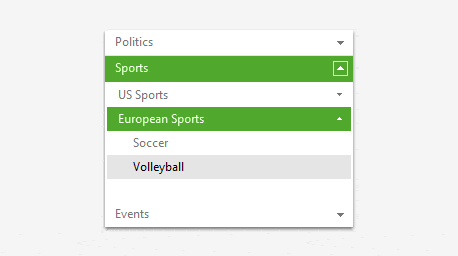
- Multiple Expand Option: More than one item can be expanded at a time.
- Single Expand Option: Only one item can be expanded at a time. Expanding an item collapses the previously expanded one.
- Full Expanded Item: Only one item can be expanded at a time. The expanded area occupies the entire height of the RadPanelbar.
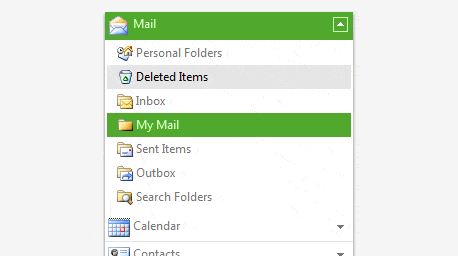
RadPanelBar is shipped with a rich set of skins that allow you to easily build slick interfaces with the look-and-feel of Windows Vista, Office 2007, Outlook, etc. The skins can be easily switched using a single property.

RadPanelBar for ASP.NET AJAX provides full support for Right-to-Left languages.

RadPanelBar automatically sizes your panel items and creates a scroll for your users to access all information with ease.

RadPanelBar provides full support for custom attributes both on the server and on the client. It is easy to customize the item and include any attribute relevant for your scenario: additional text, value or image.