Q1'09 is an important milestone for Telerik’s .NET Reporting tool as it brings the tool one step closer to becoming a true Business Intelligence (BI) solution by introducing a critical instrument for data analysis - Cross Tabs. Among the other novelties, Telerik Reporting introduces new report items for tabular data representation and displaying HTML content.

Watch the Q1 2009 for Telerik Reporting and OpenAccess ORM webinar on Telerik TV.

Items for tabular data presentation - Tables, Crosstabs and Lists

The Table, Crosstab, and List report items are variations of the same engine optimized to show a specific data layout:

  • The Table item is a generalized layout report item that displays report data in cells that are organized into rows and columns. Report data can be any detail data as it is retrieved from the data source, or aggregated detail data organized into groups that are specified by the user;
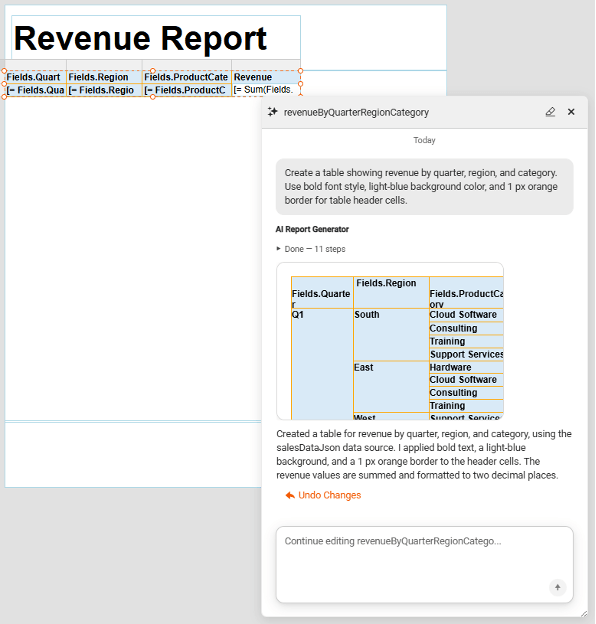
  • Cross tabulation is a vital instrument in data analysis, because it provides decision makers with a data format which is easy to comprehend and explore, by displaying and grouping data in a pivot grid-like layout;
  • The List report item displays detail data in a free-form layout.

As with all Telerik Reporting features, the strongest part of the tabular data is not just in the presentation, but in the easiness of creating complicated reports. The new tabular items come with strong, but exceptionally intuitive design time support which makes the process of creating and designing complex tabular reports as simple as dragging data fields to the respective report items. This advantage in report creation, known as “Easibily,” requires no code whatsoever.

Telerik Reporting Cross Tabs in Visual Studio Design Time

HTML Text Box Item

The new release introduces a new report item which lets developers and IT specialists insert HTML-formatted content to produce customizable and good looking reports. The HTML value can be specified at design time (either through a WYSIWYG or an expression editor) or can be retrieved directly from a data source by using any expression that evaluates to correctly formatted HTML. Various formatting options are available to control the text presentation:

  • Font, size, color
  • Bold, Italic, Underline
  • Lists
  • Organize the text in paragraphs
  • Inline styles (background, border, color, font, padding)

Formatted text can be rendered to HTML, PDF, and Image formats, in both windows forms and web applications. The item also supports injecting complex expressions into the HTML-formatted text for mail merge functionality.

Telerik Reporting HTMLTextBox report item

Embedded Expressions

Much like Microsoft Word's mail merge functionality, embedded expressions give you the freedom to get and insert data-driven information directly into a single text box, thus making your reports look better and more professional. This approach significantly reduces the time to create reports, as well as clutter: instead of creating and styling several data-bound text boxes to display different information, you can now use a single text box to insert all the information you need, and then quickly style it with a few mouse clicks.

Both the TextBox and the HtmlTextBox items support data-driven fields in-line, which are customizable in a true WYSIWYG manner in the Report Designer.

Telerik Reporting Embedded Expressions

Report Book

The main goal of a report book is combining different reports into one document for the purposes of printing them at once or exporting them to a single file. Reports are displayed in the order they were added to the report book.

Each report page settings are preserved allowing for an easy print/export without any further modifications. Each report in the book is processed as a stand alone item and the result is compiled in an aggregate document. There is no additional performance cost outside of the performance costs for each individual report the report book holds in itself.

Telerik Reporting Report Book

New Data Processing Engine

This release of Telerik Reporting sports a new data processing engine specifically built for extensive calculations with large amounts of data, and improves performance by as much as 40% in calculation-intensive operations. The new tabular presentation items (especially the CrossTab) heavily rely on this performance boost to perform adequately in complex computations.

CrossTab

New and Redesigned Examples

This release of Telerik Reporting comes with several new examples, including a Sales Dashboard, and a much requested Invoice report. The rest of the examples have been updated to use the new features introduced in this release, plus they all have been redesigned for a fresh new look:

Sales Dashboard Telerik Reporting Dashboard demo

Crosstab Telerik Reporting Crosstab demo


Product Catalog Telerik Reporting Product Catalog

Invoiceinvoice small

Product Line Sales Telerik Reporting Product Line Sales Demo

List Telerik Reporting List Demo

What's New