
Telerik Reporting
What's New
What's New HistoryTelerik Reporting AI Generator: Table and Crosstab Support
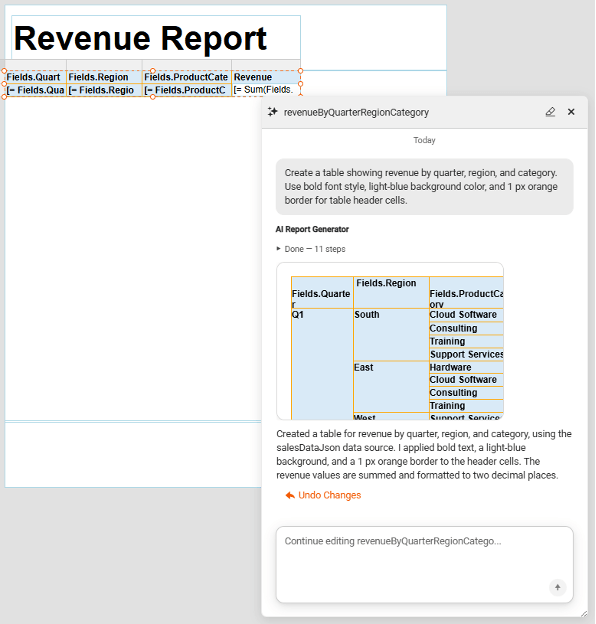
Telerik Reporting's AI Report Generator now extends beyond charts to Table, Crosstab, and List items, giving report authors a straightforward way to turn a natural-language description into a fully wired, data-bound item in the Web Report Designer. Authors can create or edit these items with grouping, aggregates, and totals handled automatically, backed by a live data-bound preview and one-click undo.
See the Telerik Reporting AI Generator: Table and Crosstab Support documentation
Telerik Reporting Kendo Theming
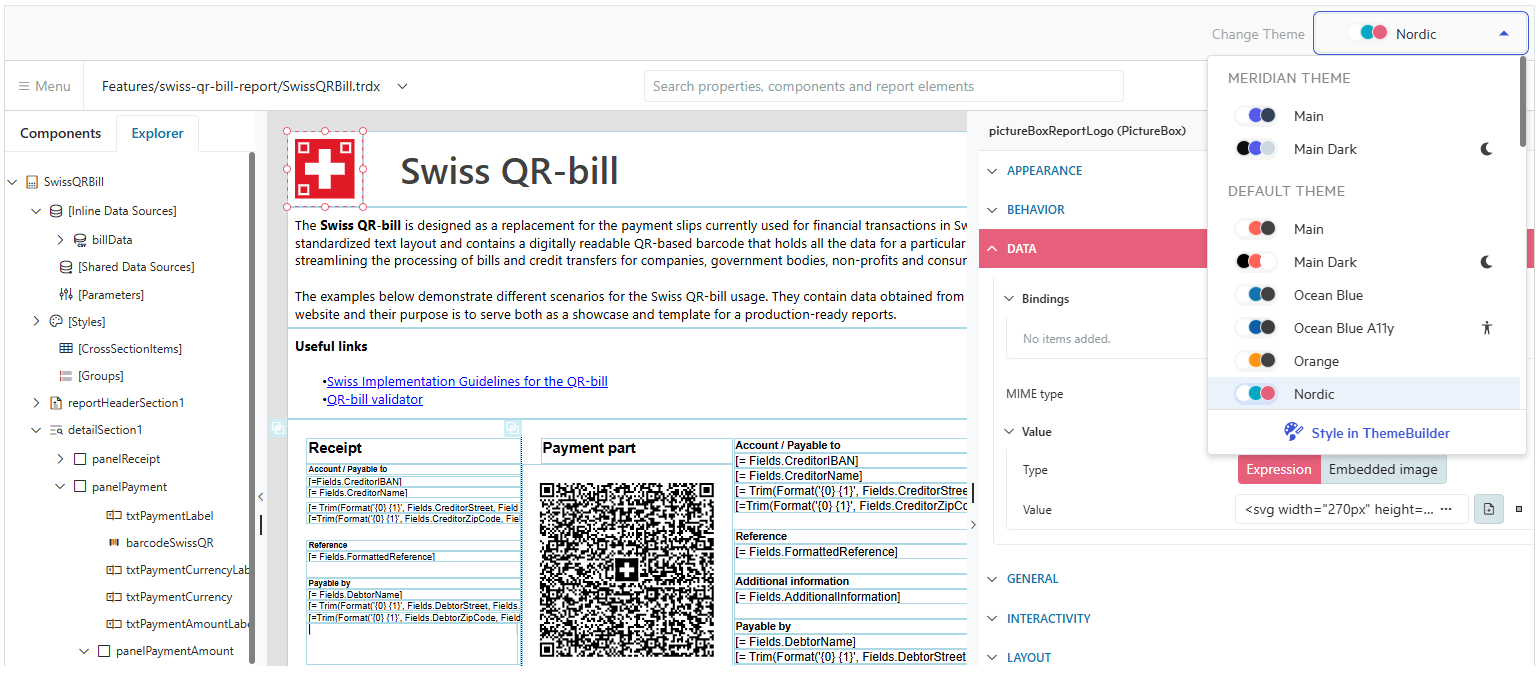
Telerik Reporting now includes native Kendo theming compatibility in the Web Report Designer, giving developers a simple way to align their Kendo UI theme — built-in or ThemeBuilder-generated — with a visually consistent report design experience. Web Report Designer applies minimal styling, so custom theme stylization takes precedence while preserving the UI functionality — no manual CSS overrides, no styling conflicts with the host application.
See the Telerik Reporting Kendo Theming documentation



Next Steps
See Telerik’s Report Designer in action and check how much it can do out of the box
Check out the offers. Purchase an individual license for .NET reporting or treat yourself to one of our bundles.
Try Telerik’s .NET Reporting tool with dedicated technical support.