
Telerik UI for ASP.NET AJAX
What's New
What's New HistoryWhat's New 2026 Q2
Compact Choice Selection with the New Telerik UI for ASP.NET AJAX Segmented Control
The new Telerik UI for ASP.NET AJAX Segmented Control is a sleek, space-efficient component for fast, mutually exclusive selection between related options. Designed as a modern alternative to radio buttons and tabs, it improves usability by surfacing key choices in a single, intuitive control. With flexible customization, accessibility, and responsive behavior, it fits seamlessly into any WebForms application.
See the Telerik UI for ASP.NET AJAX Segmented Control demo

Improve Performance with Image Lazy Loading in ASP.NET AJAX ListBox
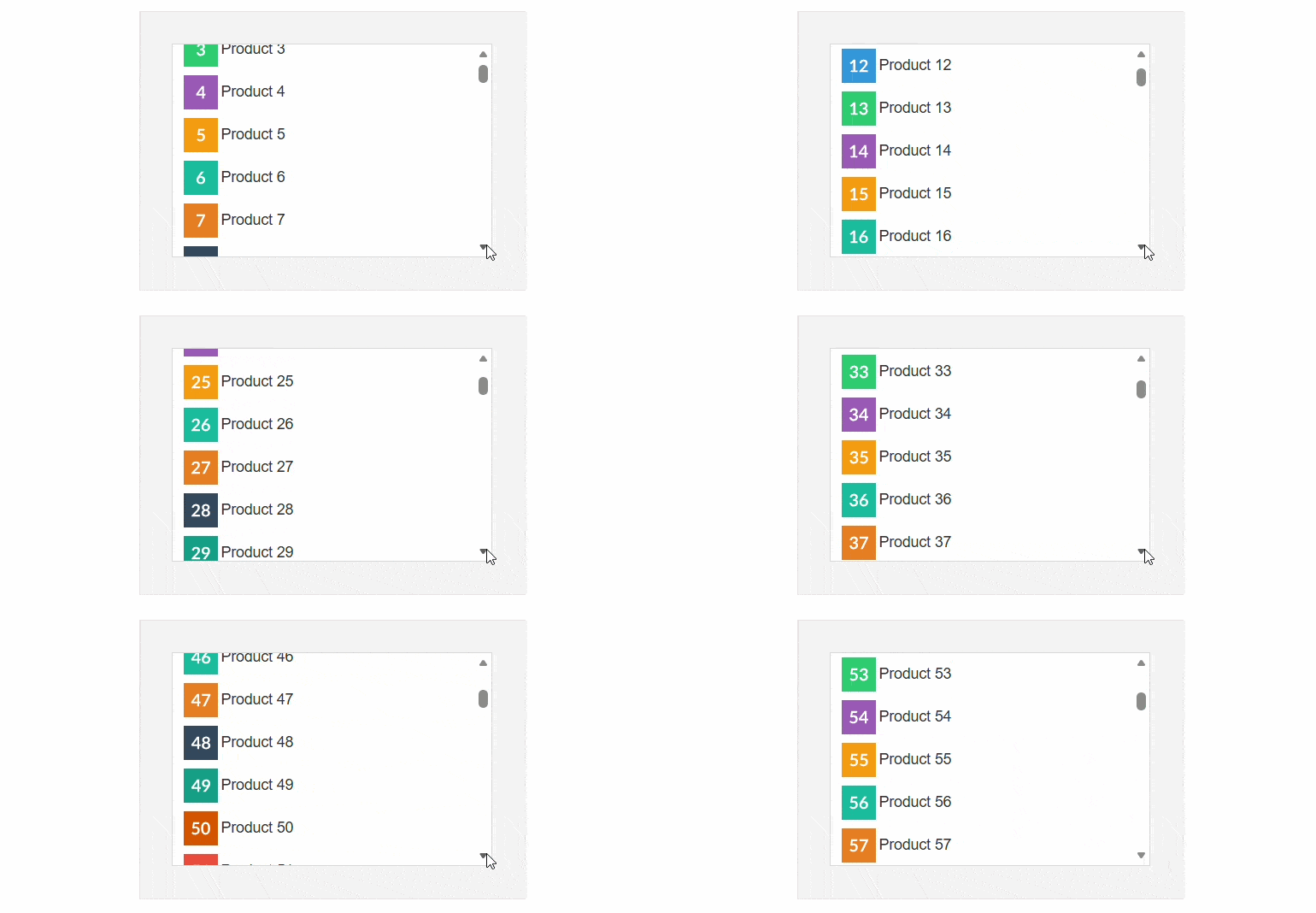
Improve performance in the Telerik UI for ASP.NET AJAX ListBox with built-in image lazy loading. When enabled via the Enable Image Lazy Loading property, images load only as items enter the viewport, reducing initial load time for image-heavy lists. The feature works seamlessly with static, dynamic, and Load on Demand items, ensuring efficient rendering and smooth scrolling.
See the Telerik UI for ASP.NET AJAX ListBox image lazy loading demo
Organize Telerik UI for ASP.Net AJAX Navigation with Separator Nodes
Improve the Telerik WebForms Navigation structure with separator nodes, allowing you to visually group items into distinct sections. By setting the IsSeparator property to true, you can render non-interactive divider elements that create clear separation between navigation groups.
See the Telerik UI for ASP.NET AJAX Navigation separators demo

Toggle Password Visibility with a new Show Password Button in WebForms TextBox
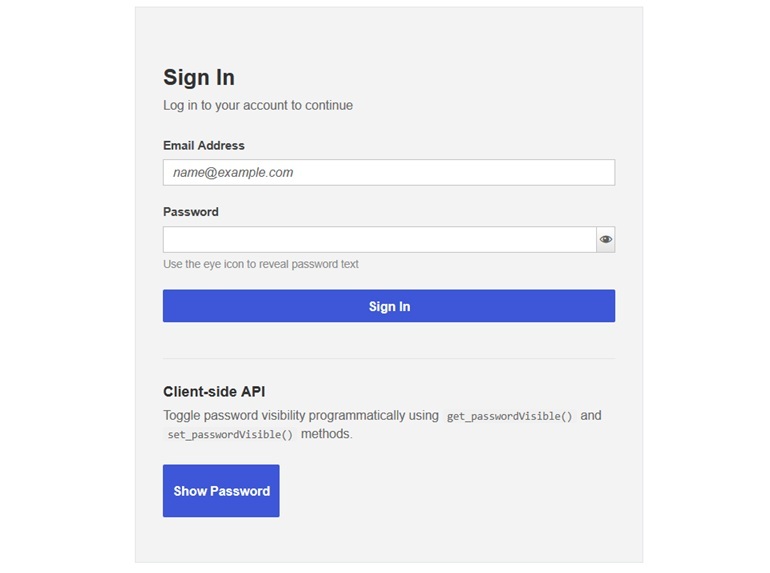
Enhance password input usability in Telerik UI for ASP.NET AJAX TextBox with the built-in ShowPasswordButton. When enabled, it adds a toggle icon that allows users to reveal or hide their password directly in the input field.
See the Telerik UI for ASP.NET AJAX TextBox show password button demo
Integrated AI Chat in Telerik and Kendo UI Documentation
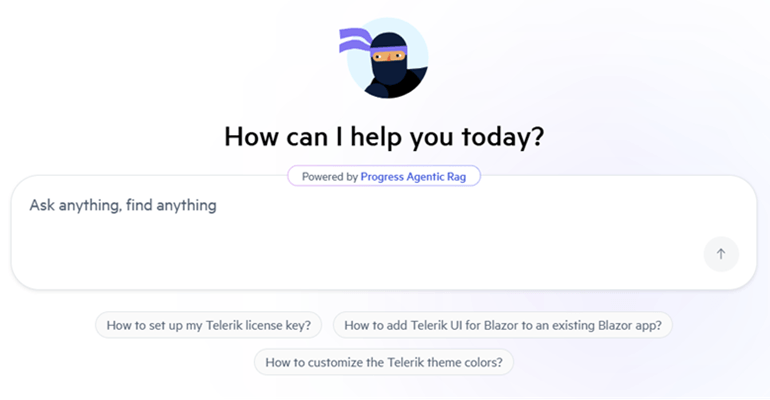
Telerik and Kendo UI documentation pages now support an integrated AI Chat, allowing you to easily ask questions and receive instant, context-aware answers directly within the page. The assistant helps you quickly locate relevant information, understand features, and explore related topics without interrupting your workflow. By combining search and conversational guidance, it streamlines navigation and improves productivity when working with components and APIs.
What's New 2026 Q1
ASP.NET AJAX: New SmartPasteButton for Effortless Inputs
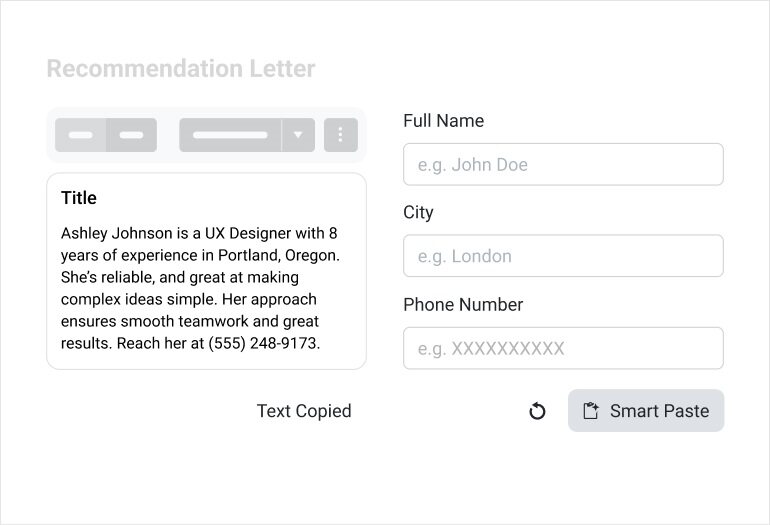
The new Telerik UI for ASP.NET AJAX SmartPasteButton lets users paste unstructured text such as email signatures, messages, or copied content, and immediately turns it into structured form data. With one click, the component analyzes the pasted text, extracts meaningful information, and automatically populates the corresponding fields, eliminating repetitive copy‑and‑paste work.
See the Telerik UI for ASP.NET AJAX SmartPasteButton demo
Accessibility Improvements Across Telerik UI for AJAX Controls
A broad set of accessibility upgrades across key Telerik UI for ASP.Net AJAX controls is introduced with the 2026 Q1 release. These affect RadListBox, RadEditor (including Hyperlink, Document, and File Browser dialogs), RadMenu, RadSiteMap, RadMediaPlayer, RadOrgChart, and selected picker and toolbar components. The updates strengthen WAI‑ARIA support, keyboard navigation, focus management, and screen reader behavior through clearer semantic markup, consistent visible focus, and more accurate ARIA attributes aligned with common testing tools.

Multiple Localization and Right-To-Left (RTL) Improvements
The Telerik UI for ASP.NET AJAX library now offers more accurate localization and more reliable right‑to‑left rendering across key components, including RadEditor dialogs, Date and Time Pickers, menu and sitemap navigation, plus other dialog‑based tools. Enhancements include cleaner translations, corrected dialog messages, and properly mirrored layouts in RTL mode.

Keyboard Navigation Enhancements for More Accessible UX
Keyboard interaction patterns have been expanded and standardized across multiple Telerik UI for ASP.Net AJAX components, including RadMenu, RadSiteMap, RadListBox, RadMediaPlayer, RadOrgChart, and RadEditor toolbars and dialogs. These refinements ensure more consistent focus movement, clearer activation behavior, and smoother keyboard‑only workflows, resulting in a more reliable and accessible experience.
Document Processing Libraries 2026 Q1 Enhancements
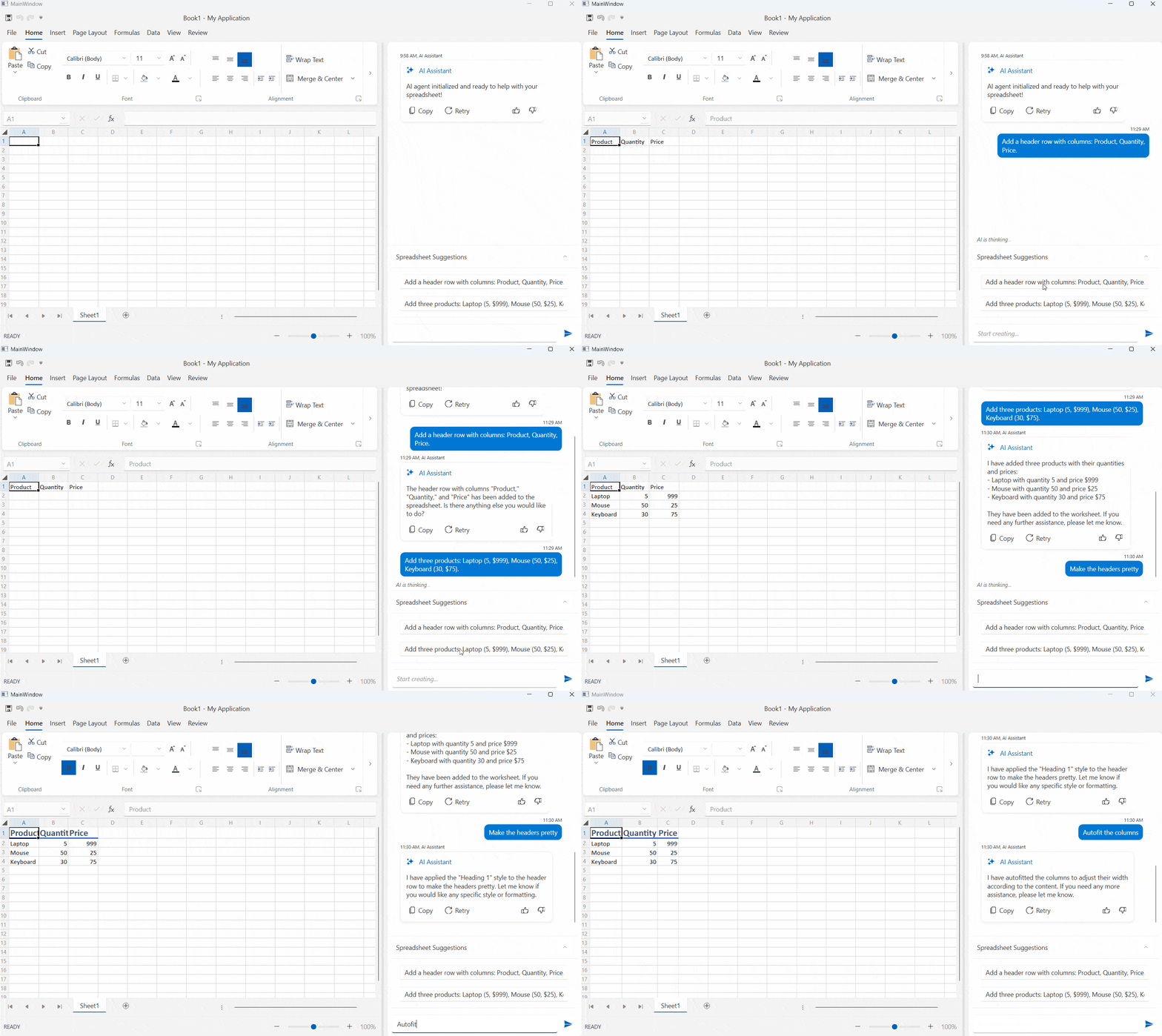
- [Preview] Agentic tools: Build intelligent document processing workflows with ease. The DPL Agentic Tools let users extract structured data, edit content, convert formats, generate new Excel or PDF files and perform analysis on Excel documents directly inside your .NET app with no separate services required.
- Core enhancements: New MIME type support for embedded files allows you to explicitly define how attachments like XML, JSON, or CSV payloads are represented inside PDFs, while automatic file‑format detection makes it easier to load documents from byte arrays. Compliance is further improved through EU DSS‑aligned digital signing, ensuring PDFs meet official European Commission validation standards. Additionally, Timestamp Server support in PdfStreamSigner enables trusted, verifiable timestamps for long‑term signature validity.



Next Steps
See Telerik UI for ASP.NET AJAX in action and check out how much it can do out-of-the-box.
Check out the offers. Purchase an individual suite, or treat yourself to one of our bundles.
Try Telerik UI for ASP.NET AJAX with dedicated technical support.