# .NET MAUI Calendar Commands
The .NET MAUI Calendar provides various commands that allow the user to switch between the display modes and views.
## Commands for Navigating the Current View
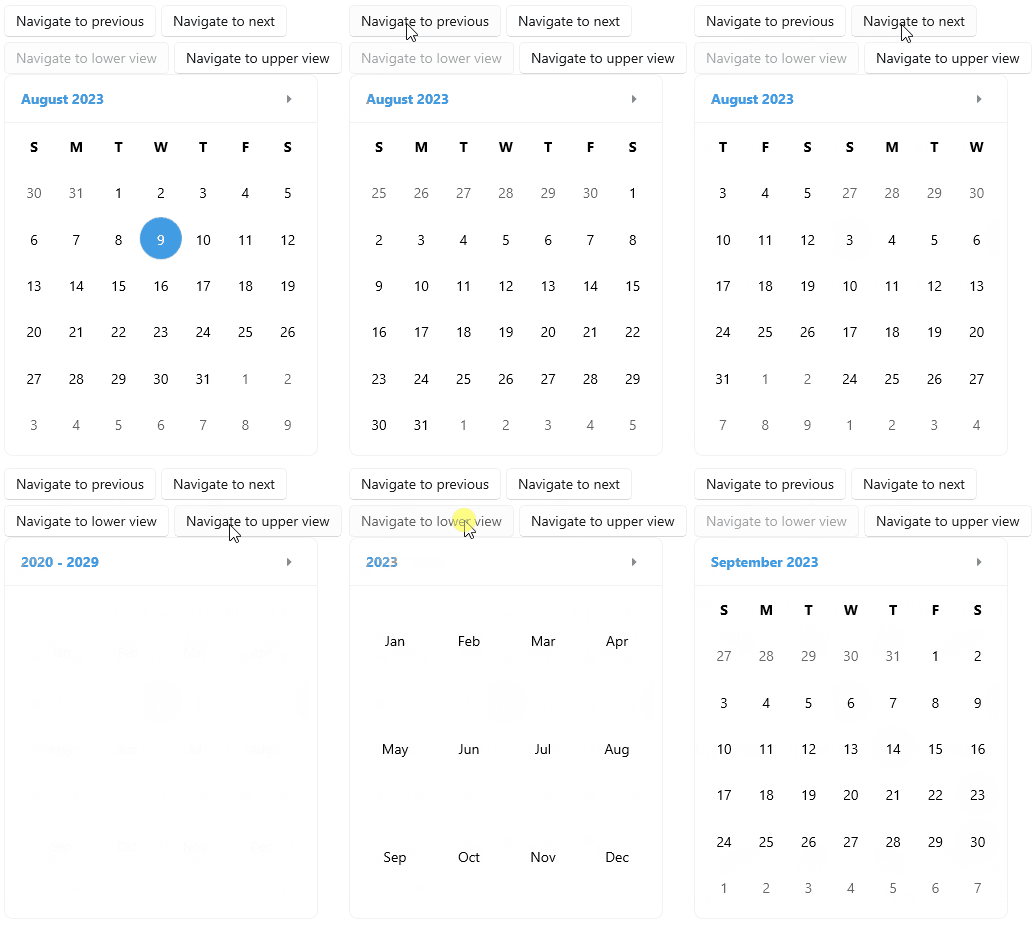
The following commands enable the navigation between same level views:
* `NavigateToNextViewCommand`(`ICommand`)—Gets the command that is executed when the user navigates to the next view.
* `NavigateToPreviousViewCommand`(`ICommand`)—Gets the command that is executed when the user navigates to the previous view.
## Commands for Navigating between Views
The following commands enable the navigation between the view levels:
* `NavigateToUpperViewCommand`(`ICommand`)—Gets the command that is executed when the user navigates to the upper view.
* `NavigateToLowerViewCommand`(`ICommand`)—Gets the command that is executed when the user navigates to the lower view.
When switching between view levels, the Calendar implements the following navigation sequence:
* When navigating to the upper view: Month > Year > Decade > Century.
* When navigating to the lower view: Century > Decade > Year > Month.
## Navigation Example
**1.** Define the Calendar:
```XAML
```
**2.** Execute the `NavigateToNextViewCommand` and `NavigateToPreviousViewCommand` on button click:
```XAML
```
**3.** Execute the `NavigateToUpperViewCommand` and `NavigateToLowerViewCommand` on button click:
```XAML
```
> For a runnable example demonstrating the Calendar Commands, see the [SDKBrowser Demo Application](https://www.telerik.com/maui-ui/documentation/demos-and-sample-apps/sdkbrowser-app) and go to the **Calendar > Commands** category.
## See Also
* [Navigation Between the Different Views](https://www.telerik.com/maui-ui/documentation/controls/calendar/navigation)
* [Specify the Formatting](https://www.telerik.com/maui-ui/documentation/controls/calendar/formatting)
* [Selection modes](https://www.telerik.com/maui-ui/documentation/controls/calendar/selection)
* [Use exposed Events](https://www.telerik.com/maui-ui/documentation/controls/calendar/events)
* [Define Templates](https://www.telerik.com/maui-ui/documentation/controls/calendar/templates)