# WinUI Examples Demo Application
The Examples demo application showcases the controls from the Telerik UI for WinUI suite.
## Installing the Demo Application Separately
To download the Examples demo application:
1. Go to .
2. Expand the **Additional Links** section (do not use the "Get the app" button).
3. Click the **"App Installer File"** link to download the installer.
4. Run the `Examples.WinUI.Desktop (Package).appinstaller` file.
> If you have previously installed the Examples demo application, uninstall it before installing a later version.
**Telerik UI for WinUI Examples Demo Application**

## Installing the Demo Application from the Setup Wizard
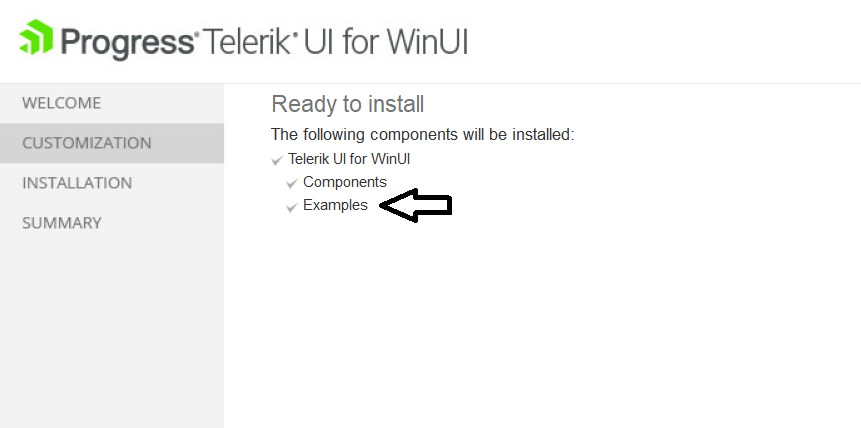
You can also install the Examples demo application from the WinUI setup wizard by downloading the wizard from .
**Telerik UI for WinUI Setup Wizard**
## See Also
* [Installing Telerik UI for WinUI from MSI File](https://www.telerik.com/winui/documentation/getting-started/first-steps-msi)
* [Installing Telerik UI for WinUI from ZIP File](https://www.telerik.com/winui/documentation/getting-started/first-steps-zip)
* [Installing Telerik UI for WinUI with NuGet](https://www.telerik.com/winui/documentation/getting-started/first-steps-nuget)
* [Installing Telerik UI for WinUI with the VS Extension](https://www.telerik.com/winui/documentation/getting-started/first-steps-vsextension)