# Key Properties
The purpose of this help article is to show you the key properties of the **RadUniformGrid** control.
> You can access the **RadUniformGrid** control through an alias pointing to the **Telerik.UI.Xaml.Controls.Primitives** namespace: `xmlns:primitives="using:Telerik.UI.Xaml.Controls.Primitives"`
## Rows and Columns
Through the **Rows** and **Columns** properties you can control the size of the grid. Any additional children that can't fit in the number of cells provided won't be displayed.
#### **Example 1: Setting Rows and Columns**
```XAML
```
In the figure below you can notice that the 5th and 6th borders are not displayed.

## HideFirstRow and HideFirstColumn
Through the **HideFirstRow** and **HideFirstColumn** properties you can control whether the first row or column of the grid should remain hidden.
#### **Example 2: Setting HideFirstRow and HideFirstColumn**
```XAML
```
Check the result below:

## First Column
Through the **FirstColumn** property you can control the starting column offset for the first row of the UniformGrid.
#### **Example 3: Setting FirstColumn**
```XAML
```
Check the result below:

## ChildrenFlow
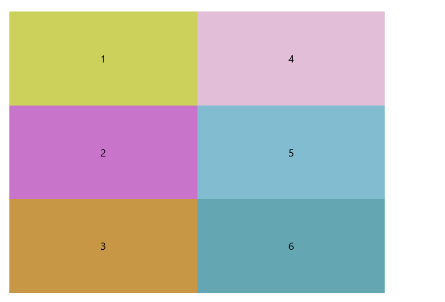
Through the **ChildrenFlow** property you can control the orientation of the grid. When set to **Orientation.Vertical**, it will transpose the layout of automatically arranged items such that they start from top to bottom then based on the **FlowDirection**.
#### **Example 4: Setting ChildrenFlow**
```XAML
```
Check the result below:
## PreserveSpaceForCollapsedChildren
By default, if one of the child elements of the RadUniformGrid has its Visibility property set to **Collapsed**, the space for it will not be preserved and the next child will be drawn in its place.
Through the **PreserveSpaceForCollapsedChildren** property you can change this behavior so that the place for the collapsed element is preserved.
#### **Example 5: Setting PreserveSpaceForCollapsedChildren**
```XAML
```
Check the result below:

## See Also
* [Getting Started](https://www.telerik.com/winui/documentation/controls/raduniformgrid/getting-started)