# Key Features
The purpose of this help article is to show you the key features of the **RadShadow** control.
> You can access the **RadShadow** control through an alias pointing to the **Telerik.UI.Xaml.Controls.Primitives** namespace: `xmlns:primitives="using:Telerik.UI.Xaml.Controls.Primitives"`
## Setting Shadow Color
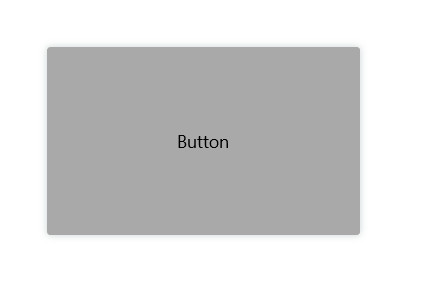
Through the **Color** property you can paint the shadow that wraps around your views – you can make it consistent with the colors of the surrounded controls, or you can just use a softer color to make the shadow look more natural.
Here is a quick example of a colored shadow around RadButton:
#### **Example 1: Shadow Colors**
```XAML
```
Check the result below:
## Defining Transparency
Through **ShadowOpacity** you can control the color transparency level of the RadShadow. The defined value should be between 0 and 1, by default ShadowOpacity is set to 0.26.
#### **Example 2: Shadow Opacity**
```XAML
```
And how it looks:

## Defining Shadow Position
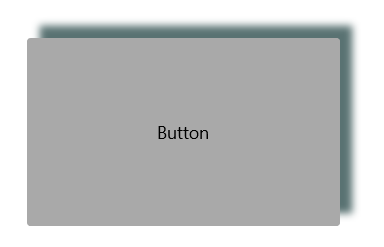
RadShadow exposes **OffsetX** and **OffsetY** properties used to specify the shadow’s position relative to the position of the view that is casting it. Positive x/y offsets will shift the shadow to the right and down, while negative offsets shift the shadow to the left and up.
By default, **OffsetX** and **OffsetY** are set to 0.00, so that the shadow appears on all sides of the View it surrounds.
#### **Example 3: Shadow Offset**
```XAML
```
Check the result below:
## Applying Shadow Corner Radius
The **ShadowCornerRadius** property represents the degree to which the corners of the Shadow are rounded. This is useful in cases RadShadow wraps around a view with rounded edges. The default value is 0,0.
> important Elements like **Shape, Image, and TextBlock** provides a corner radius for their shadows out of the box. That is why **ShadowCornerRadius** property of the **RadShadow** control will not apply to these elements. To override this behavior, you can create a custom class that derives from RadShadow and override the **GetShadowMask()** method.
Check below a quick example with RadButton with ShadowCornerRadius applied:
#### **Example 4: Shadow Corner Radius**
```XAML
```
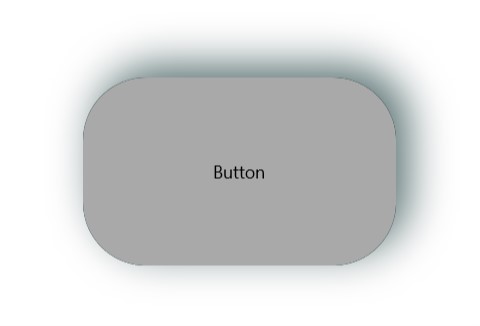
In this way the shadow looks consistent with the rounded button:

## Applying Blur Radius
Through the **BlurRadius** property you can specify the shadow blur-level. The higher the number, the more blurred it will be, and the further out the shadow will extend. By default, the **BlurRadius** is 10.
#### **Example 5: Applying Blur Radius**
```XAML
```
## See Also
* [Getting Started](https://www.telerik.com/winui/documentation/controls/radshadow/getting-started)