# Edit Modes
The DataForm provides the default and single edit modes, which enable you to control the editing behavior of the component.
To set the edit mode of the DataForm, use the `EditMode` property of type `DataFormEditMode`, which accepts the `Default` and `Single` values.
## Default Mode
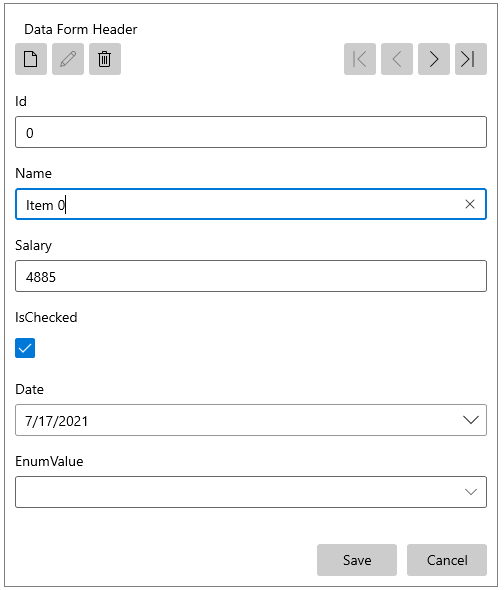
While the `Default` edit mode utilizes a lighter UI, its provides fewer options as compared to the `Single` edit mode implementation:
* All `DataFormDataField` editors are accessible from the `Default` edit mode UI and the correctness of an edit operation is ensured only by the data-binding mechanism.
* No distinct visual states of the `DataFormDataField` indicate whether it is being currently edited or not.
* When a validation error occurs, users are not encouraged to fix it, or to cancel their change by blocking the UI.
#### **DataForm in Default Edit Mode**
```XAML
```
**DataForm with Its EditMode Set to Default**
## Single Mode
The `Single` edit mode introduces the concept of editing properties one at a time. An editor is created only for the currently edited property and the other values are displayed in text blocks.
The `Single` option relies on the `DataMemberBinding` property of the ` DataFormDataField` and it cannot be set it when the DataForm uses dynamic data.
#### **DataForm in Single Edit Mode**
```XAML
```
**DataForm with Its EditMode Set to Single**

## See Also
* [Events](https://www.telerik.com/winui/documentation/controls/raddataform/events)