# Memory Support
The **Calculator** component supports all native memory functionality the end user is accustomed with.
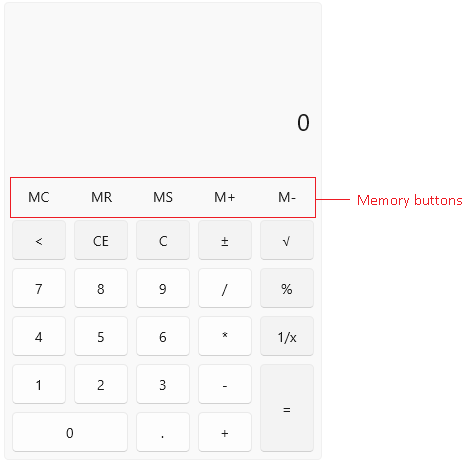
The following list shows the supported memory actions with example.
* **Memory Plus (M+)**—Adds the current input into the memory.
Example:
1. Input - '3' -> M+ -> Memory Value - '3'
2. Input - '6' -> M+ -> Memory Value - '9'
* **Memory Minus (M-)**—Substracts the current input value from the memory value.
Example:
1. Input - '5' -> M- -> Memory Value - '-5'
2. Input - '6' -> M- -> Memory Value - '-11'
* **Memory Store (MS)**—Stores the current input value into the memory. For example:
Example:
1. Input - '42' -> MS -> Memory Value - '42'
2. Input - '82' -> MS -> Memory Value - '82'
* **Memory Recall (MR)**—Displays the value stored into the memory.
Example:
1. Input - '42' -> MR -> Memory Value - '42'
2. MR -> Displayed Value - '42'
* **Memory Clear (MC)**—Clears the memory value.
The current memory value can be assigned manually by setting the `MemoryValue` property.
#### **Setting the memory value manually**
```XAML
```
The `telerikControls` namespace points to `xmlns:telerikControls="using:Telerik.UI.Xaml.Controls"`.
## Hiding the Memory Buttons
To hide the buttons, set the `MemoryButtonsVisibility` property of `RadCalculator` or `RadCalculatorPicker` to `Collapsed`.
#### **Hiding the memory buttons**
```XAML
```

## See Also
* [Clear Functionality](https://www.telerik.com/winui/documentation/controls/radcalculator/clearfunctionality)
* [Keyboard Support](https://www.telerik.com/winui/documentation/controls/radcalculator/keyboardsupport)