# ThemeBuilder Plugin for Figma Overview
ThemeBuilder provides a plugin that integrates into Figma and enables UI and UX designers to export design styles and variables to Sass or CSS variables and to generate icon fonts.
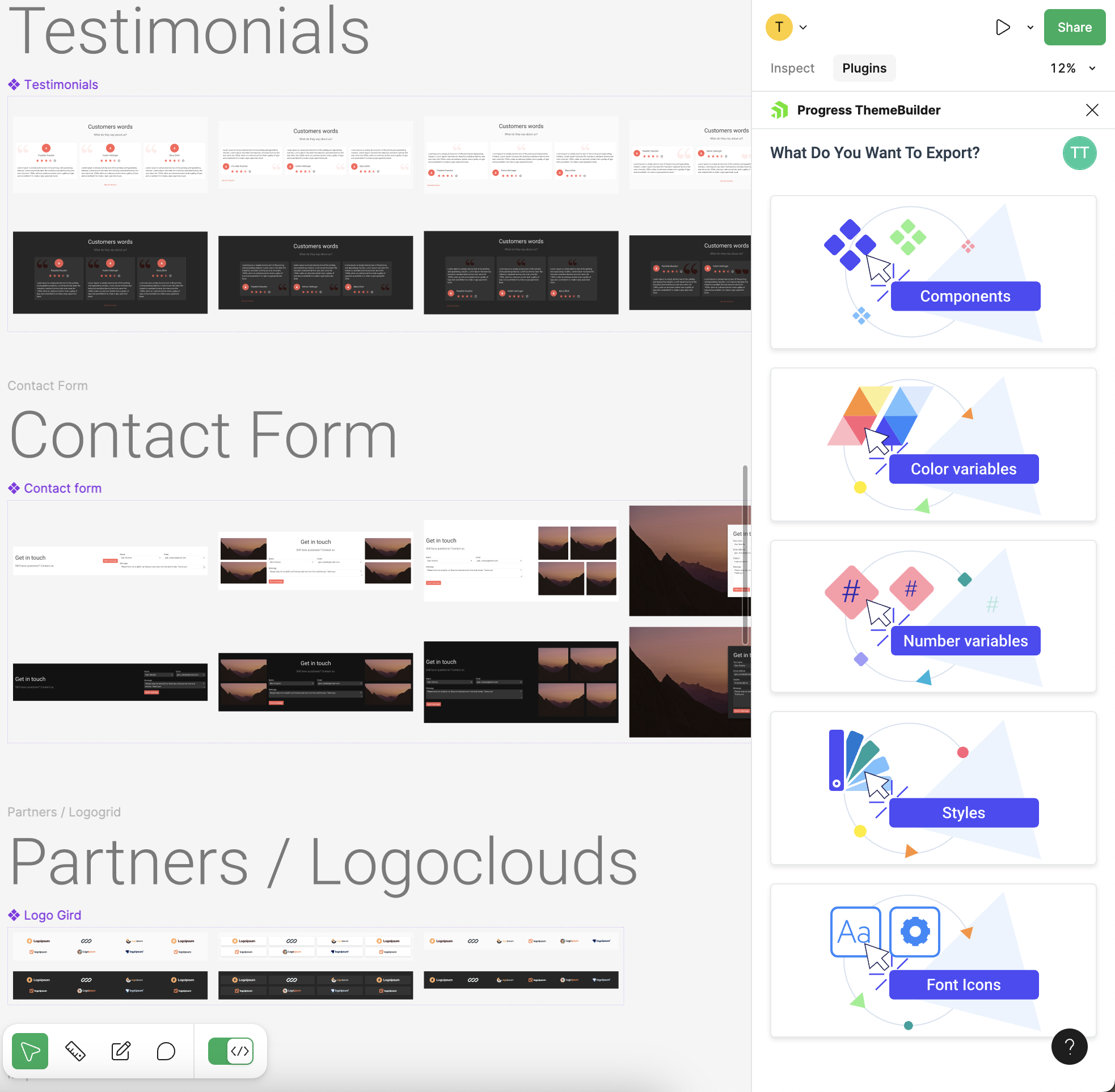
With the [ThemeBuilder plugin](https://www.figma.com/community/plugin/1243108105563929541/Progress-ThemeBuilder), you can export the following from Figma:
* [Styles](https://www.telerik.com/themebuilder/documentation/plugin/exporting-styles), such as colors, typographies, and effects. They are exported as Sass or CSS tokens that developers can use in ThemeBuilder.
* Color and number variables. They are exported along with their modes and mapped to the corresponding [color or metrics modes](https://www.telerik.com/themebuilder/documentation/building-visual-styles/variable-modes) in ThemeBuilder.
* Custom icons from Figma. They are exported and converted to font icons that developers can use in ThemeBuilder. For details, see [Exporting Icons from Figma](https://www.telerik.com/themebuilder/documentation/plugin/exporting-font-icons).
* [Components](https://www.telerik.com/themebuilder/documentation/plugin/exporting-components). You can export [components from Figma](https://help.figma.com/hc/en-us/articles/360038662654-Guide-to-components-in-Figma) to a ThemeBuilder project by turning them into HTML components.
The plugin provides guided export workflows that you can start as soon as you are ready to share styles, variables, icons, or components with developers.
## Dev Mode Support
Starting with version 2024 Q4, the ThemeBuilder plugin for Figma is also available in **Dev Mode**.
 ## Next Steps
* [Installing the ThemeBuilder Plugin for Figma](https://www.telerik.com/themebuilder/documentation/plugin/installation)
* [Logging into ThemeBuilder from the ThemeBuilder Plugin for Figma](https://www.telerik.com/themebuilder/documentation/plugin/login)
## Related Articles
* [Exporting Styles with the Plugin for Figma](https://www.telerik.com/themebuilder/documentation/plugin/exporting-styles)
* [Exporting Color and Number Variables with the Plugin for Figma](https://www.telerik.com/themebuilder/documentation/plugin/exporting-variables)
* [Exporting Font Icons with the Plugin for Figma](https://www.telerik.com/themebuilder/documentation/plugin/exporting-font-icons)
* [Meet the ThemeBuilder Figma Import (Blog Post)](https://www.telerik.com/blogs/meet-themebuilder-figma-import)