# Customizing Figma Plugin Prefix
## Environment
| Product |
ThemeBuilder |
| Product Version |
Any |
## Description
Why do Figma variables receive an additional prefix after I import them to ThemeBuilder through the [ThemeBuilder Plugin for Figma](https://www.telerik.com/themebuilder/documentation/plugin/overview)? How can I customize that prefix?
By default, Figma variables imported through the ThemeBuilder plugin for Figma get an additional `figma` prefix applied to them. This prevents naming conflicts with the other pre-existing ThemeBuilder variables during the import. Additionally, this aids developers in quickly identifying and distinguishing custom variables specific to the design process. The right variable naming approach enhances code maintainability and allows smoother collaboration between design and development teams.
## Solution
You can customize the prefix of the variables imported with the ThemeBuilder plugin for Figma through **Project Settings**.
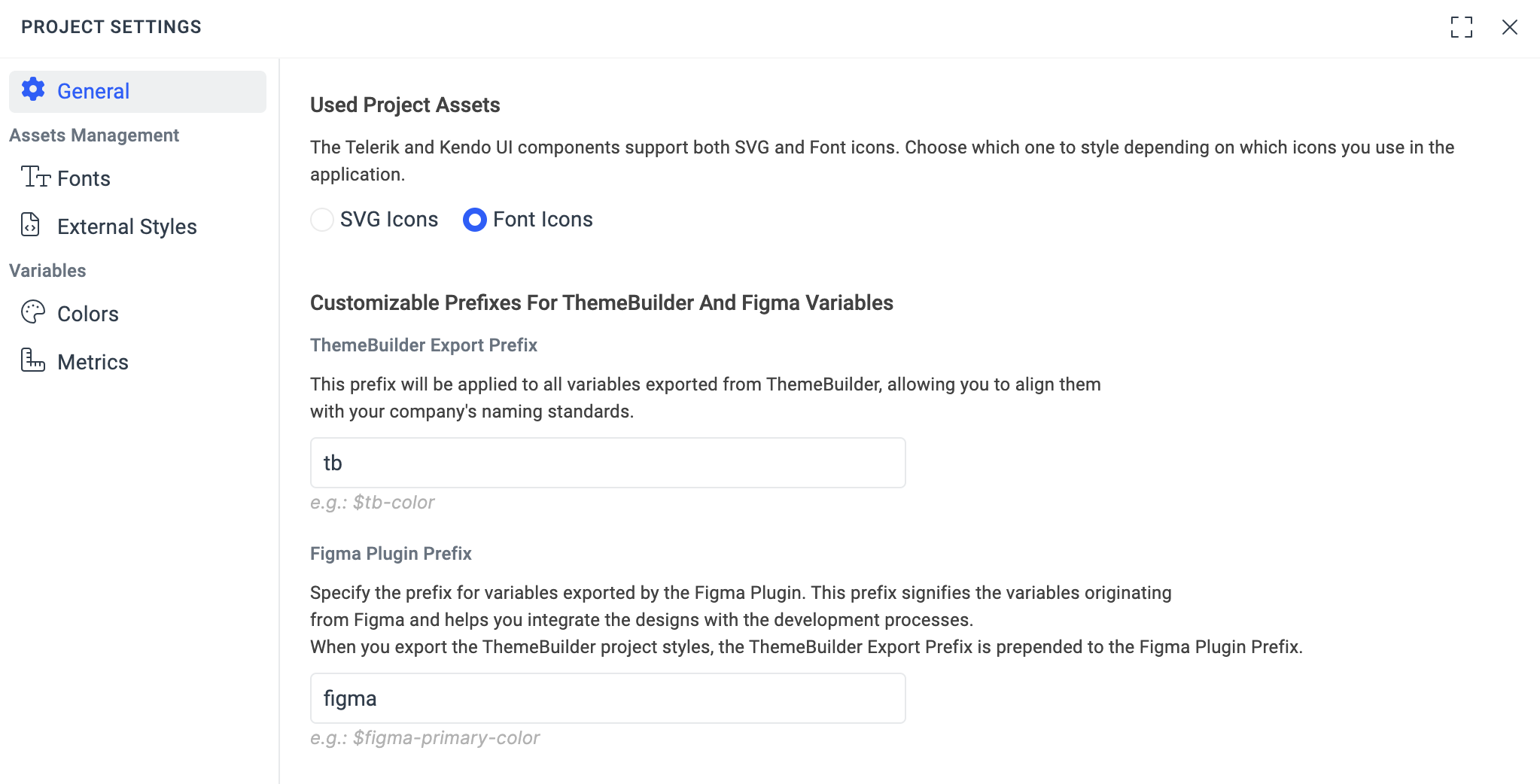 > note The Figma Plugin Prefix and the [ThemeBuilder Export Prefix](https://www.telerik.com/themebuilder/documentation/knowledge-base/customizing-themebuilder-export-prefix) are chained, and the generated CSS/SASS files from ThemeBuilder include both prefixes when applicable.
## Related Articles
* [Customizing ThemeBuilder Export Prefix](https://www.telerik.com/themebuilder/documentation/knowledge-base/customizing-themebuilder-export-prefix)