# Using BaseURL
## Running a Test Against Multiple Environments (Using BaseURL)
I have multiple test environments against which to execute my test scripts. The server URL is different for each environment. How can I avoid rewriting all of my tests from scratch to make them work with a different server URL?
## Solution
Test Studio allows you to create URL-relative tests with the concept of BaseURL. The BaseURL property is the static part of the URL that is set as a global setting for your entire project. A simple example is if your application **MyApplication** is deployed on both a production server **[http://Server1](http://server1/)** and a testing server **[http://Server2](http://server2/)**. If you set the global project setting and start recording, the navigation step will be recorded as follows:
* the project BaseURL is set to **[http://Server1](http://server1/)**.
* to start the test recording you navigate to **[http://Server1/MyApplication](http://server1/MyApplication)**.
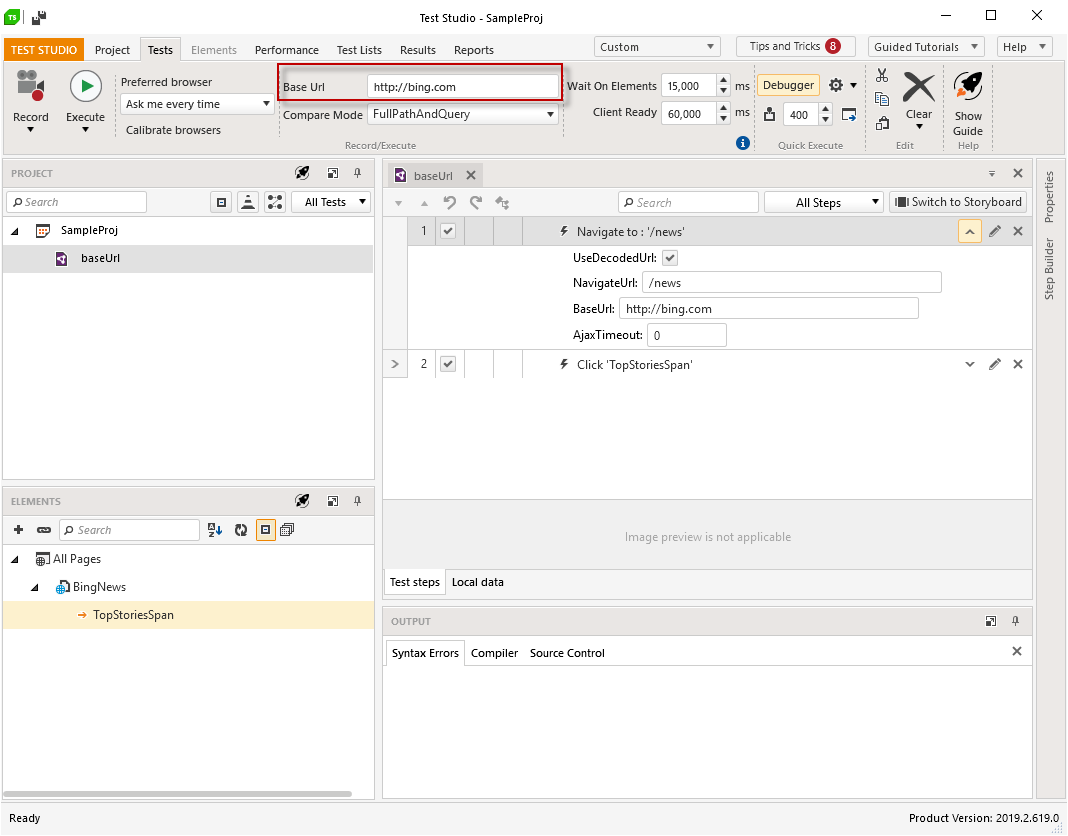
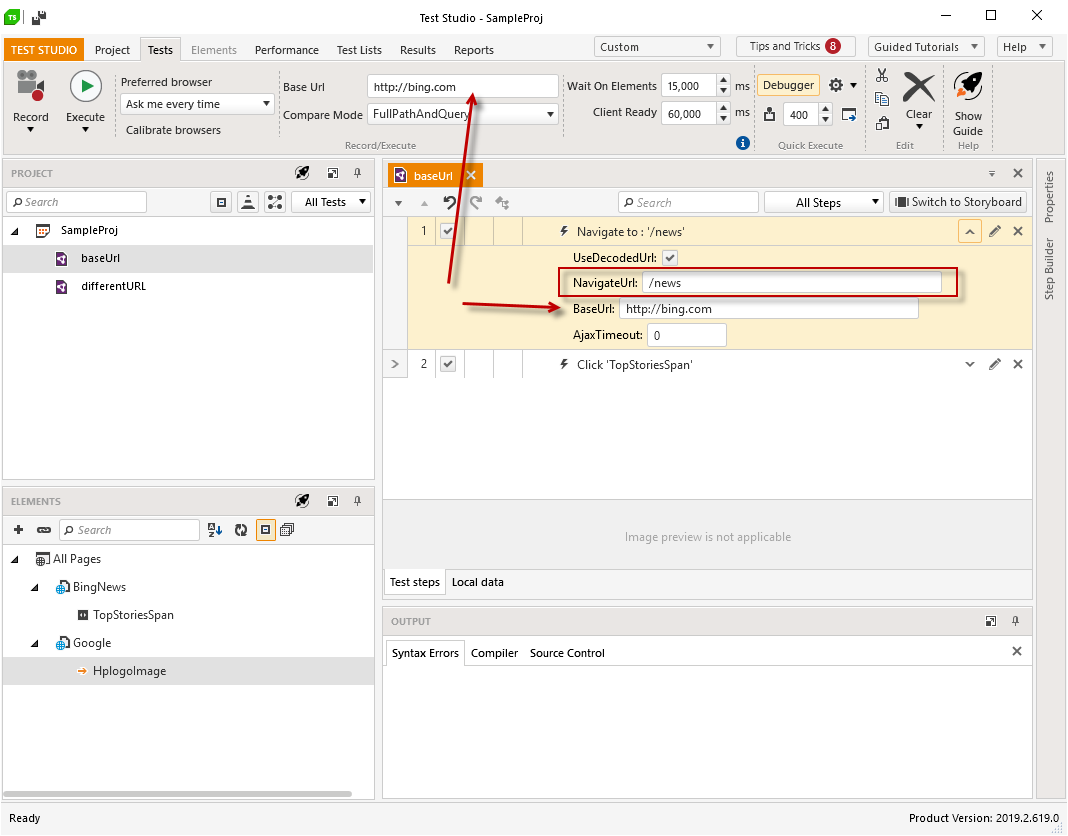
* the Navigate step will be recorded as **Navigate to: '/MyApplication'** - the navigated base URL matches the global project setting and is listed in the step under BaseUrl; the specific URL to navigate to is listed under NavigateURL property of the step.
* changing the BaseURL in the project settings allows you to use the same test against the other server as well.
In addition test lists have their own BaseURL property. This property is by default inherited by the project settings, but you can change it to run the same set of tests against different servers. Bear in mind that if a test list has a BaseURL set it overrides the project property.
## Project Property
1. The global project setting can be set in the Project Settings in the Recording tab.
2. The same setting can be quick accessed in the **Test** ribbon in the **Base URL** text field.
## Test Lists Property
By default the test list, created in the project with already set BaseURL, inherits the same BaseURL. This can be changed in the test list settings. The BaseURL setting is listed under the Web tab.
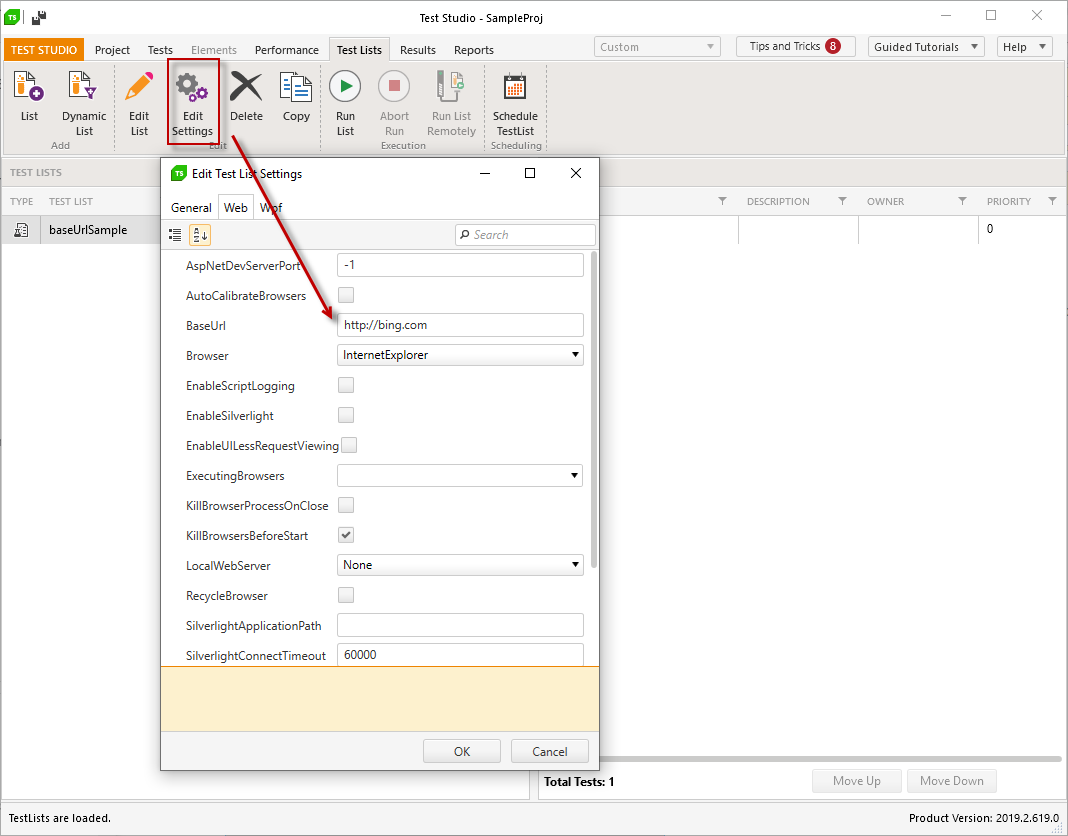
> **Note!** The test list setting overrides the project setting, and thus you can create multiple test lists and set each to run against different BaseURL.
## Test Step Property
When the test uses any URL, which matches the BaseURL set for the project, the Navigate step will be recorded with the URL divided accordingly in the **BaseURL** and **NavigateURL** - this matches the relative part of the used URL.
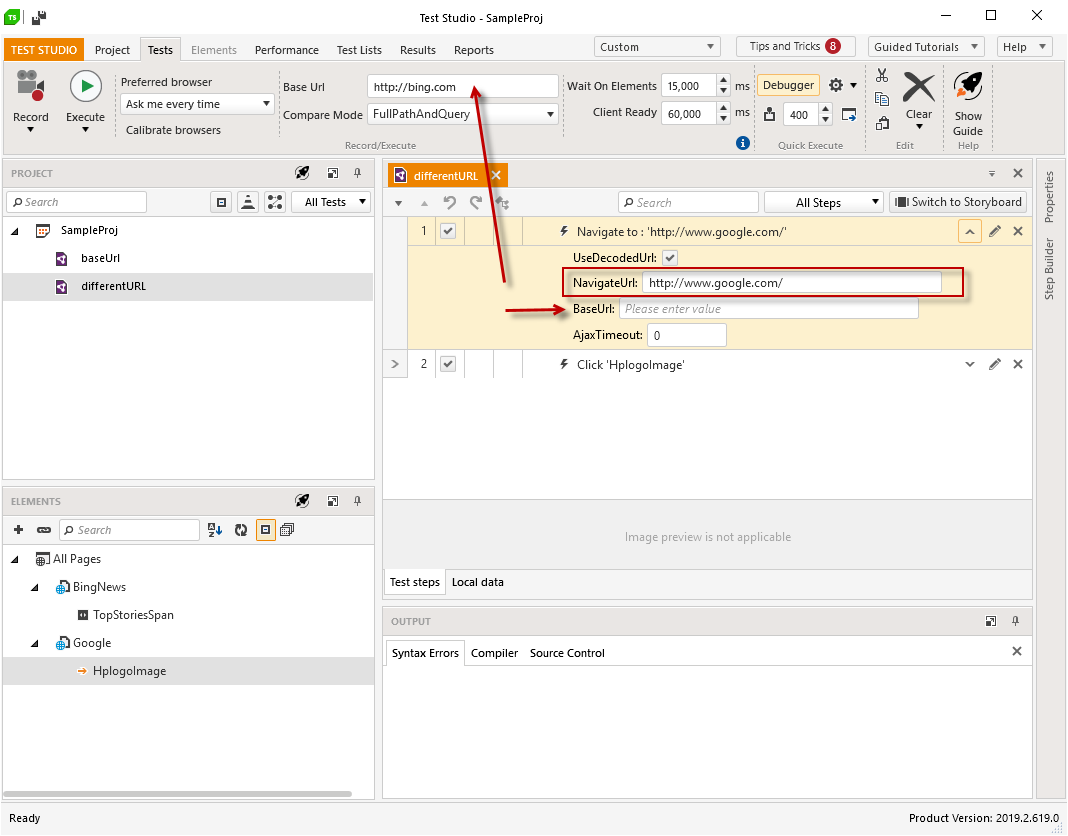
If the navigated URL differs from the project BaseURL the navigation step is recorded as if no additional settings are changed.
> **Note!**
>
>
> If the **BaseUrl** property of the **Navigate To** step is set, it overwrites both the project and the test list set *BaseUrl* setting. Ensure to **keep the step's property *BaseUrl* empty** if you need to run the tests against different environments.
>
>
> If you need a single test to use different URL, other than the BaseURL, use the **Navigate To** step property *BaseUrl*.
## Project Property in the Visual Studio Plugin
The default Test Studio settings are not applied in Visual Studio when executing tests through the Test Explorer. To be able to set **BaseURL** you will need to add a settings file and set it to be used from the Visual Studio Test Explorer. Modify the newly created settings file to use the desired BaseURL in its Web tab.
## Using the BaseURL with Frames
When a recorded test step interacts with an element inside an iFrame, by default that iFrame is mapped with its full URL. There is an option, however, to specify that the URL of the iFrame is relative to the set BaseURL. Highlight the Frame node in the Elements Explorer and locate the **UsesBaseUrlHost** setting in the Frame's Properties Pane.
Let's say we want to run a test against the same application, but on different servers: **[http://Server1/myApp](http://server1/myApp)** and **[http://Server2/myApp](http://server2/myApp)**. Also say there's an iFrame in the app with the following source: **[http://Server1/myApp/frame1.aspx](http://server1/myApp/frame1.aspx)**. Simply set the frame's **UsesBaseUrlHost** property to True. When you switch the BaseURL before executing the test, Test Studio will automatically swap the BaseURL portion for the frame under the hood.
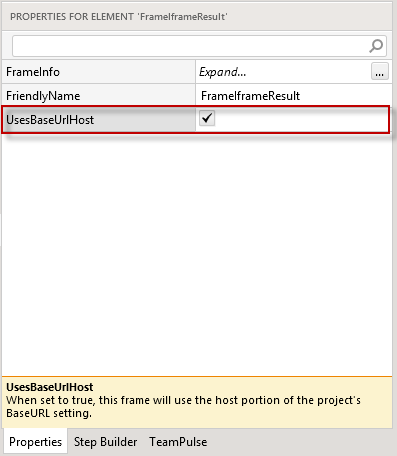
When **UsesBaseUrlHost** is set to True, the frame uses the host portion of the project's or test list's BaseURL setting.
### FrameInfo BaseURL
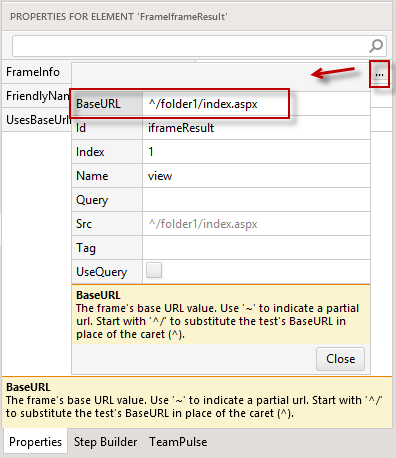
Let's say we want to run a test against the same application, but under different paths on the same server: **[http://Server1/Dev1/Folder1/](http://server1/Dev1/Folder1/)** and **[http://Server1/Dev2/Folder1/](http://server1/Dev2/Folder1/)**.
Modify the **BaseURL** property under **FrameInfo**. Start with '^/' to substitute the test's **BaseURL** in place of the caret (^). In this case the test's **BaseURL** defined in the **Project Settings** would be **[http://Server1/Dev1](http://server1/Dev1)** or **[http://Server1/Dev2](http://server1/Dev2)**.
## Connect to a Popup Window Using BaseURL
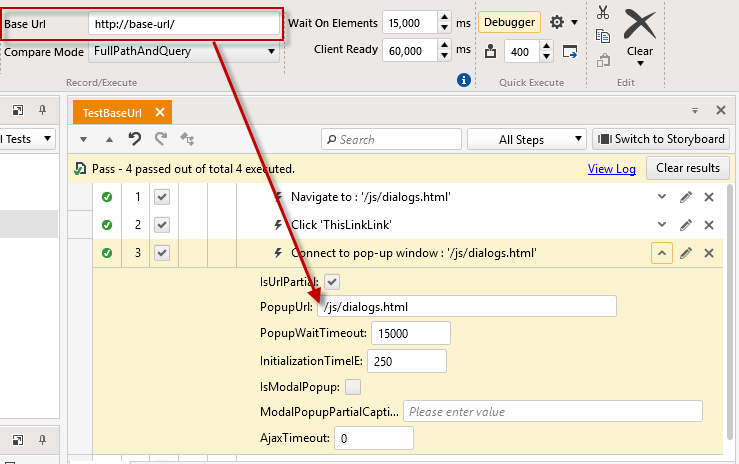
If **the base URL** of the dialog matches the one set as a **BaseUrl** property - Test Studio will automatically split the recorded URL, as well. For example - **PopupUrl** property of the "Connect to pop-up window" test step will contain the second part of the dialog's URL.
## Maintain Previously Recorded Elements
If you decide to apply the BaseURL setting for the project when there are already existing tests and elements, you may need to refactor the elements in the Elements Repository to adjust the Page nodes properties to reflect the BaseURL recording options.