# SQL Random Row
## Use T-SQL to Pull a Random Row from a SQL Database
*I would like to use a single, random row of data for each execution of a test that is data bound to a SQL Database.*
## Solution
This is possible with T-SQL. Here's how to do it:
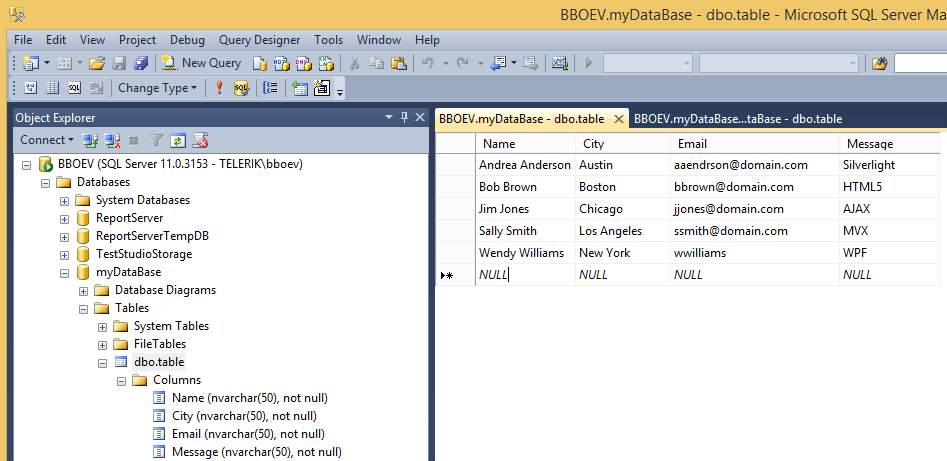
1. Add a SQL Database Source to the project. Here's what the sample database looks like in SQL Server Management Studio Express:
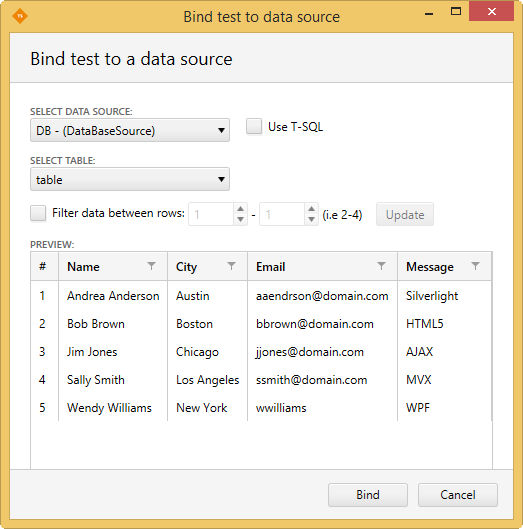
2. Bind the Test to the SQL Database. Here's what the Setup Binding dialog looks like before T-SQL is enabled:
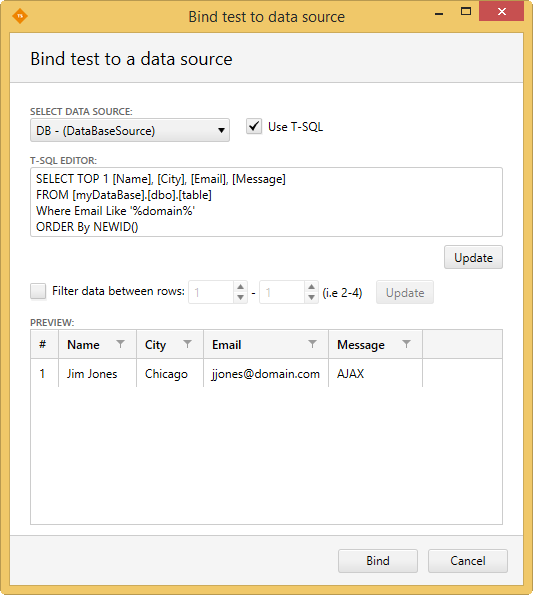
3. Check **Use T-SQL**. Enter the following code into the **T-SQL Editor** section and click **Update**:
```SQL
SELECT TOP 1 [Name], [City], [Email], [Message]
FROM [myDataBase].[dbo].[table]
Where Email Like '%domain%'
ORDER By NEWID()
```
* Line 1 indicates how many rows and which columns to use.
* Line 2 indicates the database and table name.
* Line 3 indicates whether to filter based on text matching criteria. In this case, since all entries in the Email column contain domain, all rows are returned.
* Line 4 sorts the rows by a unique identifier, which essentially randomizes them in the database.
4. Click **Update again** to see the randomization in action.
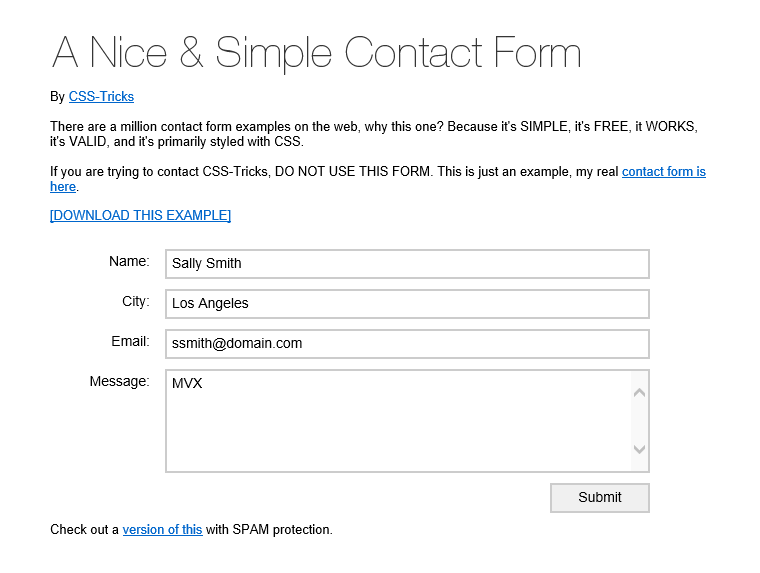
5. The following test navigates to a site containing a sample contact form. Note that the Enter text steps already have the corresponding data columns Attached to Input Values.
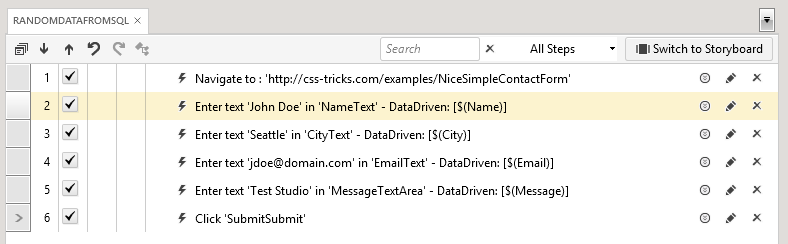
6. Run the test. A random row will be used to data drive the test each time you execute it.