# Smart Find Logic
Test Studio uses an intelligent element identification algorithm to auto-generate find expressions for Web and Desktop elements. It is based on the unique element attributes as ordered in the **Smart Find Logic** list.
> Check here how to open the **Project Settings** window.
Find out more about the Smart Find Logic setting for web and Dekstop elements.
## Find Logic for Web Elements
Test Studio generates find expressions automatically for web elements based on the **Smart Find Logic** list of attributes - the higher an attribute is in the list, the greater priority it has when generating a find expression.
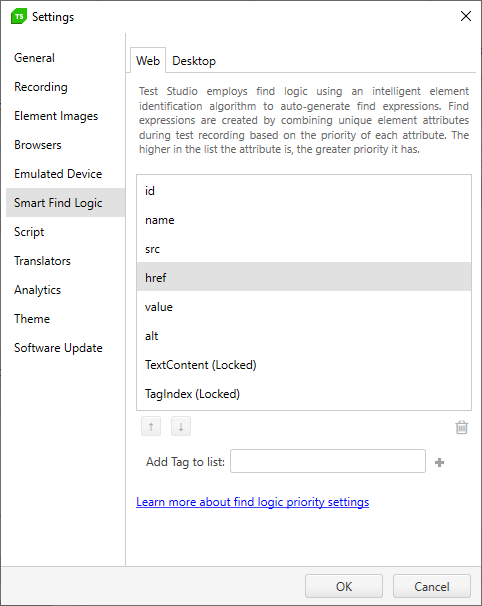
When an element is ready to be added to the Elements Explorer, Test Studio tries to use the first item in the list (usually "**id**"). Using this criteria, if the item is unique for the entire page, the element is added, a find expression is created, and Test Studio stops evaluating.
You can **add your custom tags** to the find logic list and **reorder the attributes**. You can also **remove any unnecessary attributes** (except for *TextContent* and *TagIndex* which are locked from deletion).
### Element Images
As of Test Studio release 2019 R2 Test Studio also records an image for each newly added element. In case an element is not identified with its find expression, Test Studio falls back to use the recorded image as a backup image search logic. You can find additional setting for using the element images in the Element Images tab in Project Settings.
## Find Logic for Desktop Elements
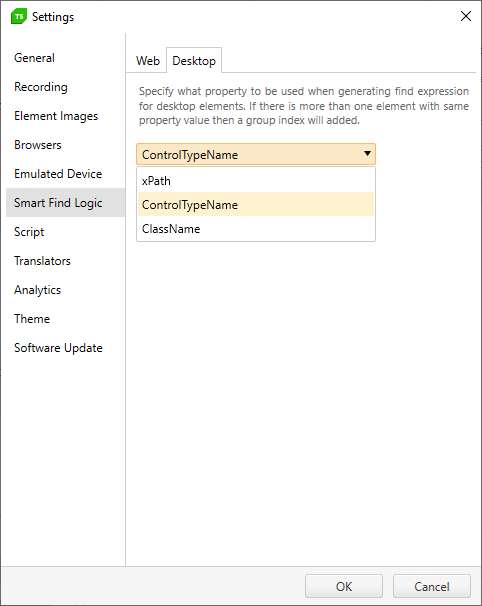
Test Studio generates find expressions automatically for desktop elements based on the property set in the **Smart Find Logic**.
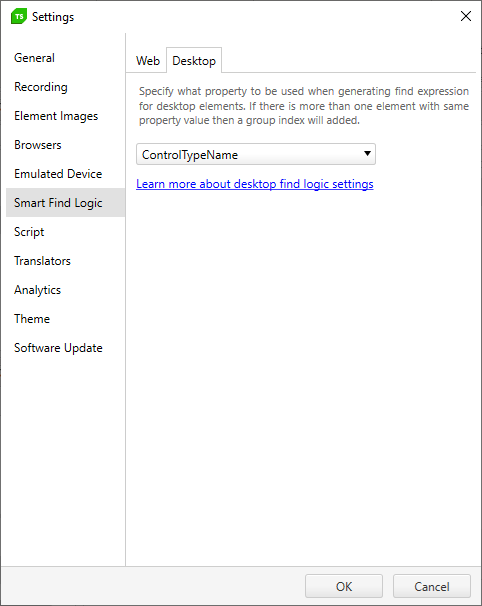
The default set value is **ControlTypeName**. You can choose to change it to **xPath** or **ClassName**.