# Partial Test Execution
Quick Test Execution in Test Studio is a key feature to help in identifying any weak spots in the recorded tests and finding the most suitable adjustment for the occasion. While working on improving the tests, you may often find useful to **execute only part of a test**. For these cases Test Studio provides the ability to combine test recording and partial test execution and boost your productivity to a next level.
The options for partial execution are a bit different from the quick test run, as **these are triggered in the context of a recording session**. And although the partial test execution can be really advantageous when debugging a failing step, it could be also very useful, in the case when you need to add new steps in the middle of a test. Let's have a look on the possible options for running a test partially:
* [**To Here**](https://www.telerik.com/teststudio/documentation/automated-tests/test-execution/partial-test-execution#run-to-here)
* [**From Here**](https://www.telerik.com/teststudio/documentation/automated-tests/test-execution/partial-test-execution#run-from-here)
* [**Selected Step(s)**](https://www.telerik.com/teststudio/documentation/automated-tests/test-execution/partial-test-execution#run-selected-steps)
## Run To Here
The partial test run can be triggered from the context menu based on a selected step. All options are listed in the *Run...* sub-menu. **Run->To Here** is only active when a single step from the test is selected. This option always **launches a new instance of the selected browser** - even if there is an already active recording session.
> **Note**
>
>
> If the project uses a preferred browser, this will be started automatically. Otherwise, the dialog to select recording browser appears and the run will continue after the browser is selected.
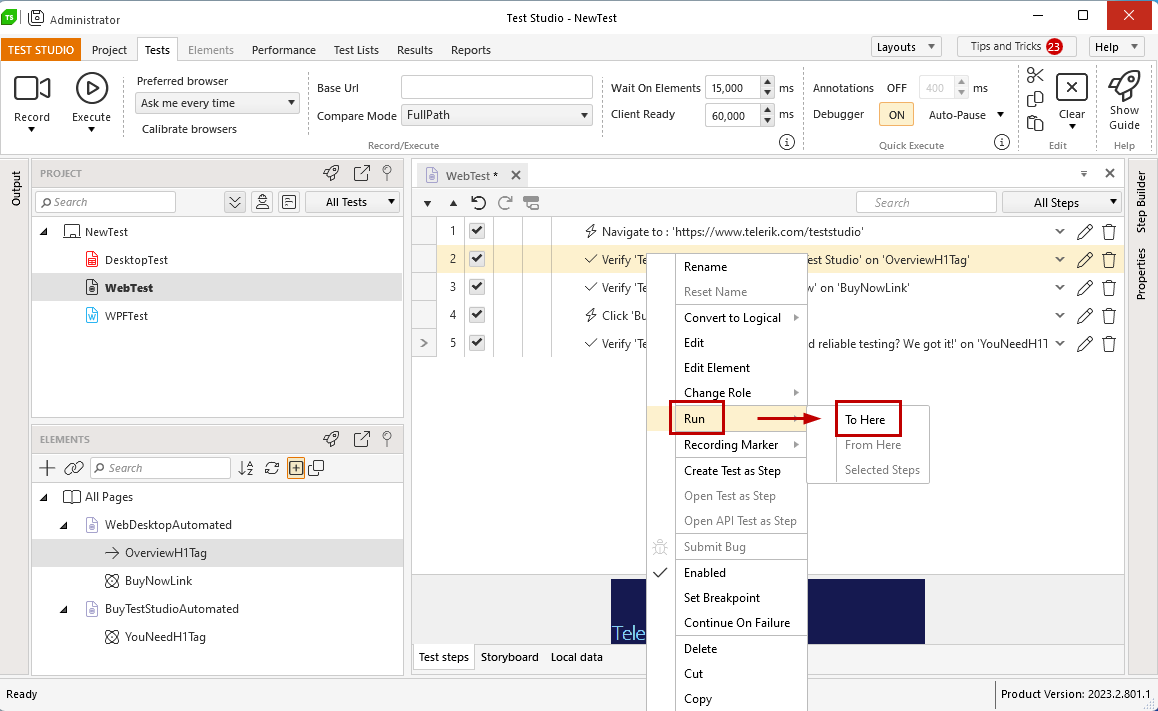
The triggered partial run executes the preceding (including the selected) test step(s). Once the step execution finishes, the **executing browser remains opened, presenting the current state of the application under test, and a recorder gets attached to it**.
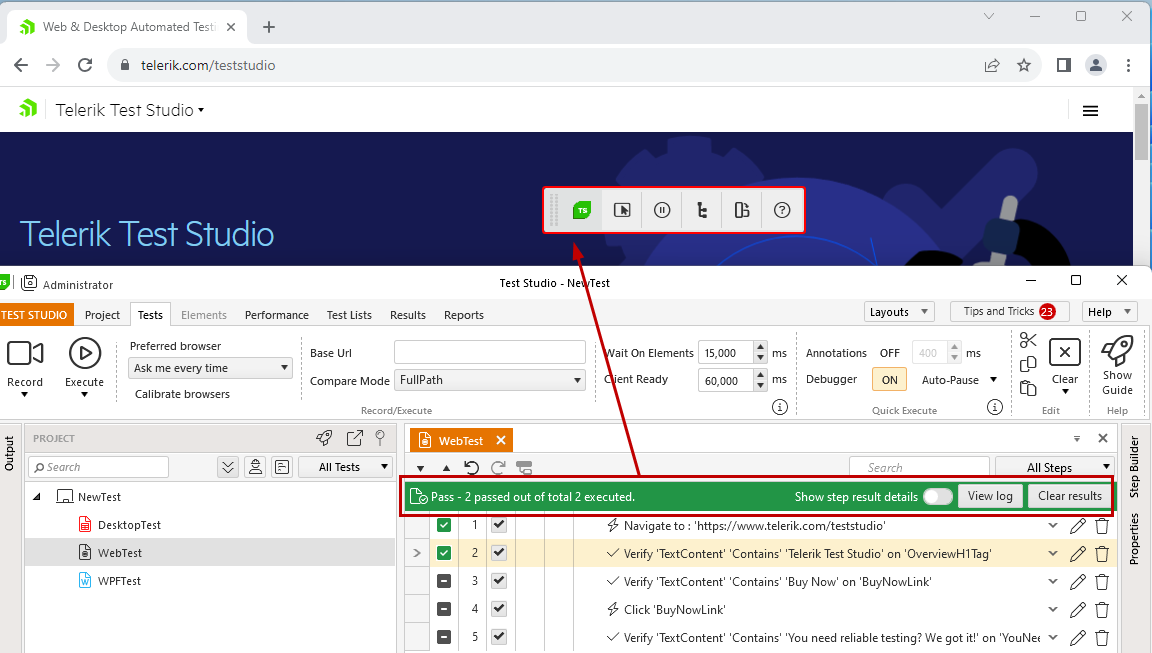
> **Tip**
>
>
> The **attached recorder to the browser is enabled for recording**. Thus any actions against the page will be captured and recorded in the active test.
>
> Ensure to **pause the recorder**, if you need to debug your test.
Although the run is only partial, it generates a complete execution log for the executed steps. And in case any of the executed steps failed, before the selected one was reached, the failure details are listed in the execution log and the recorder still gets attached to the browser.
## Run From Here
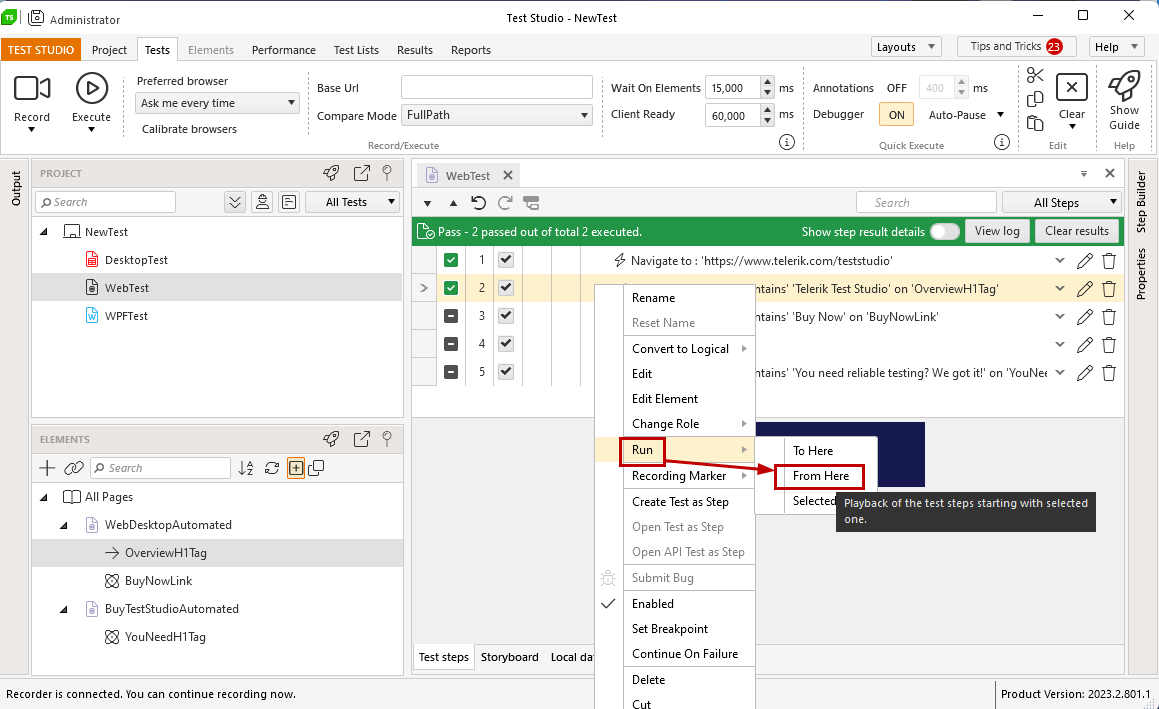
The **Run From Here** option is only available in the **context of an active recording session** and a single step selected from a test. It is also listed in the *Run...* sub-menu. It executes the subsequent steps starting from the selected one in an existing browser instance with attached recorder.
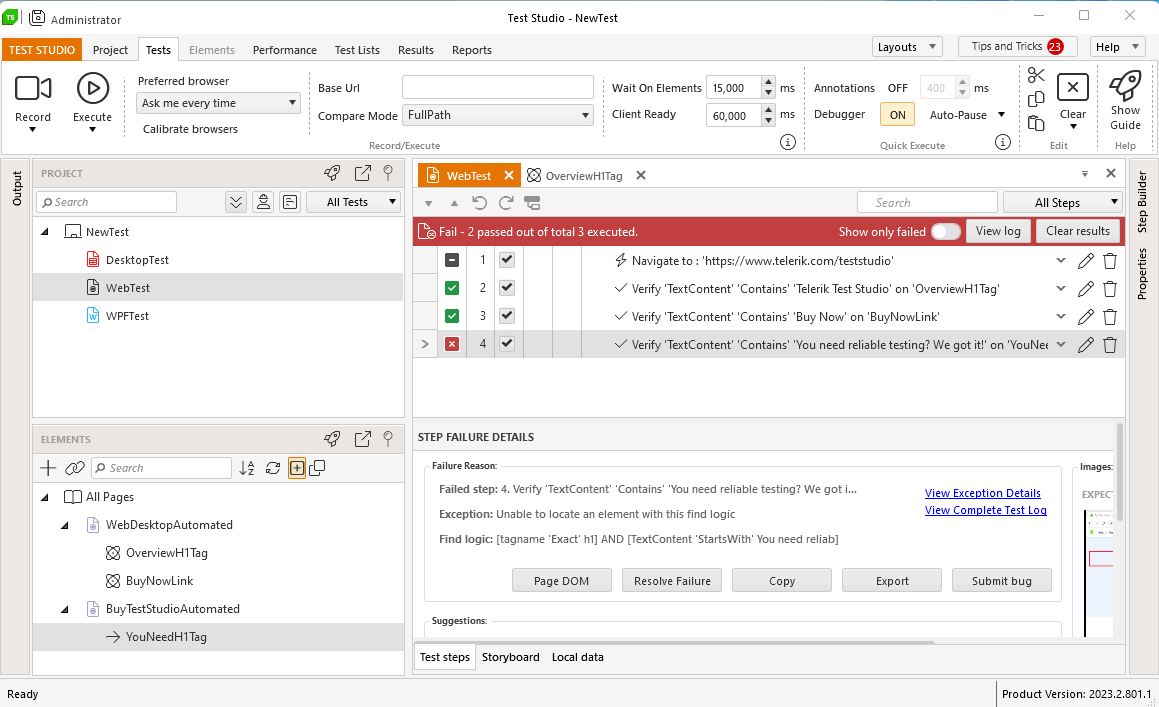
It generates complete execution log, so in case any of the executed steps fails, the failure details are listed in the execution log and the recorder remains attached to the browser.
## Run Selected Steps
The option to execute few steps selected from a test, **Run Selected Steps**, is the last listed in the *Run...* sub-menu. It is only applicable if there is an **active recording session and one or more, but subsequent, steps are selected**. These steps gets executed in the order they are listed in the test.
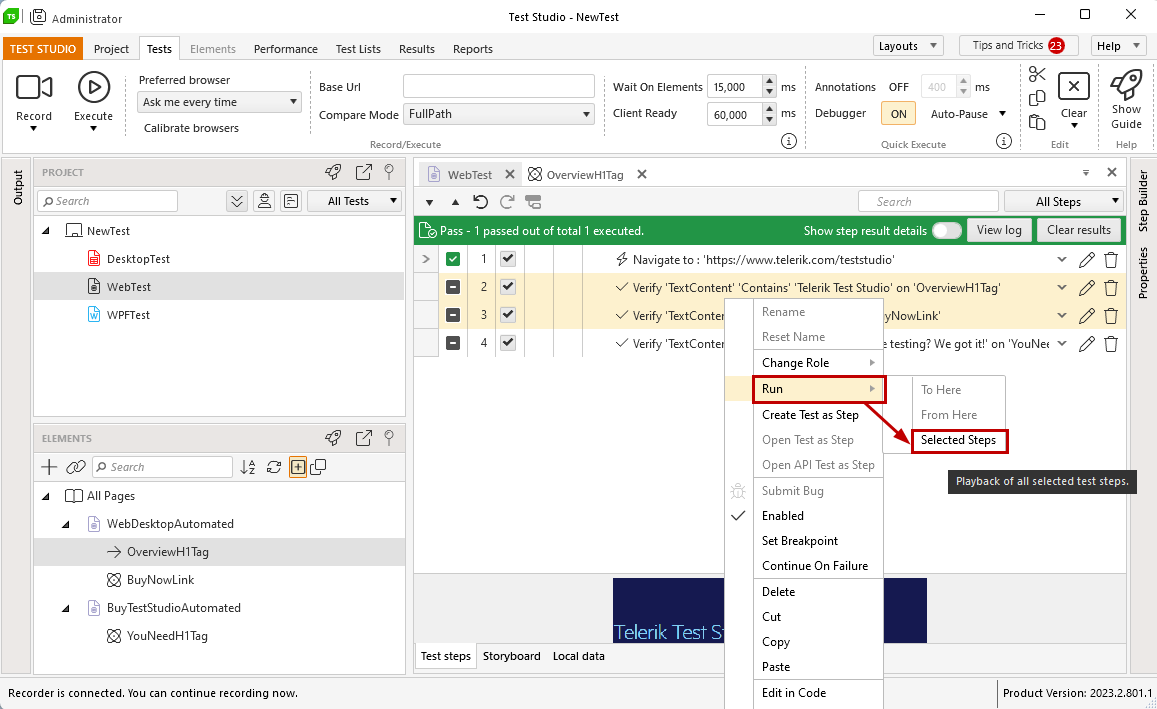
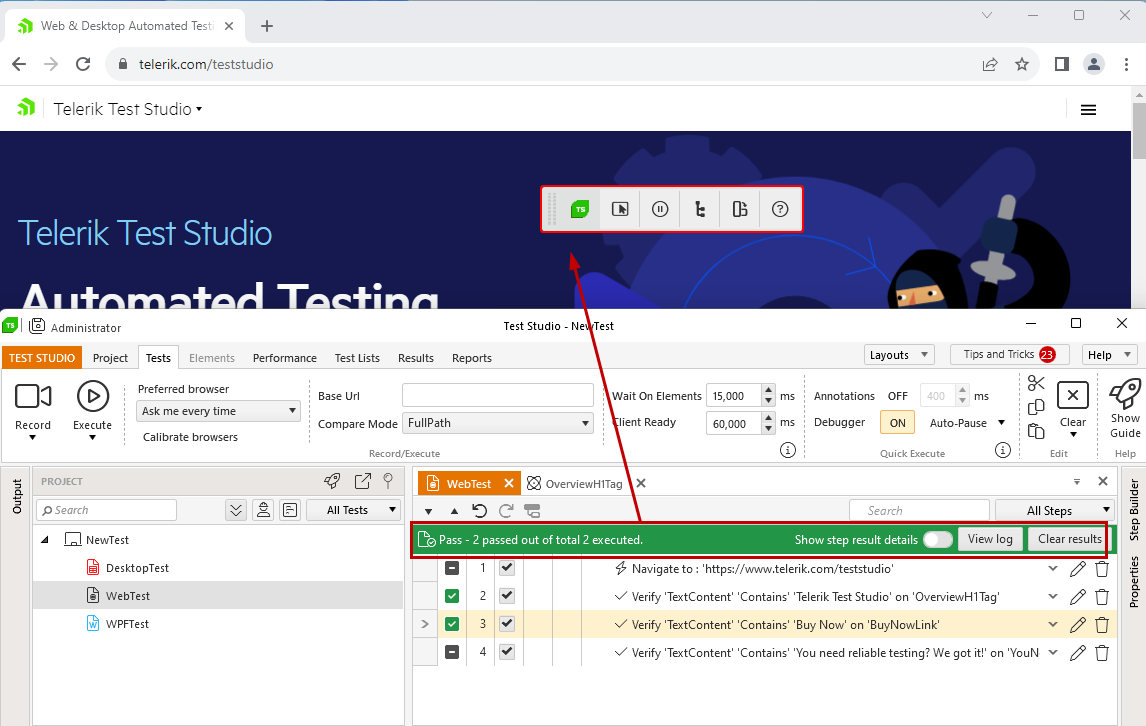
This partial run also generates complete execution log, so if any of the selected steps fails to be executed, the complete failing details will be listed in the logging.
> **Note**
>
>
> In the case of *Run Form Here* and *Run Selected Steps*, the attached **recorder to the browser remains in the same state** as before the partial run was triggered - enabled or paused for recording.
>
> Ensure to **pause the recorder**, if you need to debug your test, or to **enable the recording**, if you need to continue recording.