# Data Driven Load Testing
If you need each virtual user to be unique when communicating with your web application, use the data driven load testing feature. With a data driven load test, you can bind a dynamic target to a specific column from an external data source (for example, an Excel spreadsheet or a SQL database).
## Bind a Load Test to Data Source
There are few simple steps to follow in order to use the external data source within a load test and these are desribed below.
1. Add an external data source to the project.
2. Bind the Load Test to that data source.
3. Open the specific user profile that will use the data.
4. Locate the specific HTTP transaction (like an HTTP POST request) that will use the data. Click on the transaction.
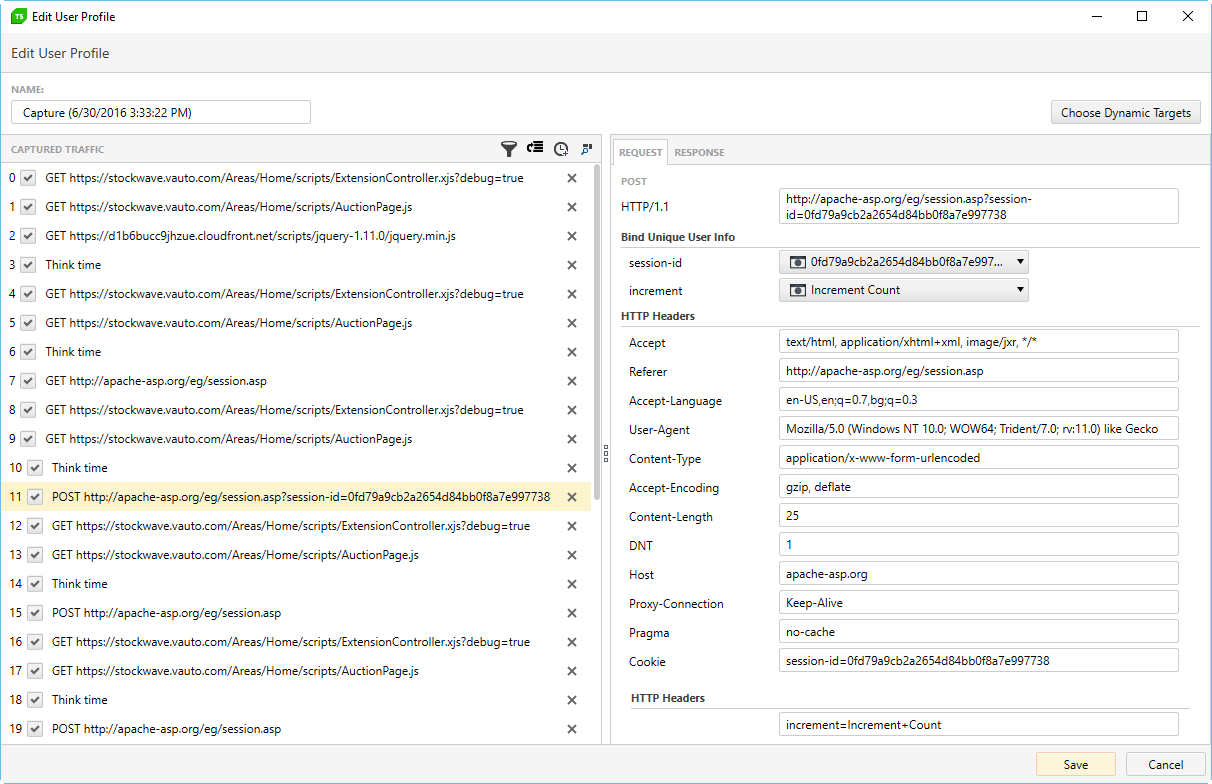
A key-value pair appears for each dynamic target - these that you selected from the automatically detected dynamic targets, or the custom targets, which you manually added in the user profile.
## Choose the Column from Data Source to Bind to a Dynamic Target
5. Click the drop-down for the dynamic target you want to data-drive. A list appears containing the available columns in the data source.
6. Click the drop-down item for the correct data source column.
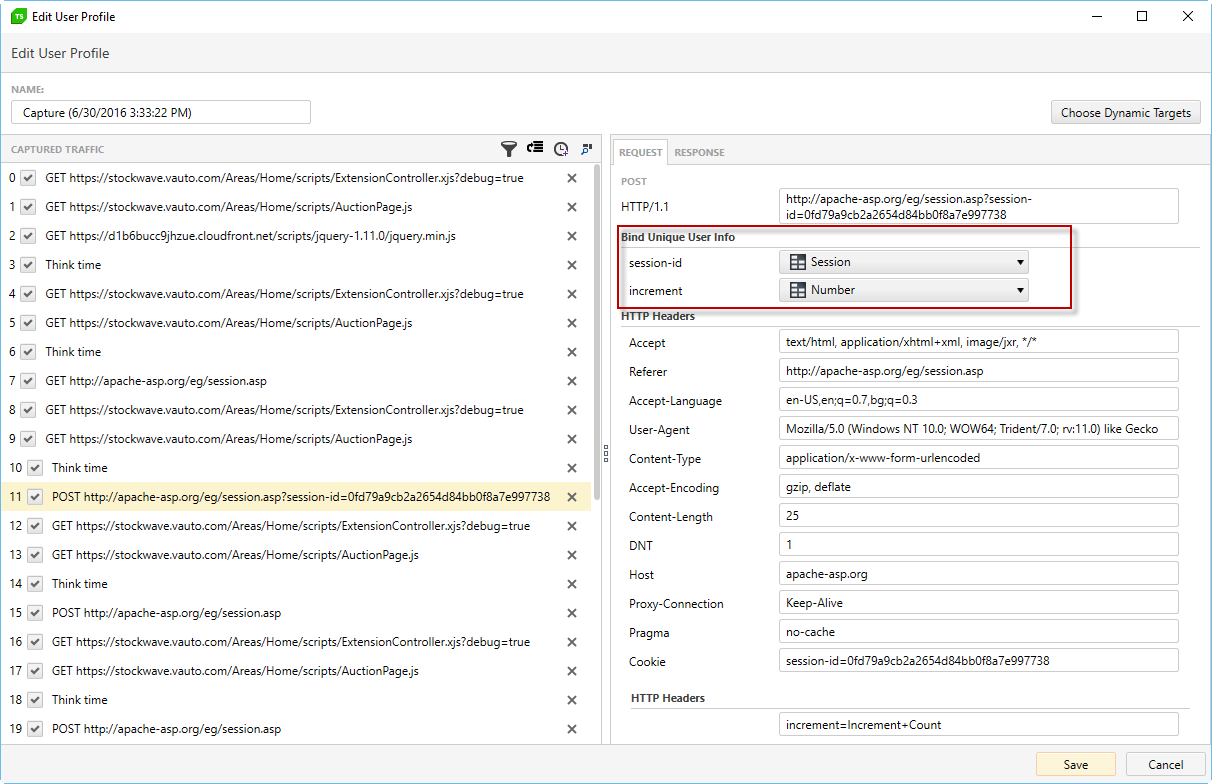
7. Click Save.
**Note** When the load test runs, each virtual user will take a different row from the data source. After using each row, the load test will start over again with the first row and repeat for the duration of the load test.