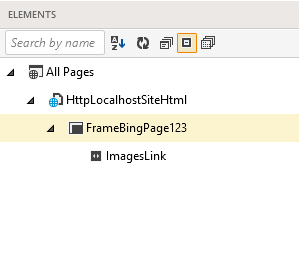
# Merge Page Nodes
* Page nodes
* Frame nodes
## Page Nodes
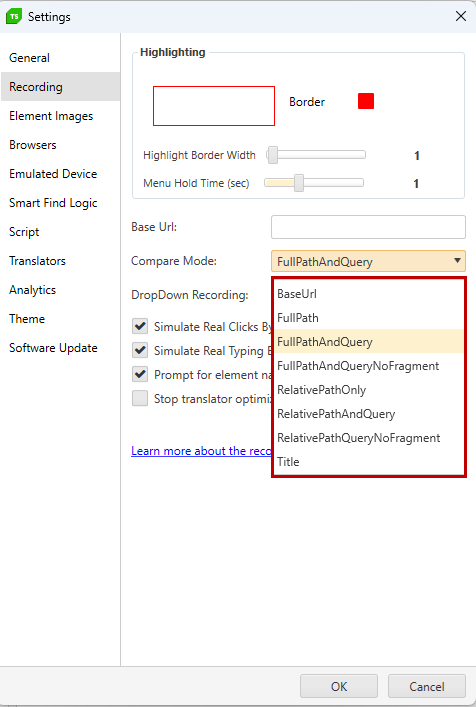
The default for the **Compare Mode** in Project Settings > Recording is *FullPathAndQuery*. Depending on your application, this can cause duplication in the Elements Explorer. Although the page node is not used to locate an element during execution, it's best to consolidate duplicate page nodes for organizational and maintenance purposes. For example:
1. Navigate to
2. Enter text into the query box.
3. Click the Search button.
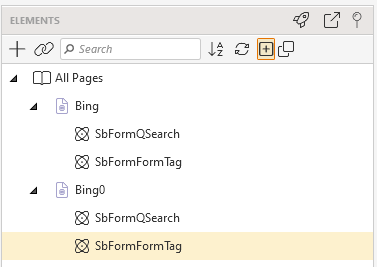
4. Notice the Elements Explorer.

5. Navigate to
6. Repeat steps 2 and 3.
7. Notice the Elements Explorer.
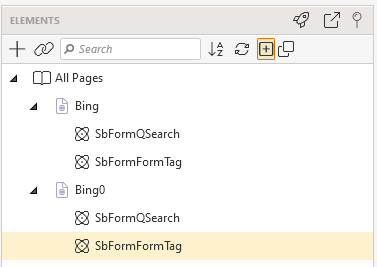
8. The *SbFormQText* and *SbFormGoSubmit* elements are duplicated under each page node. This should not cause an Unable to locate element failure during execution, however it can make for unnecessary maintenance and disorganization in your project.
9. To prevent duplication moving forward, change the **Compare Mode** to *FullPath*.
10. To merge the **existing duplicates**, highlight each page and change its **CompareMode** property to FullPath.
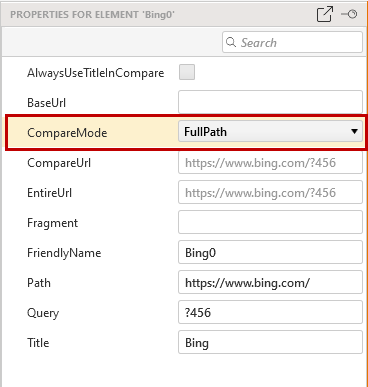
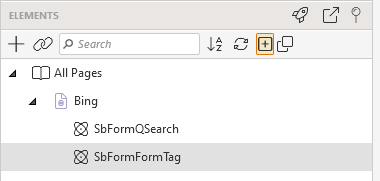
11. Elements explorer refreshes automatically and the nodes merge, the tree structure is better organized, and any maintenance needed on an element can now be done in one place.
If *FullPath* is not applicable to your project, review the Project Settings > Recording Options page and select the Compare Mode that best suits your needs.
## Frames
An element directly under a page node is located entirely by its Find Settings. Conversely, an element within a frame must be located via the frame first.
1. Here we see a similar situation due to dynamic frame IDs.

2. To merge duplicate frame nodes caused by dynamic frame IDs, strip the dynamic portion from each ID and use a tilde (\~) to indicate a partial match. See this page for more information on frames.

3. Click **Refresh** to merge the duplicates.