# Frames in the Elements Explorer
Test Studio uses a built-in mechanism to detect HTML frames in the DOM tree of the tested application. The frames are represented as separate nodes in the Elements Explorer hierarchy.
This article describes how frames are identified during test run-time and how you can modify their properties.
## Frame Node
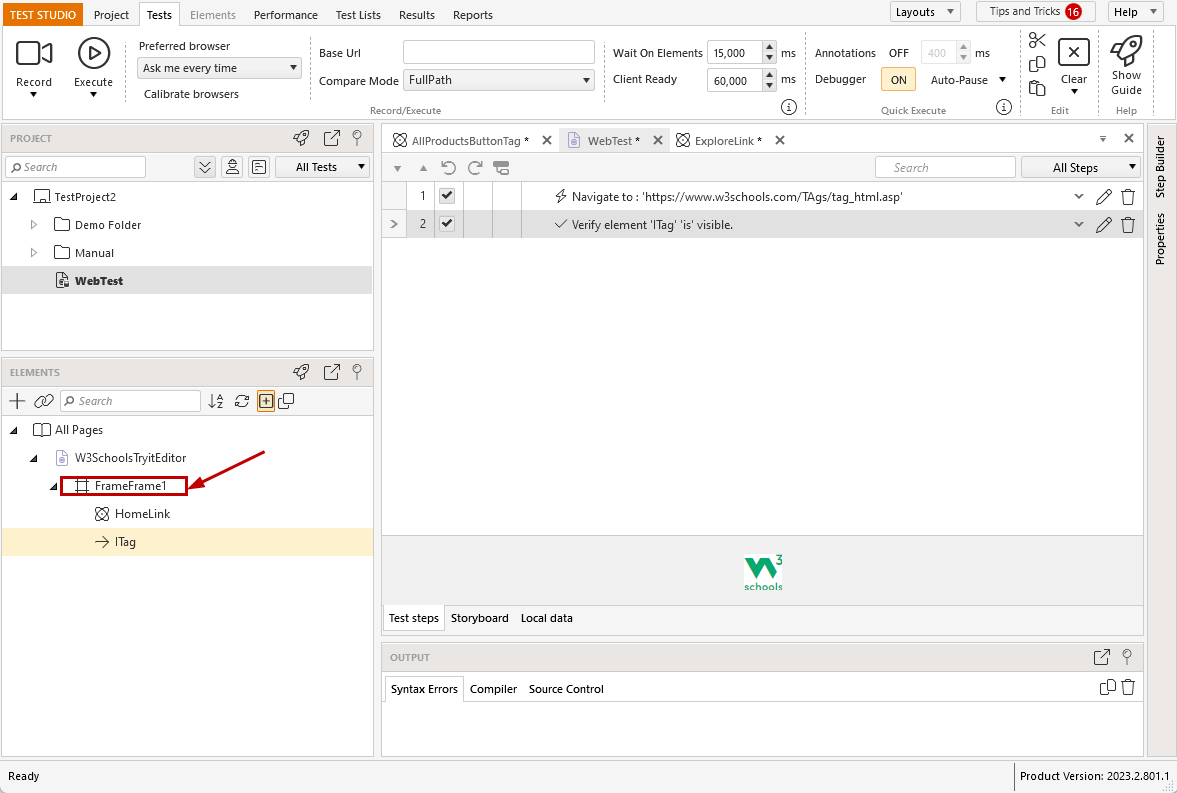
Adding a step for element, which is in a frame on the page, Test Studio records the element in Elements Explorer under an additional node. It represents the frame and, in Test Studio, we call it a **Frame Node**.
## Properties and FrameInfo
The Frame node has its own properties, which can be accessed through the context menu in the Elements Explorer and explored in the Properties pane.
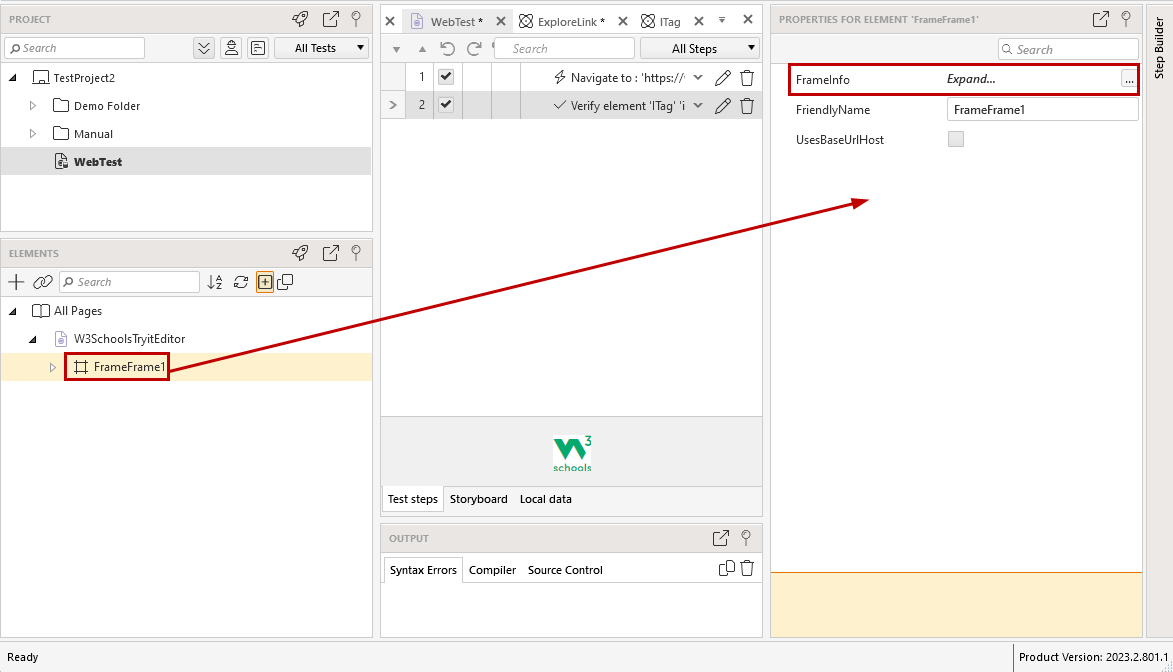
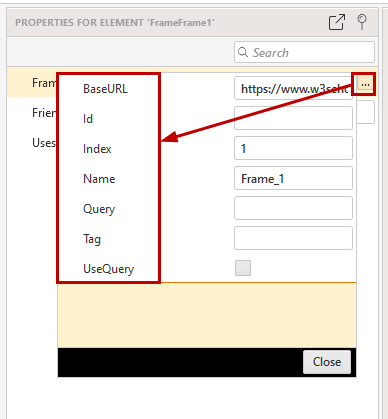
The **_FrameInfo_** property contains the frame specific info, which is used from Test Studio to locate the frame on the web page when a test is executed.
> **Note**
>
>
> If a recorded element is listed under a frame node, during test run-time **Test Studio first locates the frame on the page**, then the element in the frame and finally executes the step.
## Frames Identification Priority
The **Id**, **Name** and **Url** properties of the frame element in Test Studio should match a frame on the page with the same properties. If this logic cannot find any frame on the page, the **Index** will be used as a back-up search logic.
* **Id** and **Name** accept partial string match, if the used value starts with tilde character (\~);
* **BaseUrl** is the frame's effective source value. When **UseQuery** flag is set to true, *Query* value is internally appended before comparison. This property also accepts partial match, if the tilde character (\~) is used, and can be configured for BaseURL set on project level;
* **Index** - Test Studio sees all frames on the page in a flat list in the order they were loaded and this is how the index for each frame is generated. It is zero based and is recommended to be used as last resort;
## How to Handle Dynamic Frames
* ***What are dynamic frames?***
These are frames, which have different **FrameInfo** properties each time when the page under test loads the frame. Any of the **Id**, **Name** or **BaseUrl**, including a combination of these, can be dynamic, depending on how the application is built.
* ***What happens in the next test execution, if a frame is not located on the page?***
This usually happens when any of the frame properties are dynamic and don't match next time when the page and frame are loaded. There is an error message listed in the test execution log:
```
Unable to find the target host (Browser/SilverlightApp) to locate an element. Failure: Waiting for frame '[Frame:id=<>,name=<>,src=<>,UseQuery:False]' timed out.
Error: Wait for condition has timed out
InnerException:
System.Exception: Unable to find the target host (Browser/SilverlightApp) to locate an element.
Failure: Waiting for frame '[Frame:id=<>,name=<>,src=<>,UseQuery:False]' timed out. Error: Wait for condition has timed out
```
* ***How can the dynamic frame be identified for each test run?***
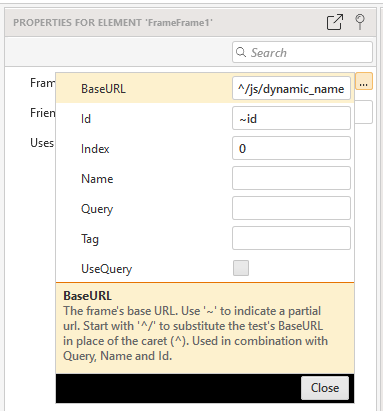
Each of the properties **Id**, **Name** and **BaseUrl** accepts the tilde (\~) character to indicate partial match for the string. **BaseUrl** property for the frame accepts also caret character (^), if BaseURL is set on project level. If there is a dynamic query in the URL, ensure **UseQuery** property is set to false.
## What Happens If I Modify the Frame Properties
When adjusting the **FrameInfo** properties to match the dynamic properties of frames in the tested page, all frame nodes which uses matching properties will be merged into a single node in the Elements Explorer.
If you record new steps in the test/project against a frame on the tested page, which properties matches these of an existing frame node (**including partial match if set**), the new elements will be listed under that existing frame node in the Elements Explorer.
> **Note**
>
>
> The **BaseURL set on project level** is not considered during recording session. Frame nodes, which are using the caret character (^) to substitute the **BaseURL** FrameInfo property will **not match newly added elements and frames**.
>
> To **avoid constant adjustment of frame nodes**, it is recommended to apply the **BaseURL** settings for the frames at a final stage for the test project state.