# Data Driven Tests Results
The results from a test bound to a data source present each iteration separately. That way, you can easily sort out the problematic iteration and modify it as necessary. In this article, you can find detailed information about the test results format generated from a quick run or a test list execution.
## Quick Execution Results
Let's take the example of the data driven test with built-in data table as a baseline. Perform a quick run of this test and let's check the generated results.
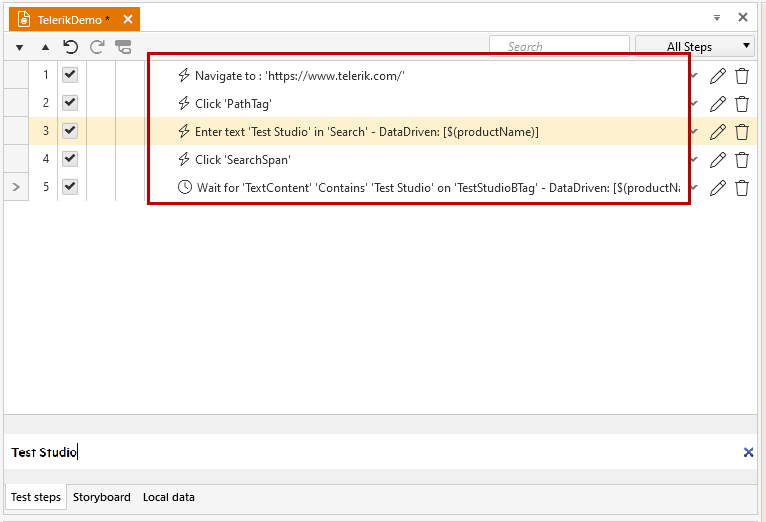
The example test has five steps, as listed below. Steps 3. and 5. are bound to the data table values.
1. Navigate to [http://www.telerik.com](http://www.telerik.com/).
2. Navigate to the *Search* page by clicking the *Magnifier* icon.
3. Enter product name in the Search field.
4. Trigger the search by clicking the *Search* button.
5. Wait until the description of the first result contains the searched product to verify the search is valid.
> **Note**
>
>
> The value for the third iteration of the test run is modified to a random string for the purposes of this article.
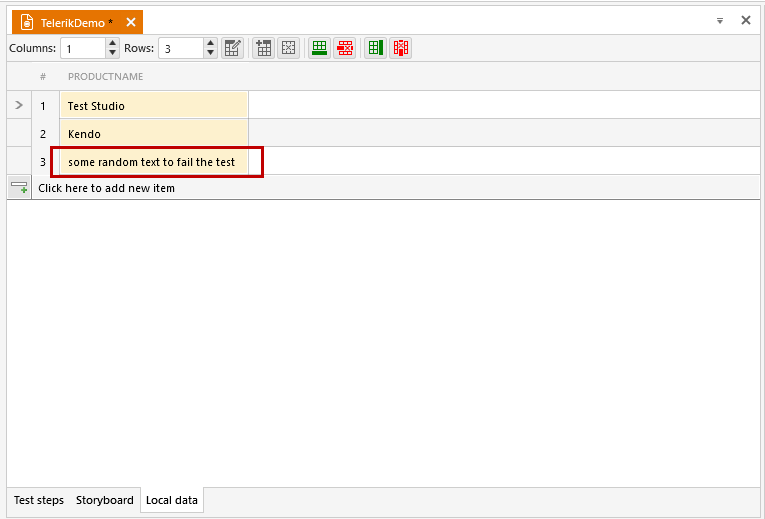
Click the **Execute** button in the **Test** ribbon. The test steps are executed three times, once for each row in the built-in grid. And the results are listed in the test pane.
### Summary Results
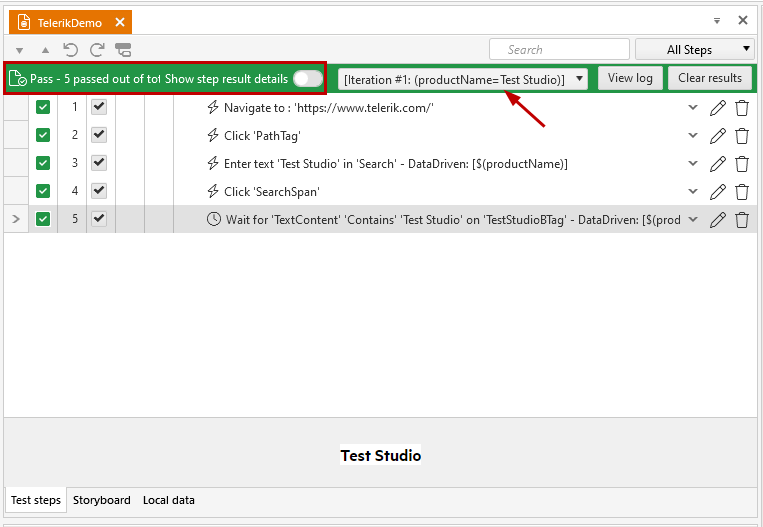
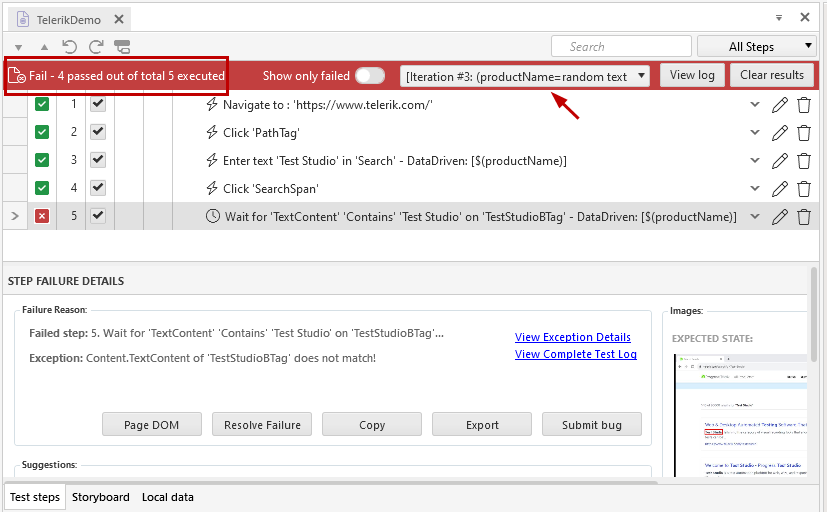
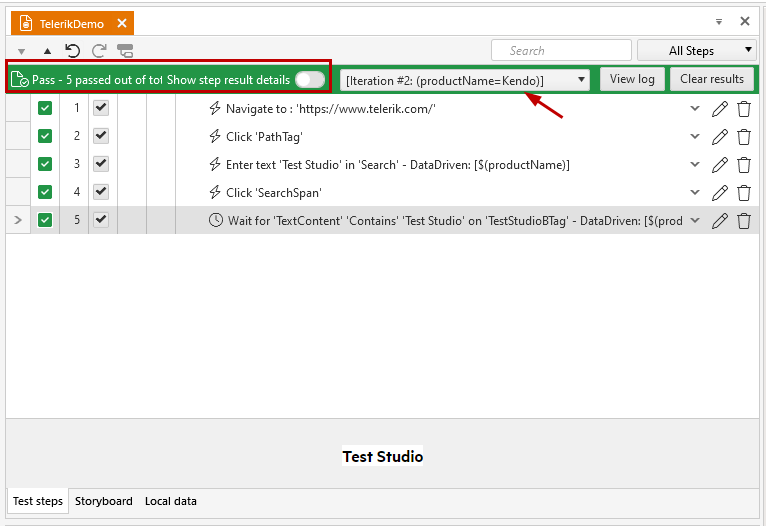
* The summary shows the result for the selected iteration.
Test Studio product iteration
Random string product iteration
* The drop-down menu contains a list with all iterations and shows the used value from the data table.
* Expand the drop-down menu to view the list and select an iteration to see the results for it.
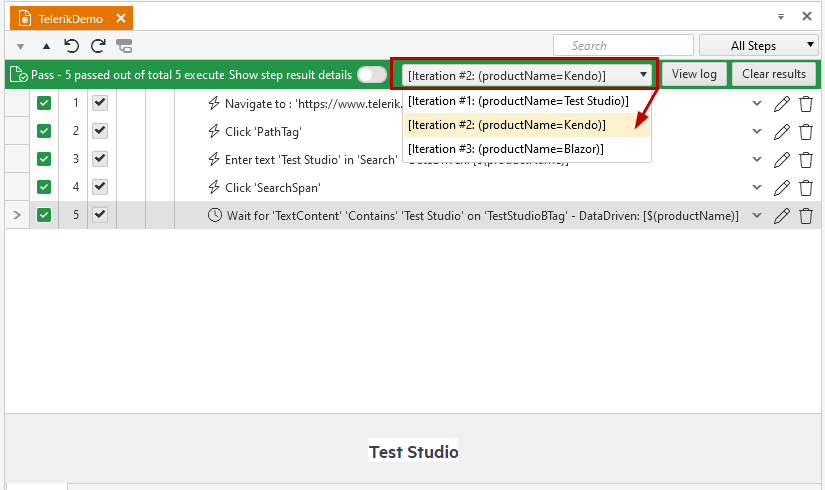
* *Test Studio* and *Kendo* were both part of the text in the first listed search result, thus the verification that the search is valid was successful.
* The random string did not appear in the first listed search result, so the last iteration failed.
Kendo product iteration
Random string product iteration
### Execution Log Results
To open the complete test execution log, click the **View Log** button.
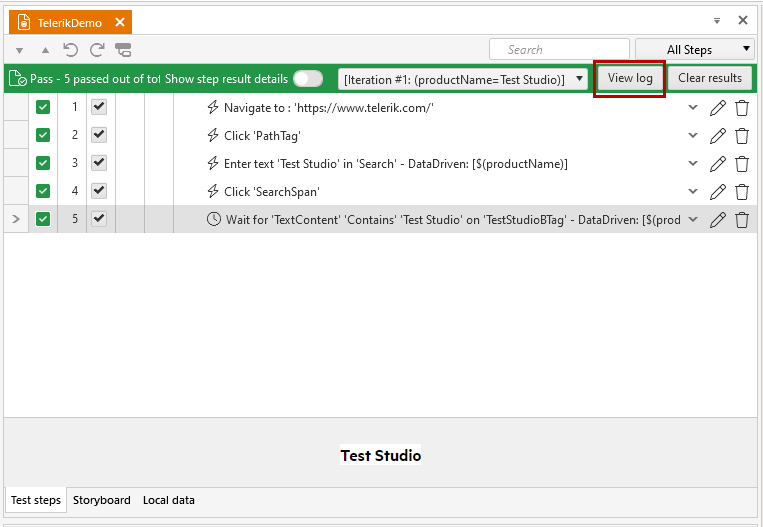
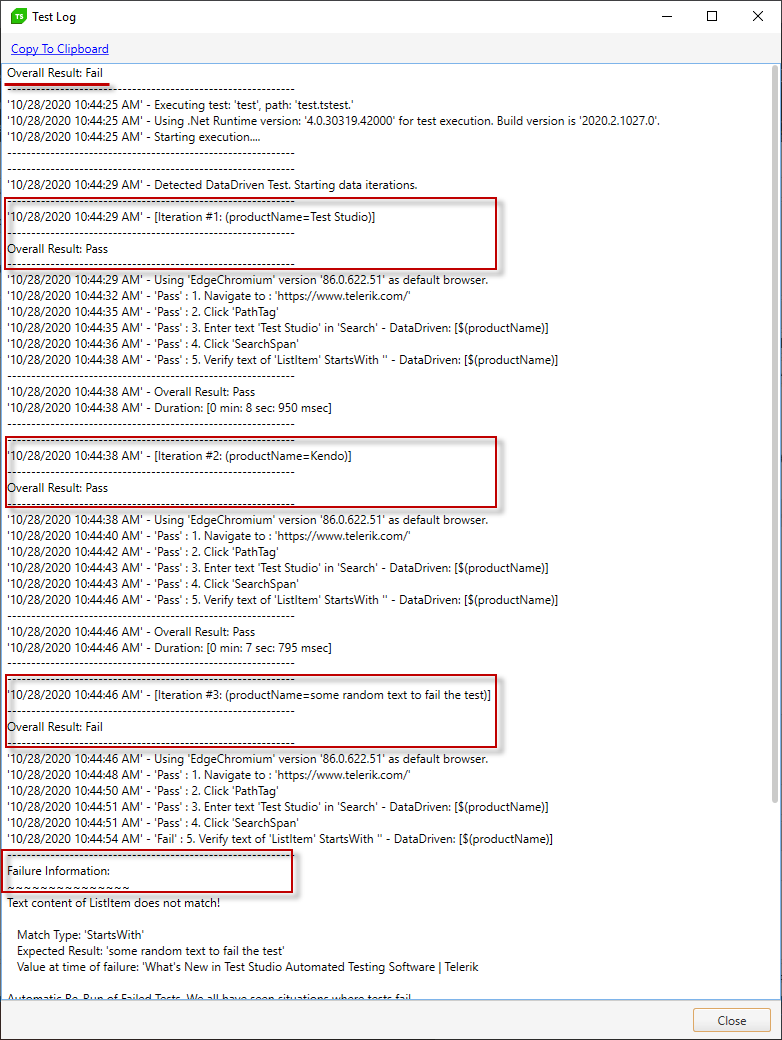
When reading through the log, you can find the following details:
* The overall test result;
* The result of each iteration;
* The data used to drive each iteration;
* Failure information for the failed iteration(s);
## Test List Results
When a data driven test is part of a test list, the generated results are again separated for each of the iterations in the test run. Let's use the same sample test and add it into a test list. Then, run the test list and explore the results.
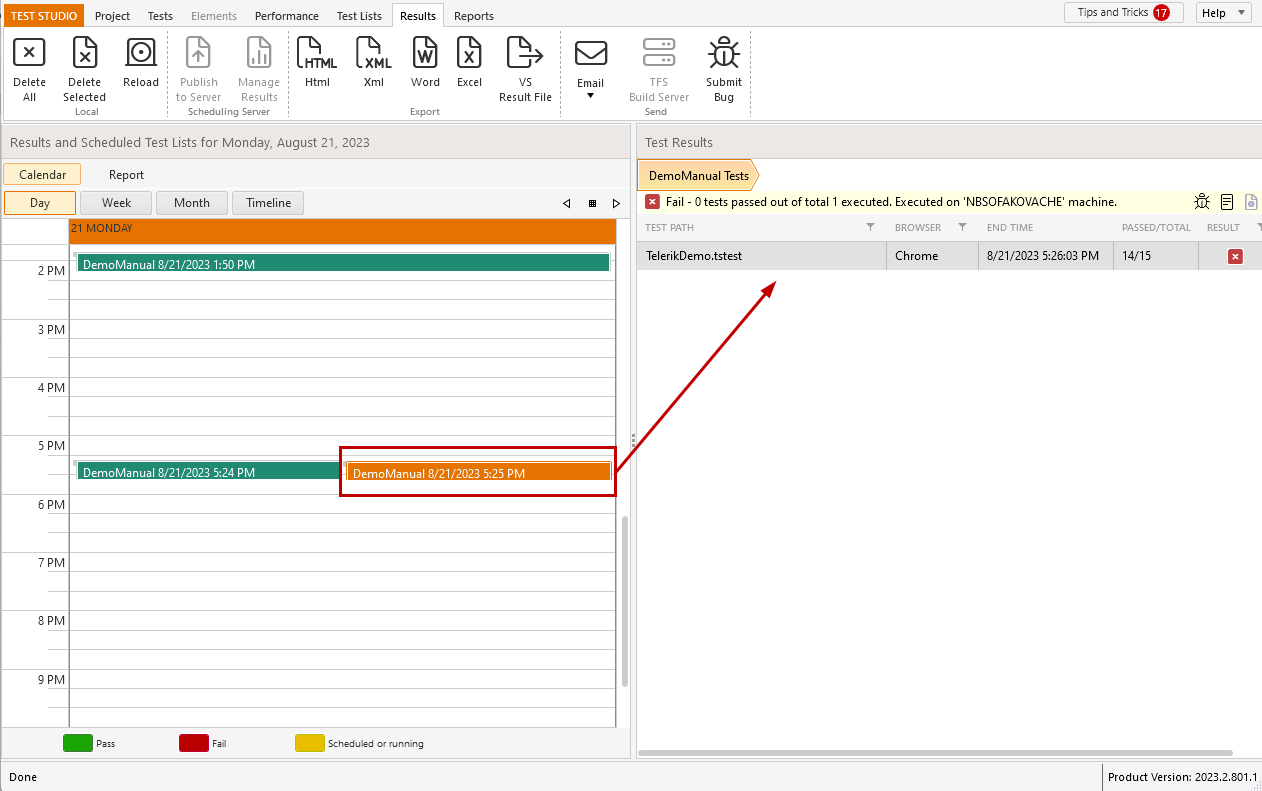
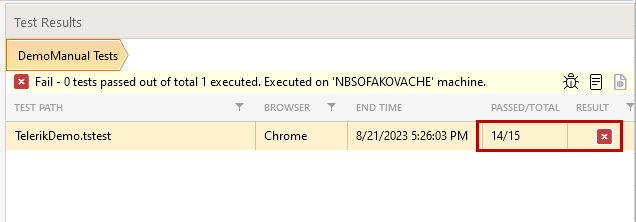
The overall test list result is reported failed because it only includes the data driven test modified to fail - one of its iterations is not successful, so only 14 out of 15 steps passed.
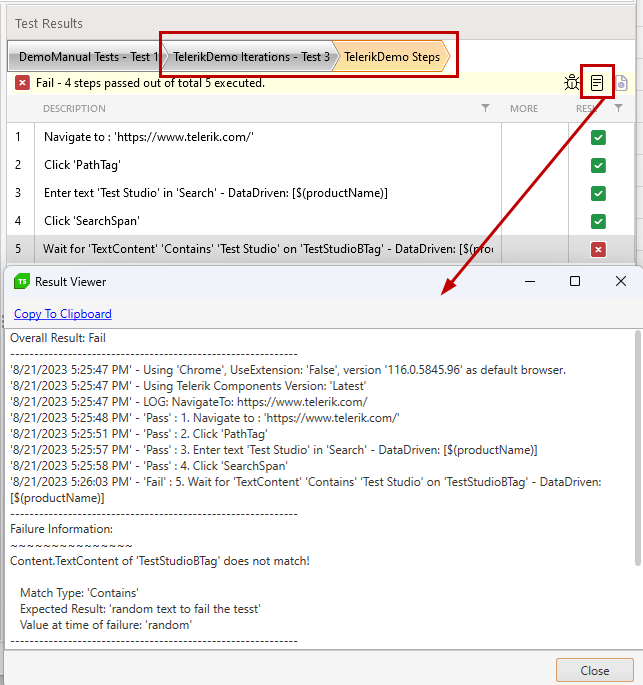
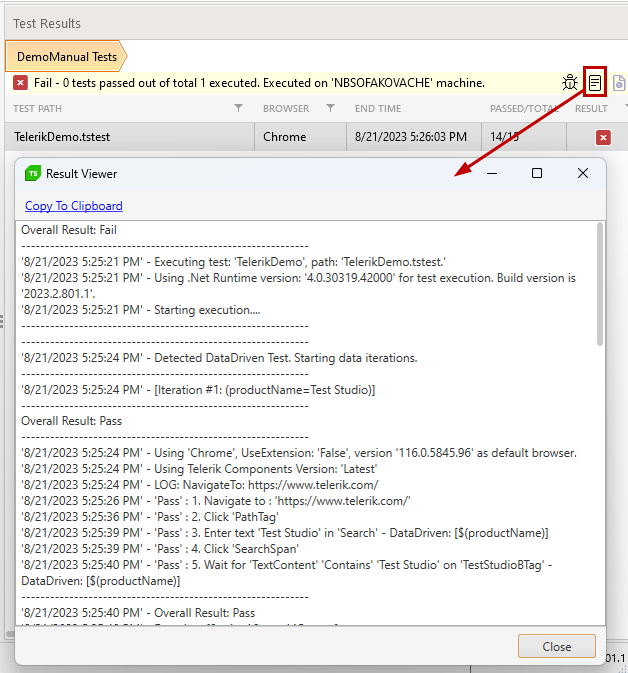
Use the *Execution Log* icon to open the execution log for the current selected test.
Double-click the test listed in the result to drill down to the iterations. A summary is listed to describe the passed and executed iterations for the test.
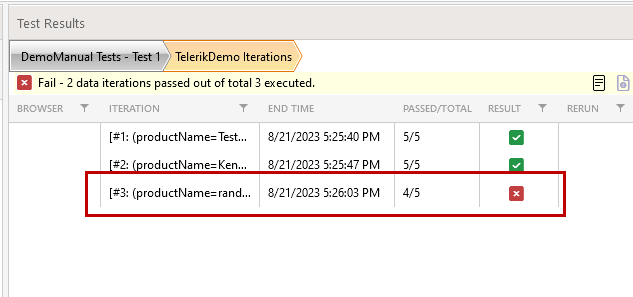
Double-click any of the iterations to drill down to its results. In this case, select the last failed iteration to review.
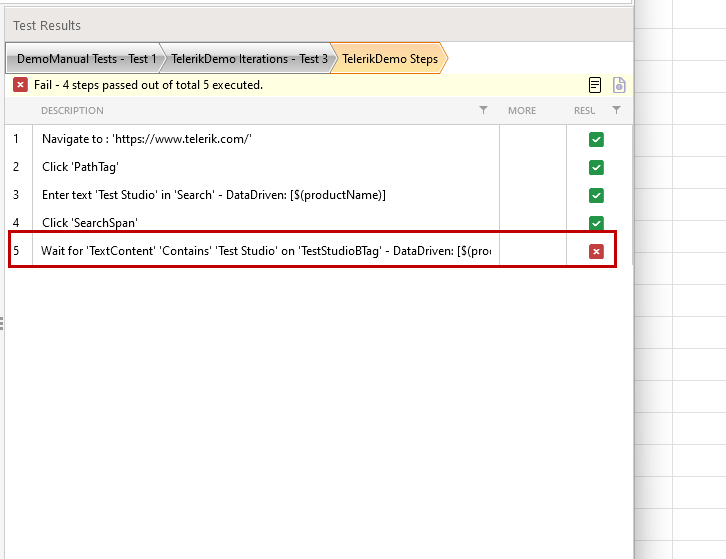
Double-click the failing step to open the ***Step Failure Details*** window and explore the failure information in further details.
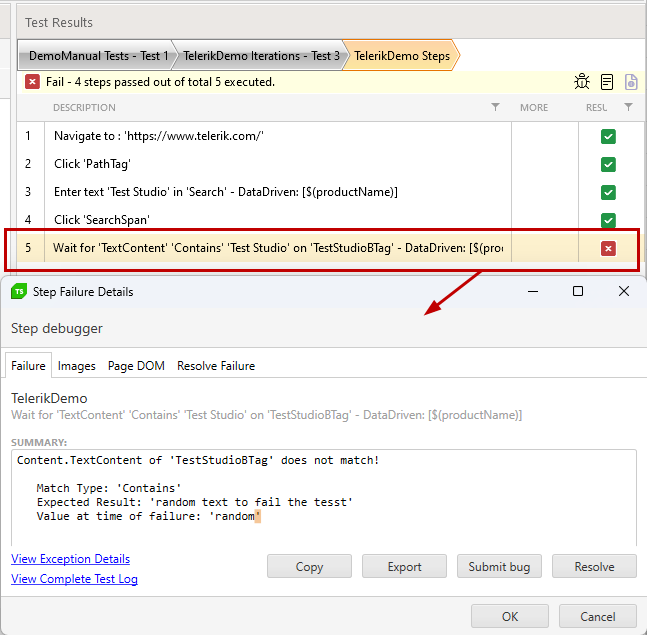
Use the *Execution Log* icon to open the execution log for the current selected test/iteration.