# Security
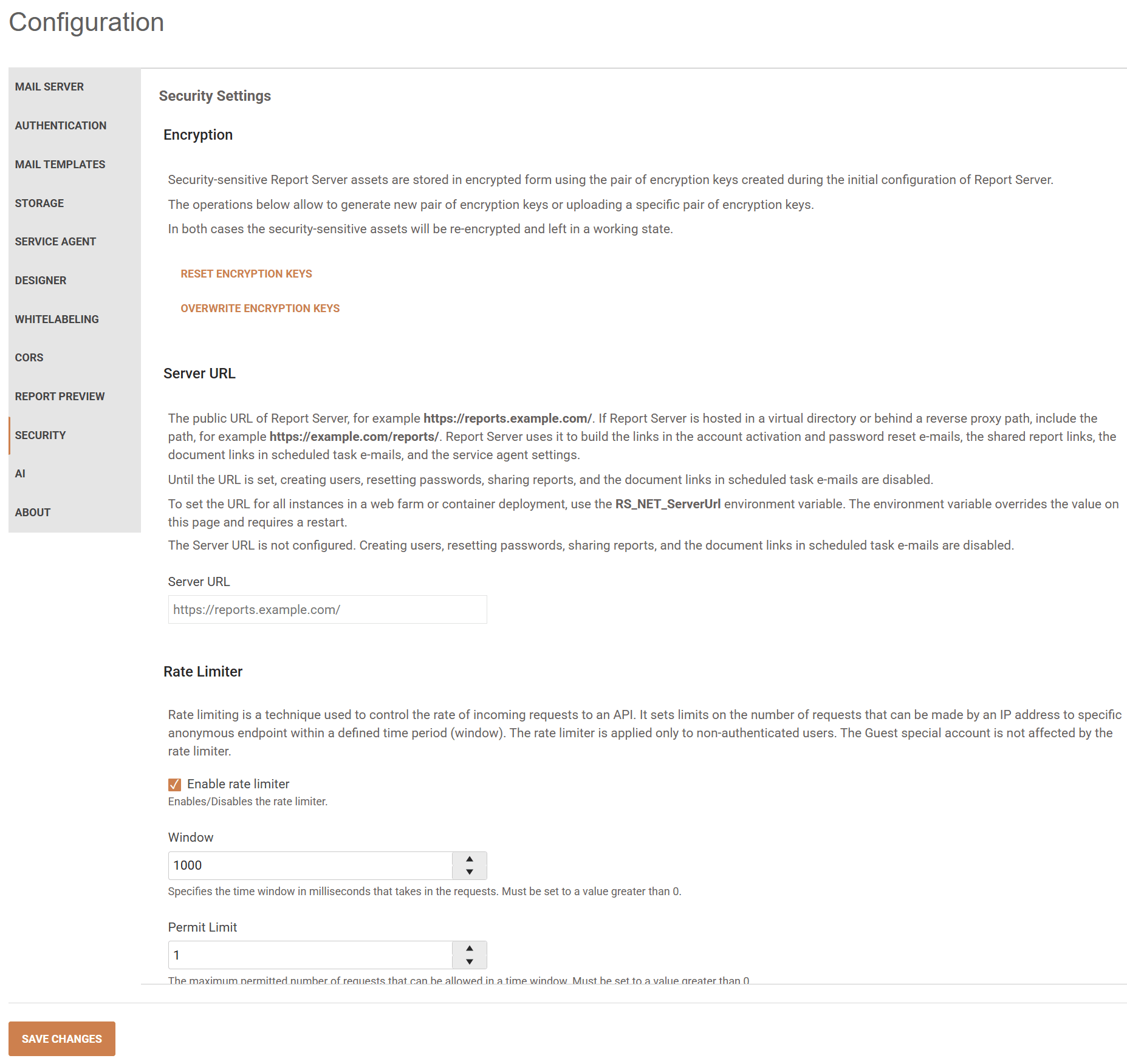
> caption The Security tab of the Report Server Configuration page:
## Encryption
Introduced with [2024 Q4 (10.3.24.1112)](https://www.telerik.com/support/whats-new/report-server/release-history/progress-telerik-report-server-2024-q4-10-3-24-1112) for Report Server for .NET Framework.
Introduced with [2025 Q1 (11.0.25.211)](https://www.telerik.com/support/whats-new/report-server/release-history/progress-telerik-report-server-2025-q1-11-0-25-211) for Report Server for .NET.
The sensitive assets are stored in the [Report Server Storage](https://www.telerik.com/report-server/documentation/implementer-guide/configuration/storage-settings) in encrypted form. Now the encryption functionality is leveraged to use industry-standard encryption routines. The encryption algorithms use a pair of keys, **Main Key** and **Backup Key** created during the initial configuration of the Report Server:

To enable the enhanced encryption functionality, the administrator must download both *Main* and *Backup* private keys and type `Confirm` (case insensitive) in the input field just above the **Complete** button to validate that the keys are safely stored. We strongly recommend storing the encryption private keys securely, for example, in a key vault.
When the *Complete* button is pressed, the existing sensitive assets will be securely encrypted, and the encryption keys will be stored as environment variables for the user who runs the Report Server and the Report Server ServiceAgent.
The administrator can generate a new pair of encryption keys through the `RESET ENCRYPTION KEYS` or upload a specific pair of encryption keys through the `OVERWRITE ENCRYPTION KEYS` buttons in the **Configuration** page / **Security** tab:

* **Reset Encryption Keys** may be used when the keys need to be changed periodically for security purposes, or in case of an information leak. In this scenario, the Report Server will decrypt the sensitive assets using the existing pair of keys, generate new ones, and encrypt the assets again.
* **Overwrite Encryption Keys** may be used when the Report Server or Report Server ServiceAgent is migrated to a new machine where the encryption keys are not present; or when provisioning multiple instances of the ServiceAgent to the same Report Server instance. This functionality registers the keys in the environment variables and encrypts the sensitive assets with them.
In both cases, the security-sensitive assets will be re-encrypted and left in a working state.
### When Installing a New Report Server Instance
Starting with version 2024 Q4 (10.3.24.1112) for Report Server for .NET Framework, and version 2025 Q1 (11.0.25.211) for Report Server for .NET, encryption is mandatory upon each new installation of the Report Server. **Step 3/3 (Configure Encryption)** should be completed during the installation process.
### When Upgrading a Report Server Instance
When upgrading an existing Report Server instance to 2024 Q4 or newer, the admin user of the Report Server may choose to encrypt the Storage using the strengthened encryption algorithm (recommended).
If the enhanced encryption is not applied, the following notification will be shown every time a user with administrative rights logs into the [Report Server Manager](https://www.telerik.com/report-server/documentation/user-guide/report-server-manager-overview):
 ## Server URL
Introduced with [Report Server 2026 Q4 (12.3.26.1110)](https://www.telerik.com/support/whats-new/report-server/release-history/progress-telerik-report-server-2026-q4-\(12-3-26-1110\)).
Open **Configuration > Security** and set **Server URL** to the public address that users use to open Report Server. Include any virtual directory or reverse proxy path.
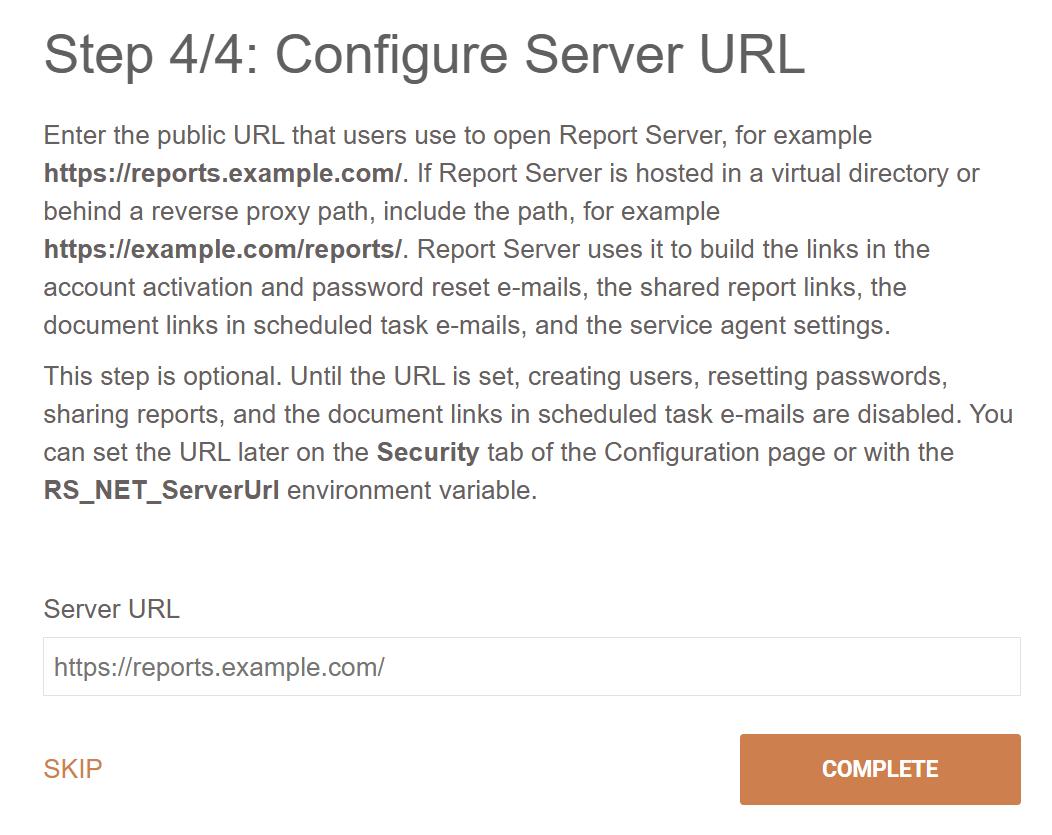 Report Server uses this URL to build links in account activation, password reset, and scheduled task emails. Until you set the URL, you cannot create users or reset passwords. Proper warning messages will be displayed to the users.
To use the same URL across all instances in a web farm, set the `RS_ServerUrl` environment variable. It overrides the value on this page and requires a restart. You cannot change the URL on this page while the variable is set.
When you save a new Server URL, Report Server also replaces the URL on the **Configuration > Webhooks** tab. To use a different URL for webhook notifications, set it on the Webhooks tab after you save the main URL. On existing installations, re-enter a custom Webhooks URL after changing the main URL if the two URLs differ.
If you skip the Server URL configuration, the admin will start seeing the following warning:
 ## Rate Limiter
Introduced with [2024 Q3 (10.2.24.806)](https://www.telerik.com/support/whats-new/report-server/release-history/progress-telerik-report-server-2024-q3-10-2-24-806).
Rate limiting is a technique used to control the rate of incoming requests to an API. It sets limits on the number of requests that can be made by an IP address to a specific anonymous endpoint within a defined time period (window). The rate limiter is applied only to non-authenticated users. The Guest special account is not affected by the rate limiter.
When the client has exhausted the number of requests allowed, a 409 `Conflict` response with the message `The endpoint "{endpointName}" is currently not accessible.` is returned from the server.
### Enable rate limiter
Enables/Disables the rate limiter. By default, the value is set to `enabled`.
### Window
Specifies the time window in milliseconds that takes in the requests. It must be set to a value greater than 0. By default, the value is set to `1000 milliseconds`.
### Permit Limit
The maximum permitted number of requests that can be allowed in a time window. It must be set to a value greater than 0. By default, the value is set to `1`.
## See Also
The following article provides more information:
* [Webhooks configuration](https://www.telerik.com/report-server/documentation/implementer-guide/configuration/webhooks)