# Could Not Load File or Assembly Error in WPF Demos Application
## Environment
## Description
When running an example from the Telerik UI for WPF Demos application, you may receive an error similar to:
`Could not load file or assembly '...'. The system cannot find the file specified.`
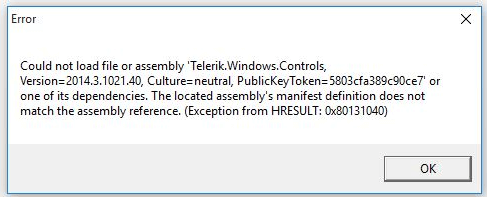
This is usually caused by cached ClickOnce files from a previous demos installation.
## Solution
1. Close the Telerik UI for WPF Demos application.
2. Uninstall the existing demos application.
3. Clear any cached ClickOnce files by deleting the contents of `C:\Users\\AppData\Local\Apps\2.0`.
> important Deleting the contents of this folder removes cache for all ClickOnce applications installed for the current user.
4. Install the latest demos package again from .
5. Run the example again.
## See Also
* [Installing WPF Demos Application](https://www.telerik.com/products/wpf/documentation/installation/manual-setup-guides/installing-demos)
* [SDK Samples Browser Cannot Be Installed or Crashes](https://www.telerik.com/products/wpf/documentation/knowledge-base/kb-sdk-samples-browser-cannot-be-installed-or-run)