# Integration With Visual Studio Tools for Microsoft Office (VSTO) Templates
## Environment
| Product Version |
2023.3.1114 |
| Product |
UI for WPF |
## Description
How to create an add-in for Microsoft Office with Telerik UI for WPF.
## Solution
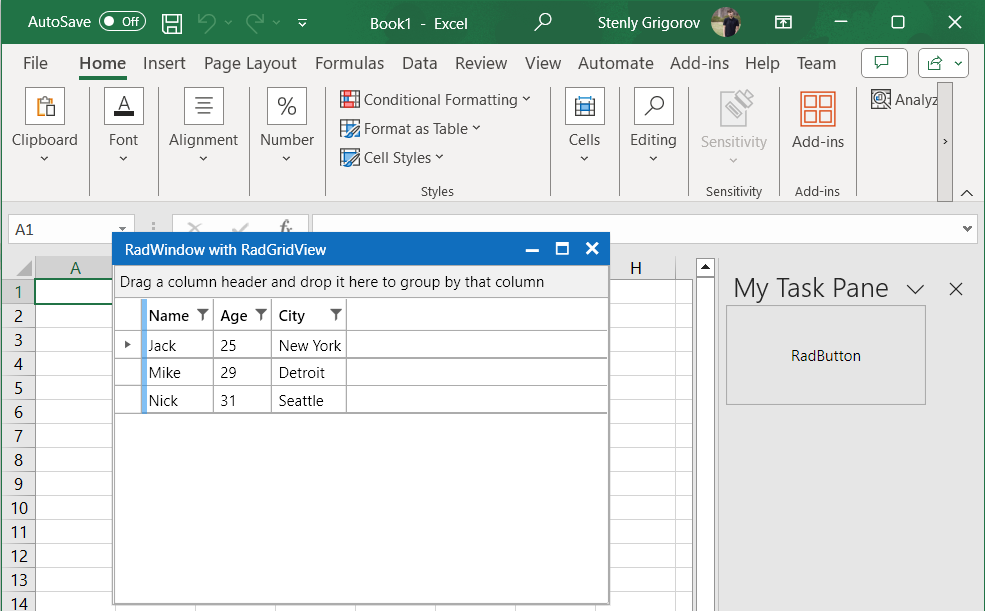
The following example shows how to create an Excel VSTO Add-in application and display a RadWindow and RadGridView elements. It is setup with the `NoXaml` version of the assemblies in mind.
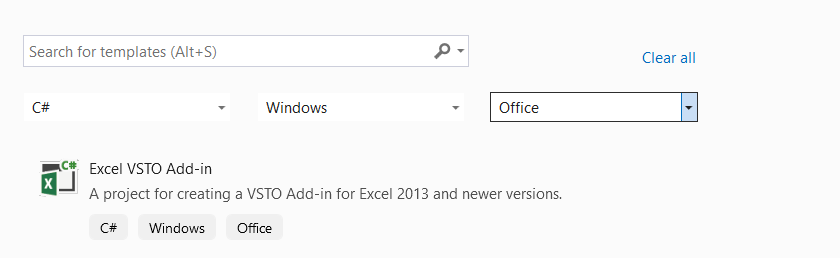
1. Open Visual Studio and choose the **Excel VSTO Add-in** template:
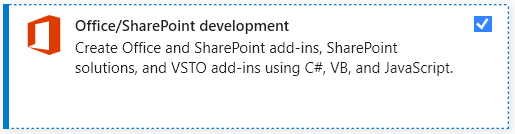
To create a VSTO project, you will need to install the **Office/SharePoint Development** package from the **Visual Studio Installer** application.
> caption Office/SharePoint development package
2. Create a new UserControl that will hold the Telerik UI for WPF controls.
**WPF UserControl with Telerik UI for WPF components**
```XAML
```
The above `RadButton` will create a new `RadWindow` instance that will host a `RadGridView` control when its Click event occurs.
**RadButton Click event handler**
```C#
private void RadButton_Click(object sender, RoutedEventArgs e)
{
RadWindow radWindow = new RadWindow()
{
Header = "RadWindow with RadGridView",
WindowStartupLocation = WindowStartupLocation.CenterScreen,
Owner = this,
Width = 400,
Height = 300,
};
this.SetupResources(radWindow);
RadGridView radGridView = new RadGridView() { ItemsSource = this.peopleViewModel.People };
radWindow.Content = radGridView;
radWindow.ShowDialog();
}
```
The `SetupResources` method from the above code snippet merges the resource dictionaries required by the RadGridView and RadWindow controls. The example utilizes the **Office2019** theme.
**SetupResources method's implementation**
```C#
private void SetupResources(RadWindow radWindow)
{
radWindow.Resources.MergedDictionaries.Clear();
radWindow.Resources.MergedDictionaries.Add(new ResourceDictionary()
{
Source = new Uri("/Telerik.Windows.Themes.Office2019;component/Themes/System.Windows.xaml", UriKind.RelativeOrAbsolute)
});
radWindow.Resources.MergedDictionaries.Add(new ResourceDictionary()
{
Source = new Uri("/Telerik.Windows.Themes.Office2019;component/Themes/Telerik.Windows.Controls.xaml", UriKind.RelativeOrAbsolute)
});
radWindow.Resources.MergedDictionaries.Add(new ResourceDictionary()
{
Source = new Uri("/Telerik.Windows.Themes.Office2019;component/Themes/Telerik.Windows.Controls.GridView.xaml", UriKind.RelativeOrAbsolute)
});
radWindow.Resources.MergedDictionaries.Add(new ResourceDictionary()
{
Source = new Uri("/Telerik.Windows.Themes.Office2019;component/Themes/Telerik.Windows.Controls.Input.xaml", UriKind.RelativeOrAbsolute)
});
radWindow.Resources.MergedDictionaries.Add(new ResourceDictionary()
{
Source = new Uri("/Telerik.Windows.Themes.Office2019;component/Themes/Telerik.Windows.Controls.Navigation.xaml", UriKind.RelativeOrAbsolute)
});
}
```
3. Create a **WindowsForms UserControl** that will hold the WPF UserControl in its `Child` property.
**WindowsForms UserControl**
```C#
public partial class WinFormsUserControl : UserControl
{
private ElementHost ctrlHost;
public WinFormsUserControl()
{
InitializeComponent();
ctrlHost = new ElementHost();
ctrlHost.Child = new WPFUserControl();
this.Controls.Add(ctrlHost);
}
}
```
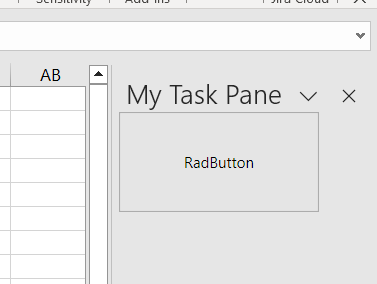
4. Open the add-in class generated by the **Excel VSTO Add-in** template and create new `CustomTaskPane` instance in the event handler for the `Startup` event. This CustomTaskPane will hold the WindowsForms UserControl.
**AddIn class implementation**
```C#
public partial class MyAddIn
{
private Microsoft.Office.Tools.CustomTaskPane myCustomTaskPane;
private WinFormsUserControl userControl;
private void OnMyAddInStartup(object sender, System.EventArgs e)
{
userControl = new WinFormsUserControl();
myCustomTaskPane = this.CustomTaskPanes.Add(userControl, "My Task Pane");
myCustomTaskPane.Visible = true;
}
private void OnMyAddInShutdown(object sender, System.EventArgs e)
{
}
#region VSTO generated code
///
/// Required method for Designer support - do not modify
/// the contents of this method with the code editor.
///
private void InternalStartup()
{
this.Startup += new System.EventHandler(OnMyAddInStartup);
this.Shutdown += new System.EventHandler(OnMyAddInShutdown);
}
#endregion
}
```
> caption Excel VSTO add-in with a WinForms UserControl that hosts the WPFUserControl
> caption Excel VSTO add-in with Telerik UI for WPF components