# Recording Video
To start recording a video you can press the "Start recording" button or call the `StartRecording` method of the `RadWebCam` control.
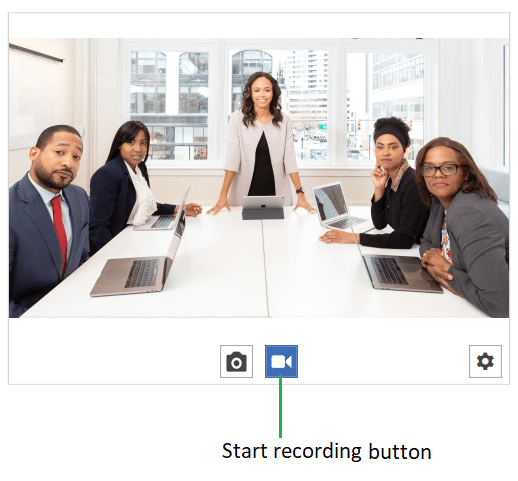
To enable video recording set the `RecordingFilePath` property of the control. This is the path to the video where the recording will be stored.
**Set the recording file path in XAML**
```XAML
```
**Set the recording file path in code**
```C#
string videoFileName = Path.Combine(Environment.GetFolderPath(Environment.SpecialFolder.Desktop), "video.mp4");
// If there is no "video.mp4" file, such file will get created. If the file exists, it will get overridden.
radWebCam.RecordingFilePath = videoFileName;
radWebCam.StartRecording();
```
To stop recording, press the "Stop" button or call the `StopRecording` method of RadWebCam. This will stop the recording and close the file stream.
**Stop capturing a video**
```C#
radWebCam.StopRecording();
```
You can indicate that the camera control is recording via its `IsRecording` property.
> Setting the `IsRecording` property of RadWebCam will also start or stop the recording.
## Elapsed Time Format
The control allows you to replace the default elapsed date-time format. To do this, set the `VideoRecordingElapsedTimeFormat` property of the RadWebCam control.
> caption Elapsed time default format

**Set VideoRecordingElapsedTimeFormat in XAML**
```XAML
```
**Set VideoRecordingElapsedTimeFormat in code**
```C#
this.radWebCam.VideoRecordingElapsedTimeFormat = "ss";
```
> caption Elapsed time custom format

## See Also
* [Getting Started](https://www.telerik.com/products/wpf/documentation/controls/radwebcam/getting-started)
* [Commands](https://www.telerik.com/products/wpf/documentation/controls/radwebcam/features/commands)
* [Events](https://www.telerik.com/products/wpf/documentation/controls/radwebcam/events)