# Layout Strategies
By the end of this help topic you will learn about the *Layout Strategies* which are responsible for data tiling in the **RadTreeMap** and **RadPivotMap** controls.
\*Treemap \*algorithms represent hierarchical data sets via recursive subdivision of the initial rectangle. The area of each rectangle in the treemap is proportional to the size of that particular node.
> Layout Strategies are always applied to child nodes.
Currently there are two Layout Strategies to visualize the data:
* **Squarified** - creates rectangles with best aspect ratio.
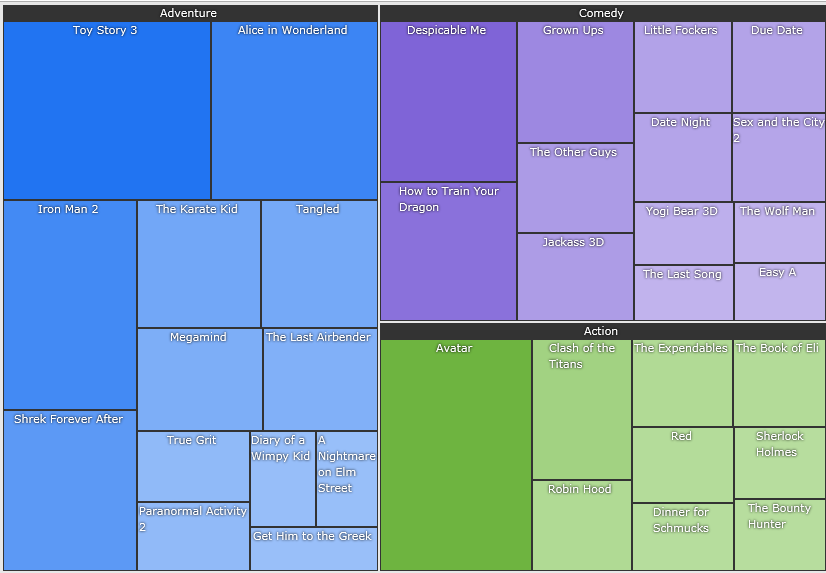
* **Slice and Dice** - creates rectangles with high aspect ratio and displays them sorted either horizontally or vertically.
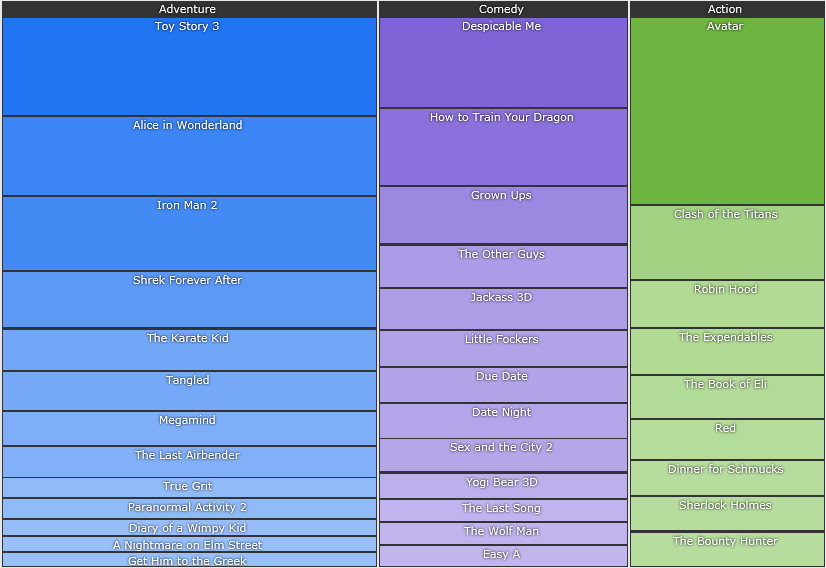
The default one is Slice and Dice.
For **Slice and Dice** algorithm you can specify **Orientation** (*Horizontal*, *Vertical* or *Smart*) and **SortDirection** (*Ascending* or *Descending*):
```XAML
```
Setting the **Orientation** to *Smart* means that the algorithm will automatically choose the most appropriate orientation depending on your data and the available space.
You can instantiate a layout strategy in XAML by using the layout strategy name:
```XAML
```
You can also use a TypeConverter that converts strings in \*LayoutStrategy \*using default settings:
```XAML
```
Have in mind that the LayoutStrategy may be different for each **TypeDefinition** of **RadTreeMap** or **GroupDefinition** of **RadPivotMap.** You can also set a layout strategy for the topmost level. If you set Squarified for example for the topmost level and you don't specify a strategy for its children - all will inherit the top-most level strategy which in this case is Squarified.
```XAML
```