# Customizing Tiles

This topic will go through the process of styling the common elements of **RadTileList**.

## Styling the Tiles

For the purpose of this example, the following definition of **RadTileList** will be used.

**Example 1: Defining RadTileList in XAML**

```XAML
<telerik:RadTileList >
    <telerik:RadTileList.Groups>
        <telerik:TileGroup Header="Europe" DisplayIndex="0">
            <telerik:TileGroup.Items>
                <telerik:Tile Content="Italy" />
                <telerik:Tile  Content="Germany" />
            </telerik:TileGroup.Items>
        </telerik:TileGroup>
        <telerik:TileGroup Header="Asia" DisplayIndex="1">
            <telerik:TileGroup.Items>
                <telerik:Tile Content="China" />
                <telerik:Tile Content="India" />
            </telerik:TileGroup.Items>
        </telerik:TileGroup>
    </telerik:RadTileList.Groups>
</telerik:RadTileList>
```

Then, defining a **Style** for the **Tile** can achieved as follows. This example demonstrates how an implicit style targeting the **Tile** can be defined. Thus, it will be applied to all **Tile** instances.

**Example 2: Defining Style for the Tiles**

```XAML
<Window.Resources>
    <Style TargetType="telerik:Tile">
        <Setter Property="Width" Value="250"/>
        <Setter Property="FontWeight" Value="ExtraBlack"/>
        <Setter Property="Background" Value="LightSlateGray"/>
    </Style>
</Window.Resources>
```

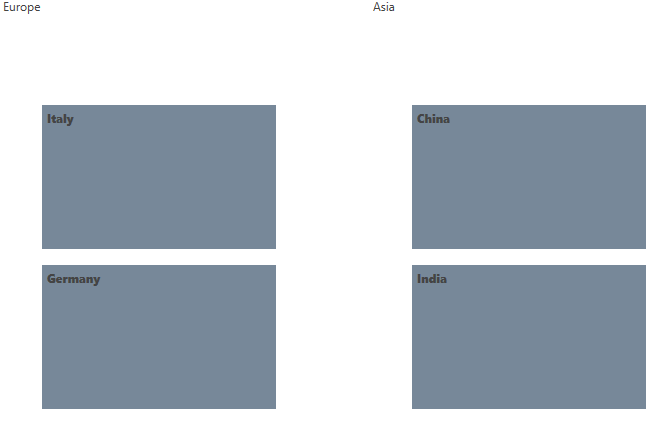
This setup will result in the following output.

> caption Styling the tiles
![Styling the Tiles](https://www.telerik.com/products/wpf/documentation/assets/e5d105224e09d7dff4d6d9117b73395f/radtilelist_styling_01.png)

## Styling the Group Container

The default look of the group container can be altered by defining a style targeting **TileGroupContainer**.

**Example 3: Defining Style targeting TileGroupContainer**

```XAML
<Style TargetType="telerik:TileGroupContainer">
    <Setter Property="Width" Value="250"/>
    <Setter Property="FontWeight" Value="Bold"/>
    <Setter Property="Foreground" Value="DarkRed"/>
</Style>
```

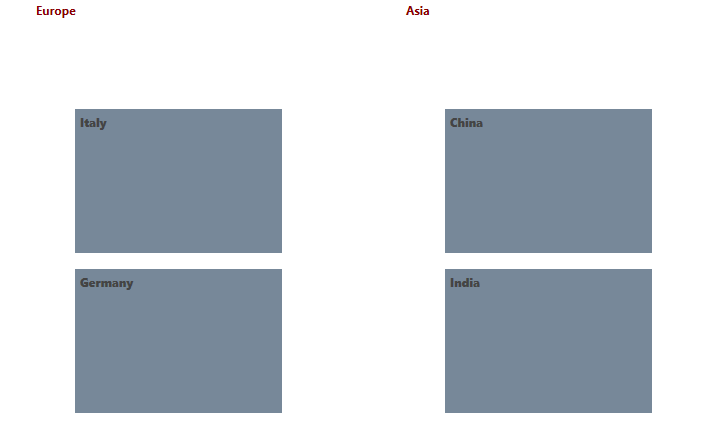
The visual appearance of the **TileGroupContainer** will be as shown in the image below.

> caption Styling the TileGroupContainer
![Styling the Tiles](https://www.telerik.com/products/wpf/documentation/assets/118cc2a09e2eb1cd97e81c07df17075d/radtilelist_styling_02.png)

## See Also

* [Editing Control Templates](https://www.telerik.com/products/wpf/documentation/styling-and-appearance/styling-apperance-editing-control-templates)
* [Grouping](https://www.telerik.com/products/wpf/documentation/controls/radtilelist/features/grouping)
